What to look for when choosing
At a small desk, a compact design isn’t the only consideration: the layout also needs to suit your editor shortcuts and the space available for your mouse.
75% keyboard
A good fit if: you often need direct access to arrow or function keys but still want to leave room for your mouse.
The trade-off: It takes up more space than a 60% model; the layout of the other navigation keys varies by model.
TKL keyboard
A good fit if: you prefer a separate navigation block or familiar spacing between keys, and have enough desk space for it.
The trade-off: It has no number pad, but is larger than smaller formats.
60% keyboard
A good fit if: having as much room as possible for mouse movement is your priority, and you’re comfortable using secondary functions for frequently used keys.
The trade-off: The Razer Huntsman Mini has no dedicated function keys or standard navigation block; some commands are assigned to secondary functions.
Full-size keyboard
A good fit if: your workflow requires a number pad and you have room for it on your desk.
The trade-off: The number pad takes up space that would otherwise be available for your mouse.
| Priority |
What to check before buying |
Who it matters most to |
| Room for keyboard and mouse |
Check your desk space and the dimensions of the specific variant; compare 60%, 75% and TKL layouts based on the keys you need. |
If I want to move my mouse freely without giving up the keys I need for my editor, I put space requirements first. Around 34% of consumers prioritise space for their keyboard and mouse. |
| Direct access to commands |
Compare your editor’s shortcut list with the model’s F-row, arrow keys and navigation keys. |
If you often edit views or objects using the keyboard, you’ll want the most important shortcuts close to hand. Around 33% of consumers prioritise direct access to keys. |
| Customisable keys |
Check whether the software for the specific model supports the keys or macros you want, and whether you can use the commands in your editor. |
If I want to assign recurring tasks to custom keys, support from both the model and editor matters. Around 20% of consumers prioritise customisable key assignments. |
| Typing feel and connectivity |
Check the switch type and available USB, Bluetooth or 2.4 GHz connection options for the variant you’re considering. |
In a shared workspace, switch feel and connection flexibility may matter more than extra gaming features. Around 13% of consumers prioritise typing feel and connectivity. |
Joybuy products for map-making
The models below cover compact 60%, 65% and 75% formats. Pay particular attention to the stated key layout: not all the variants listed have a German QWERTZ layout.
 No image available
Akko 3084B Plus, 75%, ISO-DE
For a compact desk, if you want a 75% layout and the option to use custom macros.
ISO-DE; V3 Pro Cream Blue switches; Bluetooth, 2.4 GHz and USB-C; RGB; hot-swappable; macros via Akko Macro V1.0.
Joybuy
 No image available
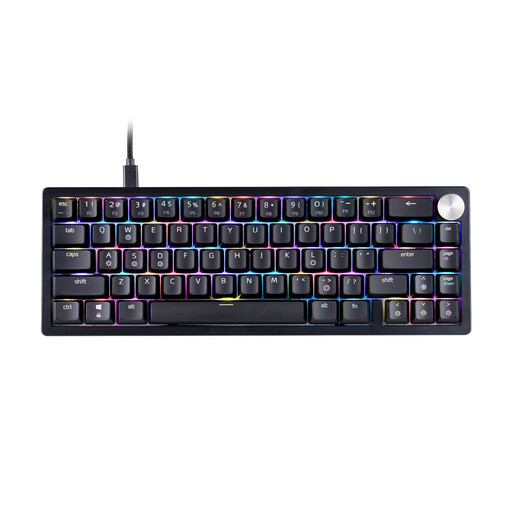
XPG SORCERER MINI, 65%, US QWERTY
For a small desk, if a compact 65% layout suits the editor commands you need.
US QWERTY; XPG Red switches; RGB; wired USB-C connection with detachable cable. According to the product description, this is not a German QWERTZ layout.
Joybuy
 No image available
CHERRY MX-LP 2.1 Wireless, 65%, German QWERTZ
For a small desk, if you’re looking for a compact format with a German key layout.
65%; 69 keys; German QWERTZ; low-profile MX Speed switches; USB-C, Bluetooth and 2.4 GHz; RGB.
Joybuy
 No image available
AULA WIN60HE, 60%
For a particularly small desk, provided you’re comfortable with a 60% layout and the secondary functions you need.
Wired; magnetic, hot-swappable switches; adjustable actuation point; Rapid Trigger; 8,000 Hz polling rate; RGB.
Joybuy
 No image available
AULA F75 MAX, 75%, US QWERTY
For map-making at a small desk, if you want arrow keys and a compact 75% layout.
81 keys; programmable keys and multifunction knob; wired, Bluetooth or 2.4 GHz; hot-swappable 3- or 5-pin switches. US QWERTY according to the product title.
Joybuy
Frequently asked questions
Do I definitely need an F-row or number pad for making game maps?
Not necessarily: compare your specific editor’s shortcuts with the keyboard layout. Epic Games notes that some shortcuts in the Unreal Level Editor can be customised; this doesn’t automatically apply to other editors.
How do I set up a keyboard for my map editor?
First choose the right keyboard layout in your operating system, then check the shortcuts in your editor. If you want to use custom key assignments, check that the specific model’s software supports them and test the commands in the editor.
Will a hot-swappable keyboard work with any switches?
No, compatibility depends on the particular model and switch type. Razer lists socketed connections for 3- or 5-pin switches on the BlackWidow V4 75%; this doesn’t establish compatibility with other models.
Can I use macros or custom key assignments for map-making?
That depends on the keyboard software and the editor. Check whether the specific model lets you assign the keys or macros you want, and whether the editor supports the commands.
What should I look for in a keyboard layout?
Compare the stated layout variant with the layout you want, and check that it works with your operating system and editor. With compact models in particular, also check which frequently used keys are directly accessible and which require a secondary function.


