Map-makers who use lots of editor commands
If you often switch between tools, layers or actions, check whether custom shortcuts or extra keys could make your workflow easier. Tiled documents that you can change keyboard shortcuts in the settings.


Choose a keyboard based on the commands you use in your map editor and the desk space available, rather than screen size alone. Extra keys can bring frequently used commands together, while a TKL model without a number pad leaves more room for mouse movement. If you enter lots of numbers, a full-size keyboard with a number pad may be more practical. Tiled documents that keyboard shortcuts can be changed, so extra macro keys aren’t essential for every workflow.
If you often switch between tools, layers or actions, check whether custom shortcuts or extra keys could make your workflow easier. Tiled documents that you can change keyboard shortcuts in the settings.
If you’re working on a large map and need plenty of room for your mouse, a keyboard without a number pad could be a good option. SteelSeries describes the Apex 3 TKL - DE as a model that leaves more room for mouse movement by omitting the number pad.
If you often enter coordinates or numerical values, a number pad can come in handy. Whether it genuinely suits your workflow depends on how you use the editor in question.
First, check which shortcuts your editor already offers: Tiled documents that keyboard shortcuts can be changed. You can then decide whether extra keys or a different keyboard layout would suit your workflow.
| What matters | What to look for when buying | Who is this important to? |
|---|---|---|
| Quick access to editor commands | List the actions you use most often and check whether the editor supports custom shortcuts and the keyboard has suitable extra keys. | If I switch between tools or layers often, I want to trigger recurring actions directly. For around 33% of consumers, these assignable shortcuts would be the top priority. |
| Room for mouse movement | Measure the usable desk space and consider whether you can do without a number pad. | If I need plenty of room for my mouse when placing and moving map objects, I’d be more likely to go without a number pad. For around 27% of consumers, this extra space would take priority. |
| Quiet operation | Check the switch type and exact model variant. Treat manufacturers’ noise claims as their own descriptions, not as independent comparisons of volume. | If I type in a shared workspace, I want to take the noise from the specific keyboard into account. For around 20% of consumers, keeping noise to a minimum would be the main priority. |
| Entering numbers | Think about how often you enter numbers and compare full-size and TKL models. Check the layout of the specific variant. | If I regularly enter coordinates or numerical values, I want them to be easy to access. For around 20% of consumers, a number pad would therefore matter more than extra room for a mouse. |
A large monitor doesn’t automatically give you more desk space. A TKL keyboard saves space beside the keyboard by omitting the number pad, but you lose the convenience of entering numbers directly.
Compare your desk dimensions with the space you need for mouse movement, and consider how often you enter numbers.
Tiled’s documentation says you can change keyboard shortcuts in the settings. That means you may already be able to assign some frequently used actions to keys you have.
Check the shortcuts for the actions you use most in the specific editor before deciding you need extra programmable keys.
Joybuy lists a BlackWidow V4 Pro with a US QWERTY layout and a BlackWidow V4 Yellow with a German layout as different versions.
Before you buy, compare the full model name, keyboard layout and switch variant.
The examples below differ in areas such as size, extra keys and switch type. Manufacturers’ claims about noise and comfort aren’t independent measurements.
The BlackWidow V4 is a full-size model for anyone considering extra keys for editor commands.
The Apex 3 TKL - DE has no number pad and is aimed at users who want more room beside their keyboard.
The MX 3.1 is a wired, full-size mechanical keyboard with customisable key assignments.
The German-layout K55 RGB PRO combines a full-size layout with rubber dome keys and six macro keys.
The G915 X LIGHTSPEED is a low-profile, wireless, full-size option with assignable keys.
This selection includes a full-size model with dedicated macro keys and more compact options without a number pad. The key question is whether you value easy access to numbers or more room for mouse movement.
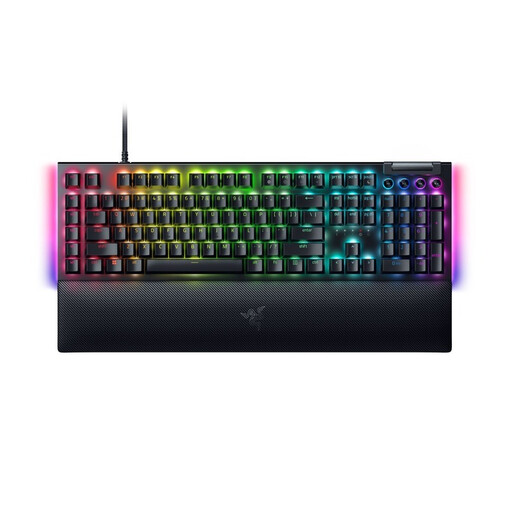 Image unavailable
A good fit if you want to assign recurring editor commands to dedicated macro keys.
Mechanical keyboard with a German QWERTZ layout, Razer Yellow switches and six dedicated macro keys. Product information says you can customise the keys using Razer Synapse.
 Image unavailable
A good fit if you want more room for your mouse and can do without a number pad.
TKL layout without a number pad, Mecha-Membrane switches and programmable keys. If you enter numbers frequently, going without a number pad is an important trade-off to consider.
 Image unavailable
A good fit if you prefer a more compact keyboard that leaves room beside it.
75% mechanical gaming keyboard with an ISO-DE layout and V3 Pro Cream Blue switches. Connectivity options: Bluetooth, 2.4 GHz or USB-C.
 Image unavailable
A good fit if you prioritise room for your mouse and don’t need a number pad.
TKL mechanical gaming keyboard with an ISO-DE-QWERTZ layout, V3 Pro Cream Yellow switches, hot-swap functionality and RGB lighting. There’s no number pad for frequent number entry.
 Image unavailable
A good fit if you’re looking for a mechanical TKL model with a German layout and can do without a number pad.
MX2A Red Linear switches, RGB lighting and full N-key rollover. If you enter numbers frequently, bear in mind that this TKL model has no number pad.
No. It depends on the commands in your editor: Tiled documents a wide range of shortcuts and lets you change them in the settings. Check your workflow first, then assign frequently used actions supported by the programme.
Start in the control settings of the game or editor you’re using. For example, Epic Games describes the “Creative Input Actions” section in Fortnite for changing the relevant key assignments. These instructions don’t automatically apply to other map editors.
Check which connection suits the keyboard and your workspace, and remember to plan where the cable will go. For the CHERRY XTRFY MX 3.1, the manufacturer lists a detachable USB-C cable. If you want programmable key assignments, check the relevant software or your editor’s settings.
No. When you buy as a consumer from a business seller, your statutory rights regarding faulty goods apply. A voluntary commercial guarantee cannot exclude or reduce the minimum two-year statutory protection. Your Europe, the European Union’s information portal, distinguishes these rights from an additional commercial guarantee. Check the guarantee’s terms separately.
For eligible consumer distance contracts, you generally have a 14-day right to withdraw from the contract. However, statutory exceptions and the circumstances of the specific purchase should be taken into account. The Council of the European Union explains this right for online purchases. This is separate from any longer returns period a retailer may offer voluntarily.