Start by considering the sound of the keys, then check whether the commands you use frequently in tactical role-playing games are easy to reach on the specific layout. Descriptions such as ‘quiet keys’ or ‘dampened switches’ can help you narrow down your options, but they don’t guarantee a particular noise level in your bedroom. Compact formats save space, while extra keys or hot-swap functionality may suit different needs.
Who are the different keyboards suited to?
Considerate night-time gamers
If you share a bedroom, the sound of the keys may matter more than extra gaming features. SteelSeries describes the keys on the Apex 3 TKL as quiet, while CHERRY specifies integrated damping for the MX SILENT RED. Neither claim is based on a comparative noise test in a bedroom.
Gamers who use lots of shortcuts
If you frequently trigger specific actions, menus or camera commands, compare your key bindings with the actual layout. The Razer BlackWidow V4 75% has arrow and function keys; Corsair lists six dedicated macro keys for the K55 RGB PRO XT.
Gamers with a small desk
If you need room for your mouse alongside your keyboard, a TKL or 75% layout could be an alternative to a full-size model. The SteelSeries Apex 3 TKL omits the number pad, while the Razer BlackWidow V4 75% has a compact layout with arrow and function keys.
What should you consider when choosing?
First compare the sound of the specific version, then check its layout against the game commands you use most and the space available on your desk. The percentages show the share of consumers who prioritise each concern in this buying situation.
| Concern |
What to check before buying |
Who is most affected? |
| Key sound |
Check the exact switch version and the sound of the larger keys; if possible, listen to it under comparable conditions. |
When I play at night in a shared room, I want to disturb the other person as little as possible without relying solely on a marketing description. Around 36% of consumers prioritise low noise. |
| Commands within easy reach |
Compare your in-game key bindings with the model’s arrow, function and, where applicable, macro keys. |
When I often trigger specific commands in a game, I don’t want to have to learn awkward key combinations first. Around 29% of consumers prioritise having commands directly to hand. |
| Space for your keyboard and mouse |
Measure the available desk width and decide whether you need a number pad. |
When my desk is small, I need room for my mouse but still want to keep the keys I use in games. Around 21% of consumers prioritise saving space. |
| Future customisation |
Check hot-swap compatibility and what’s included with the specific version. |
If I want to change the typing feel later, I need to know that I can swap compatible switches and which parts are included. Around 14% of consumers prioritise customisation. |
Which buying mistakes should you avoid?
-
Assuming red switches are the same as Silent Red
CHERRY specifies integrated noise damping for the MX SILENT RED. A colour description alone doesn’t mean that the switches are dampened.
Before buying, check the full switch name for the specific version.
-
Assuming a barebones keyboard is ready to game on
According to Razer, the barebones version of the Razer BlackWidow V4 75% doesn’t include switches or keycaps.
Check what’s included with the version you’ve chosen before ordering.
You’ll need to buy any missing switches and keycaps separately before you can use it.
-
Choosing solely on the basis of the smallest size
A layout without a number pad saves space, but it may leave out keys you want to reach directly for your gaming setup.
Make a note of the commands you use most and compare them with the specific layout.
Which brands are worth considering?
SteelSeries
The Apex 3 TKL combines a layout without a number pad with keys that the manufacturer describes as quiet.
- SteelSeries lists anti-ghosting and IP32 for this model.
- The manufacturer’s description ‘quiet’ doesn’t mean silent, nor does it confirm a comparable noise level in a bedroom.
Razer
The BlackWidow V4 75% is aimed at buyers looking for a compact mechanical layout with hot-swap functionality.
- Razer describes the pre-installed Orange switches on the equipped version as tactile and quiet; compatible 3- or 5-pin switches can be swapped in.
- According to Razer, the barebones version includes no switches, keycaps or wrist rest.
Corsair
The K55 RGB PRO XT combines a full-size layout with six dedicated macro keys.
- Corsair describes the keys on this model as quiet and lists IP42.
- A full-size model takes up more desk space, and the manufacturer’s description is not an acoustic comparison with other keyboards.
Logitech G
The G915 X LIGHTSPEED TKL combines a layout without a number pad with several connection options.
- Logitech lists 2.4 GHz wireless, Bluetooth and wired connections, as well as different switch types, for this model.
- Its low-profile design doesn’t guarantee a particular noise level; the specific switch version is what matters.
CHERRY
CHERRY offers the MX SILENT RED, a mechanical switch with explicitly described damping.
- The damping claim applies to the MX SILENT RED.
- It doesn’t mean that every version of the MX BOARD 3.0S includes this switch or is equally quiet.
Joybuy keyboards for different gaming setups
This selection includes compact gaming keyboards and full-size models, with both wired and wireless options. Pay particular attention to the layout and exact switch type if noise and easily accessible commands matter in your bedroom.
 No image available
CHERRY MX-LP 2.1 Wireless Gaming Keyboard, German QWERTZ layout, white
The compact 65% format could be a good fit if you want to save desk space and use a German QWERTZ layout.
65% format; 2.4 GHz, Bluetooth and USB-C connectivity; low-profile MX Speed switches.
View at Joybuy
 No image available
Ticktype DP104, full size, 108 keys, Silent Tactile switches, US layout
A full-size model could suit you if you need a number pad; the switch name alone doesn’t guarantee a particular noise level in your room.
108 keys; hot-swap; tri-mode connectivity; US layout; Silent Tactile switches.
View at Joybuy
 No image available
AJAZZ AK820 MAX, 75%, tri-mode, Flying Fish switches, US layout
The 75% layout could be a good option if you want a more compact format with arrow and function keys. The product description mentions damping materials, but doesn’t specify a comparable noise level.
Tri-mode connectivity; hot-swap; Flying Fish switches; US QWERTY layout.
View at Joybuy
 No image available
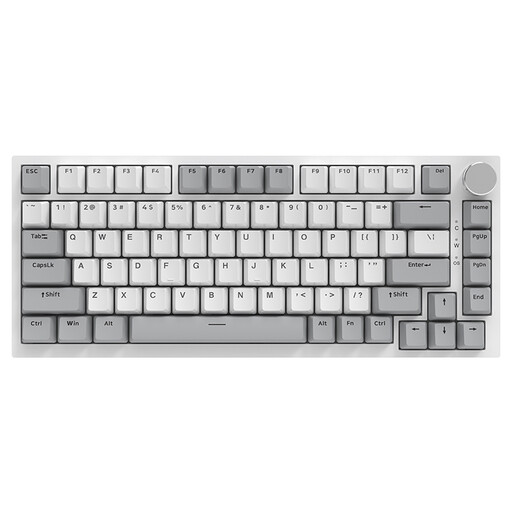
AJAZZ AK820, 75%, wired, hot-swap, US layout
The 75% format could suit you if you want to save space and choose a wired model with hot-swap functionality. Check that the US layout matches your preferred key arrangement.
83 keys; linear switches; hot-swap; white backlighting; volume control.
View at Joybuy
 No image available
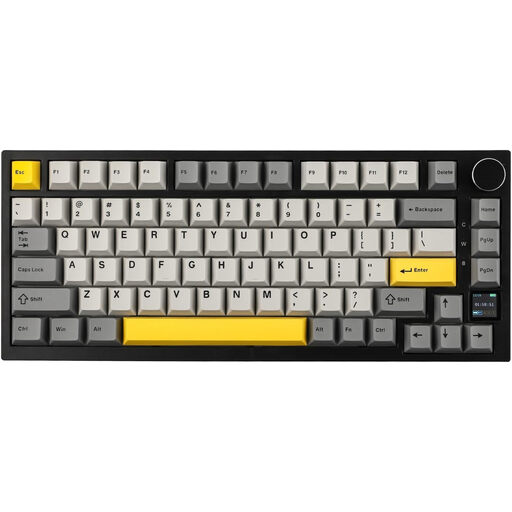
AJAZZ AK820 Pro, 75%, tri-mode, hot-swappable, US layout
The 75% layout could suit you if you want a compact format with arrow and function keys, plus replaceable switches. Check that the US layout matches the arrangement you’re used to.
Wired, Bluetooth and 2.4 GHz connectivity; hot-swappable; TFT display; RGB lighting.
View at Joybuy
Frequently asked questions
Is a ‘quiet’ description enough for a shared bedroom?
No. The description alone doesn’t tell you how loud the keyboard will sound in your bedroom. SteelSeries and Corsair describe the keys on certain models as quiet, but that doesn’t provide a comparable noise level for your room. Check the exact version and, if possible, listen to it under similar conditions to how you’ll use it.
What should I check about macros and replaceable switches?
First, make sure your macros comply with the rules of the game in question. Razer lists hot-swap sockets for 3- or 5-pin switches on the BlackWidow V4 75%. Before swapping them, check compatibility and whether you’re buying an equipped or barebones version.
Does the CE marking apply to every keyboard?
Not across the board. According to the European Union, CE marking applies to products covered by relevant harmonised EU rules. The requirements for a specific wired or wireless keyboard depend on the product in question.


