What should you look for when buying?
First, decide which commands you want to access directly and which keys you need for office work. Then compare the exact switch type and physical layout.
| What matters |
What to check before buying |
Who is this important for? |
| Noise and typing feel |
Check the exact switch type and keyboard construction; don’t treat manufacturers’ descriptions as comparable decibel readings. |
If I play and work in the same room, I want to minimise disruption to conversations without compromising on the typing feel I prefer. Around 36% of consumers put noise levels first. |
| Direct access to commands |
Make a note of the commands you need and check the number and position of programmable keys; follow the game’s rules on macros. |
If I often practise support commands, I want to be able to assign them to keys that are easy to reach. Around 29% of consumers prioritise this direct access. |
| Desk space and work setup |
Check your desk space and whether you use a number pad, function keys and navigation keys; check the German layout separately. |
If my desk is short on space, I need room for my mouse and work materials, but I don’t want to miss out on important keys for office work. Around 21% of consumers focus mainly on desk space and work setup. |
| Connectivity and customisation |
Check which devices and connection types you need; if you want hot-swap, confirm that the switches you want are compatible. |
If I switch between devices or want to modify my keyboard later, the right connections and the customisation options I actually need are important. Around 14% of consumers put these features first. |
Joybuy models for your home-office desk
These models have different strengths: dedicated or programmable key assignments, more compact TKL and 75% formats, and versions with dampening or hot-swap. Check the exact layout and switch version for each model.
 No image available
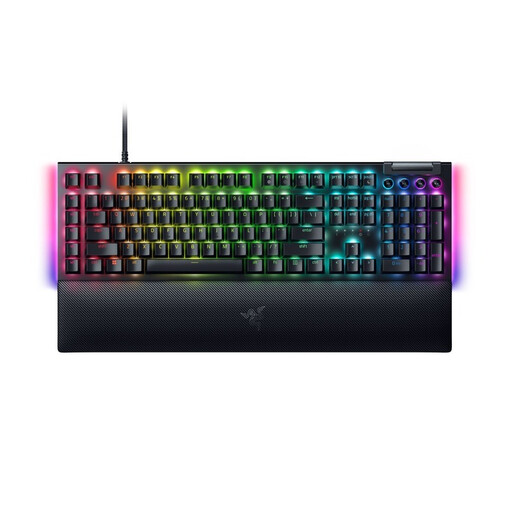
Razer BlackWidow V4, Yellow switch, German layout
For support commands you use regularly, Razer lists six dedicated macro keys. Razer describes Yellow as silent, but doesn’t provide a comparative noise measurement.
Full-size mechanical gaming keyboard with German layout and Yellow switches.
View at Joybuy
 No image available
Exodus 220 TKL gaming keyboard, QWERTZ DE
The TKL format is worth considering if you need more desk space, but it doesn’t have a separate number pad.
This model is listed with membrane switches, a German QWERTZ layout and 26-key N-key rollover.
View at Joybuy
 No image available
Akko 5087S V1 TKL, Cream Yellow, ISO-DE QWERTZ
If you’re looking for programmable keys and the option to change switches later, the listed macro functions and hot-swap support are worth noting.
Wired TKL keyboard with Akko V3 Pro Cream Yellow switches and ISO-DE-QWERTZ layout. Hot-swap is listed for 3-pin and 5-pin switches; there is no number pad.
View at Joybuy
 No image available
CHERRY XTRFY MX 3.1, Brown switches, German QWERTZ
For a mechanical typing feel at your home-office desk, the product description mentions a dampened construction; the noise-reduction claim comes from the manufacturer.
Full-size mechanical keyboard with Brown switches, programmable media panel, anti-ghosting and German QWERTZ layout.
View at Joybuy
 No image available
Ticktype EVO75, ISO-DE, Creamy Rye switches
This model may suit buyers looking for programmable keys in a more compact format. Check that it has enough keys for the commands you need for work and play.
75% layout with tri-mode connectivity and hot-swap for 3-pin and 5-pin switches. The product description lists macros and key remapping.
View at Joybuy
Frequently asked questions
Can I use any macro function to practise my support role?
No. Having a particular feature on your keyboard doesn’t mean every kind of automation is allowed. Check the rules of the game you play before setting up command sequences.
How should I set up my keyboard at my home-office desk?
For flexible screen-based work at home, the DGUV recommends a separate keyboard and mouse. Its home-office checklist suggests leaving 10 to 15 cm between the keyboard and the edge of the desk. This is a setup tip, not a feature of any particular keyboard model.
Can I change the switches later?
It depends on whether the specific model supports hot-swap. Cooler Master lists this feature for the MK770; before modifying your keyboard, also check that the switches you want are compatible.
What are my rights if a keyboard is faulty or bought online?
When you buy from a trader, you generally have a statutory minimum two-year guarantee against faulty goods; a voluntary manufacturer’s warranty does not replace this. For a typical online distance purchase, you generally have a 14-day right to cancel from the date of delivery. Your Europe notes that statutory exceptions may apply and that you may have to pay return costs when cancelling if you were properly informed about them.
What should I check on the labelling of an electronic or wireless model?
The Bundesnetzagentur lists the CE marking, product and manufacturer identification, German instructions with any required information, and the declaration of conformity among the points it checks during market surveillance. This does not confirm that any specific keyboard model complies with the requirements.


