
Lieferung heute & morgen

Qualitätsgarantie

Willkommens-Angebote freischalten: KOSTENLOSE Lieferung | Bis zu 80 % RABATT | Kostenlose 30-Tage-JoyPlus-Testphase
App herunterladen
A gaming laptop needs to do more than an ordinary laptop. Today’s games, streaming, video editing and demanding multitasking all place high demands on the graphics card, processor and cooling system. Product descriptions featuring high refresh rates, AI terminology and large storage capacities can also make it easy to choose the wrong device.
Three common pitfalls are particularly worth watching out for:
The graphics card plays a major part in determining the resolution, detail settings and frame rate you can achieve. Depending on the game and device configuration, an RTX 5060 gaming laptop is suitable for demanding Full HD or QHD gaming. An RTX 5070 gaming laptop is better suited to those looking for more headroom for ray tracing, modern graphics features and creative applications.
The CPU matters too. Depending on the model, a Ryzen gaming laptop may have six, eight or more cores. Core count alone isn’t enough for gaming: clock speed, cooling and how well the CPU works with the GPU all affect performance. However, extra cores and threads are useful for streaming and 3D applications.
Also look out for:
A 16-inch gaming laptop often offers a good balance between screen space and portability. A 17-inch gaming laptop is a good choice if you prefer a larger screen and will mostly use the device in one place. Smaller models, such as 14-inch or 14.5-inch gaming laptops, are easier to carry around but have less screen space.
Here are the key specifications to look out for:
A QHD gaming laptop with a 240 Hz display can appeal to competitive players. For many AAA games, though, it makes more sense to prioritise GPU performance, native resolution and cooling quality over the refresh rate alone.
A gaming laptop with 32 GB of RAM is particularly useful if you run several applications at once, such as a game, browser, voice chat, streaming software and video-editing tools. 16 GB is still enough for many gaming scenarios, but ideally it should be installed as two memory modules. Check whether the RAM can be upgraded later, too.
A gaming laptop with a 1 TB SSD gives you considerably more room for games, project files and software than a model with 512 GB. Check the PCIe generation, whether there are additional M.2 slots and whether you can upgrade the drive later.
For everyday use in Germany, look for:
A Windows 11 gaming laptop is ready to use straight away, but it’s still worth checking for updates, graphics drivers and manufacturer software once you’ve set it up. The quoted battery life usually applies to less demanding applications, not continuous gaming.
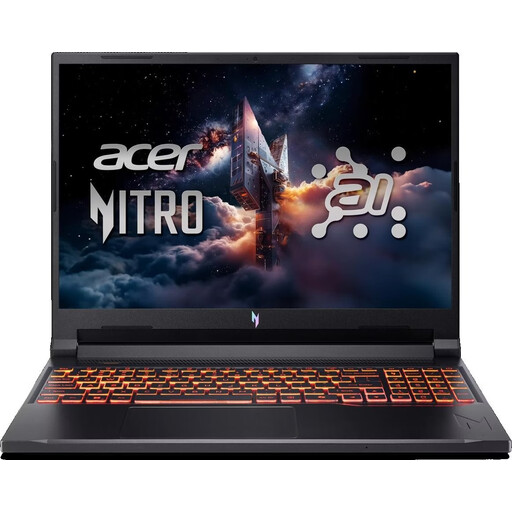
Why this product suits this profile: This 16-inch model combines an RTX 5050 with 16 GB DDR5, a 512 GB SSD and a 180 Hz WUXGA display. It’s designed for Full HD gaming, studying and everyday use.
The specifications give clear figures for RAM, SSD storage, display and GPU. Even so, check whether 512 GB will be enough for your games library.
16-inch IPS panel with 180 Hz; Wi-Fi 6E, HDMI 2.1 and USB-C 4.
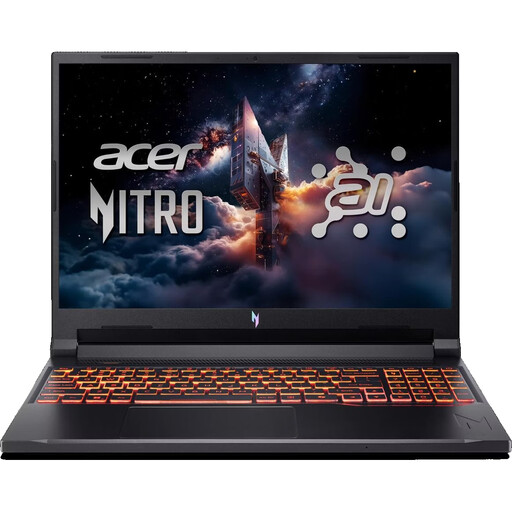
Why this product suits this profile: The Ryzen 7 260, RTX 5070 with 8 GB GDDR7, 32 GB DDR5 and 1 TB SSD make for a clearly specified setup designed for demanding games, creative software and multitasking.
The 32 GB of RAM and 1 TB SSD help reduce common bottlenecks when running several applications at once. Actual gaming performance still depends on settings, drivers and TGP.
180 Hz IPS display; 32 GB DDR5 and 1 TB SSD.
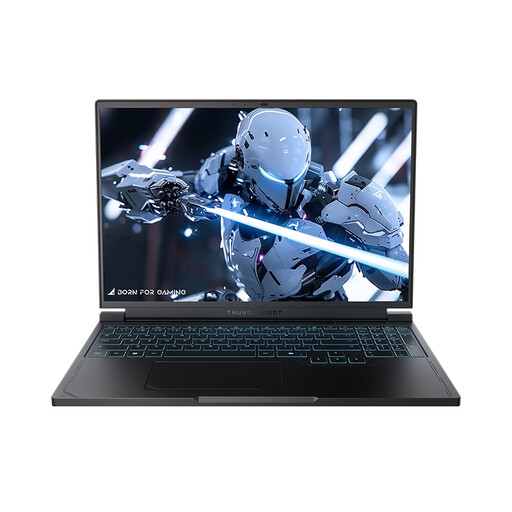
Why this product suits this profile: The 16-inch QHD+ panel with 240 Hz is for users who want to combine fast refresh rates with higher resolution. The Ryzen 7 7745HX, RTX 5060, 16 GB of RAM and 1 TB SSD make it suitable for gaming and productive tasks.
The combination of QHD+ resolution and 240 Hz makes the demands on the GPU clear. Check that the resolution and frame rate are realistic for each game you play.
2560 × 1600 pixels; 240 Hz display and 1 TB NVMe SSD.
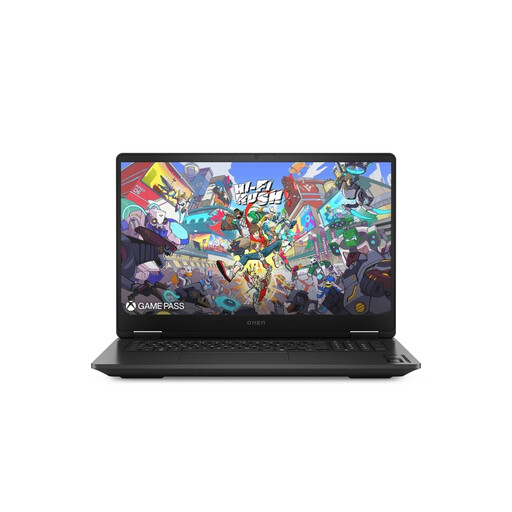
Why this product suits this profile: This 17.3-inch gaming laptop has a QHD IPS display with 240 Hz, 24 GB DDR5, a 1 TB SSD and an RTX graphics card with 8 GB GDDR7. Its size makes it a good fit for gaming at home, streaming and multitasking.
The larger design makes it comfortable to use at a desk. Before buying, consider how often you’ll need to carry it around, given its weight and the size of its power adapter.
17.3-inch QHD display with 240 Hz; 24 GB DDR5 and 1 TB SSD.
We’ve put together a comprehensive, regularly updated list of products that meet these strict selection criteria and fully comply with the safety regulations in force in the EU.
Its lifespan depends on cooling, maintenance, components and software requirements. Keep the vents clear, use the laptop on a hard surface, and install driver and security updates. With a gaming laptop, GPU performance may eventually become the main limiting factor, while RAM and SSD storage can be upgraded on suitable models.
Yes. You should usually connect the power adapter for demanding games, as performance may otherwise be limited. Only use the supplied power adapter or one approved by the manufacturer. Good ventilation is still essential when the laptop is plugged in.
Power consumption depends on the GPU, processor, screen brightness, game and power profile. The wattage shown on the power adapter doesn’t automatically tell you how much electricity the laptop uses each day. For a realistic estimate, you can measure its power consumption at the socket over several gaming sessions.