3D designers without an external monitor
If you want to see your model and controls mainly on the laptop’s large built-in display, an 18-inch model is worth considering. ASUS and MSI offer versions with 18-inch displays.


If you’ll be doing most of your modelling directly on the laptop, an 18-inch model offers more workspace. If you’ll be carrying it around often and using a monitor at your desk, a 16-inch model could be a better fit. Choose RAM, graphics memory and ports to suit your software and project size. For Windows, the Blender Foundation recommends 32 GB of RAM and 8 GB of VRAM; for larger or more complex Fusion designs, Autodesk recommends 32 GB or more of RAM and a dedicated GPU with at least 8 GB of graphics memory. These figures apply to the programmes mentioned, not necessarily to every game. Be sure to check the full model specification too.
If you want to see your model and controls mainly on the laptop’s large built-in display, an 18-inch model is worth considering. ASUS and MSI offer versions with 18-inch displays.
Choose your specification to match the requirements of the modelling or rendering application you actually use. For Windows, the Blender Foundation recommends 32 GB of RAM and 8 GB of VRAM. For larger or more complex Fusion designs, Autodesk recommends 32 GB or more of RAM and a dedicated GPU with at least 8 GB of graphics memory.
If you regularly take your laptop with you and work on a larger screen at home, check the display size and monitor ports separately. The documented Lenovo Legion Pro 7 83RU004EGE has a 16-inch display. Check the ports on the specific version to make sure they suit your monitor.
First, decide whether you need a large workspace on your laptop when you’re out and about, or whether you’ll use an external monitor at your desk. Then check the display, software requirements, ports and specification of the complete model version.
| Buying priority | What to check | Who is it important for? |
|---|---|---|
| Workspace and readability | Check the display size, native resolution and scaling in the software you use. | If I want to see my model, tools and references on the laptop at the same time, I’ll focus on usable screen space and readability. Around 31% of consumers prioritise having a built-in workspace. |
| Resources for 3D software | Compare the programme, version, project size and rendering method with the RAM, graphics memory and supported backend. | For complex scenes, the first thing I’ll check is the software and rendering method I actually use. Around 31% of consumers prioritise having enough performance headroom for their specific 3D application. |
| Portability and monitor connection | Check that the outputs on the exact laptop version support your monitor’s desired resolution and refresh rate. | If I often take my laptop with me and work on a large monitor at home, I’ll check both workspaces separately. Around 23% of consumers prioritise a mobile workspace. |
| The right overall specification | Compare the model number and included specification, and factor in a monitor if you need one. | I want to avoid paying for features my project doesn’t need or overlooking essential accessories. Around 15% of consumers prioritise getting the right overall configuration. |
GPU and graphics memory can vary between models in the same laptop range. For example, Dell lists Alienware 18 Area-51 configurations with an RTX 5060 and 8 GB of graphics memory, as well as an RTX 5090 and 24 GB. ASUS also offers different G18 versions.
Check the full model number, GPU, graphics memory, RAM and display details on the product page.
If a configuration doesn’t suit your project, you could end up paying for resources you don’t need or missing out on features you do.
A display’s refresh rate in hertz says nothing about rendering speed or its suitability for a particular project. The Blender Foundation describes GPU rendering as a separate setting that uses a render backend compatible with your GPU.
Assess the screen and rendering requirements separately, and check the software requirements for your specific project.
The documented Lenovo Legion Pro 7 83RU004EGE has a 16-inch display, while the ASUS and MSI versions reviewed have 18-inch displays.
Before you buy, decide whether you need a large screen when you’re out and about. At home, check that the ports on the specific laptop version support your monitor.
An external monitor and, if needed, suitable connecting equipment could mean extra purchases.
The ROG Strix G18 G815LR-TT299W is an example of an 18-inch configuration for working on the built-in display.
The Raider 18 HX AI A2XWJG-074 is an example of an 18-inch configuration with a UHD+ Mini LED display.
The Legion Pro 7 83RU004EGE is a documented 16-inch alternative if you’re happy to go without a larger built-in display when you’re out and about.
The HyperX OMEN MAX 16-ah1790ng is a documented 16-inch configuration.
According to Dell, the Alienware 18 Area-51 range includes different configurations.
The Joybuy models featured here are 18-inch laptops for designing directly on the device, making them a good match if you’re looking for a large built-in display.
 No image available
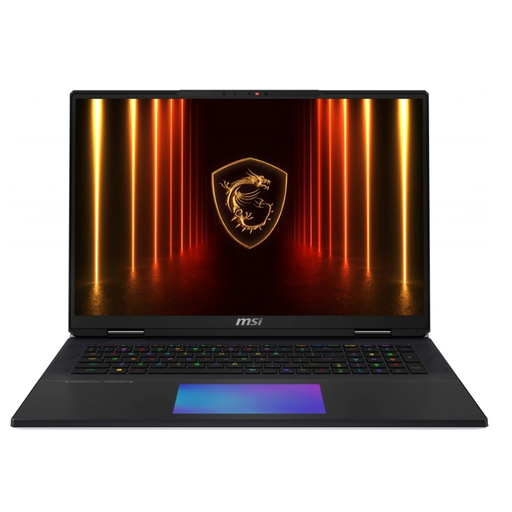
For designing directly on your laptop, if you’re looking for a large built-in display and plenty of memory.
The product name lists an 18-inch UHD+ Mini LED display with a 240 Hz refresh rate, Core Ultra 9 290HX Plus, RTX 5090 with 24 GB, 96 GB DDR5, a 4 TB SSD and Windows 11 Home.
According to the product description, the laptop weighs 3.6 kg. Bear this in mind if you’ll be carrying it around often.
 No image available
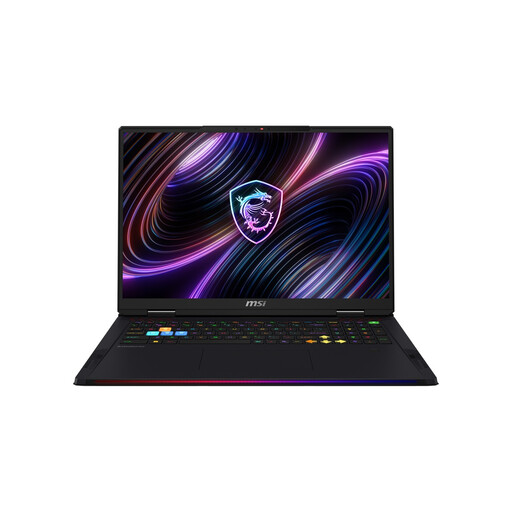
For designing directly on your laptop, if you prefer an 18-inch display and plenty of memory.
The product name lists an Intel Core Ultra 9 285HX, 64 GB of RAM, a 6 TB SSD and an NVIDIA GeForce RTX 5090.
According to the product description, the laptop weighs 3.6 kg, which is worth bearing in mind if you’ll be carrying it around often.
 No image available
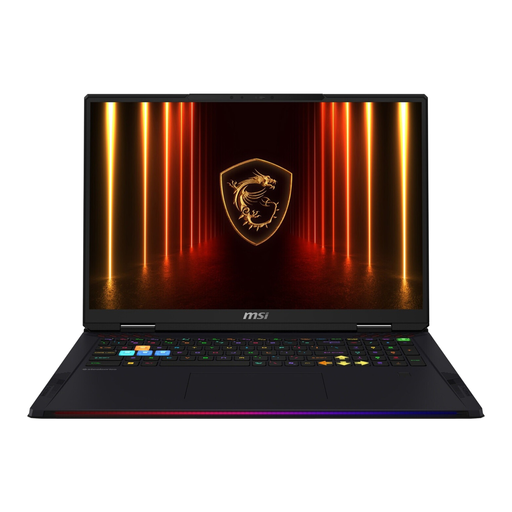
An 18-inch option for designing directly on your laptop. Check that the specification meets the requirements of your specific software.
The product name lists an 18-inch Mini LED UHD+ display, Intel Core Ultra 9 290HX Plus, NVIDIA GeForce RTX 5090, 64 GB DDR5, a 2 TB SSD and Windows 11 Home.
According to the product description, the laptop weighs 3.6 kg. Bear this in mind if you’ll be carrying it around often.
 No image available
For designing on the built-in display, if you’re looking for an 18-inch screen and plenty of memory.
The MSI datasheet lists an 18-inch UHD+ display with a 120 Hz refresh rate, 64 GB of RAM, a 4 TB SSD and an RTX 5090 with 24 GB of graphics memory for this version.
According to the product description, the laptop weighs 3.6 kg. Bear this in mind if you’ll be taking it with you often.
There’s no one-size-fits-all answer; it depends on the application you use. For Windows, the Blender Foundation recommends 32 GB of RAM and 8 GB of VRAM. For larger or more complex Fusion designs, Autodesk recommends 32 GB or more of RAM and a dedicated GPU with at least 8 GB of graphics memory. If you use another programme, its own requirements are what matter.
In Blender, choose a render backend that’s compatible with your GPU, such as CUDA, OptiX, HIP or oneAPI, then enable the available GPU compute device for the scene. First check that your GPU and drivers support the backend you’ve chosen. A dedicated GPU doesn’t enable rendering automatically.
That depends on the video outputs on the complete laptop version, as well as the monitor’s inputs and the resolution and refresh rate you want. The MSI datasheet lists HDMI and Thunderbolt 5 for the Raider 18 HX AI A2XWJG-074. This doesn’t mean every other laptop or monitor will be compatible.
Keep the air vents clear while the laptop is running, and follow the care instructions from the relevant manufacturer. Before buying, also check the manufacturer’s information for your specific model and intended use.
Consumers generally have a right of withdrawal for distance contracts. Section 355 of the German Civil Code (BGB) sets a 14-day period, although Section 312g of the BGB provides for exceptions. For ordinary goods, claims for defects generally become time-barred two years after delivery under Section 438 of the BGB. A voluntary manufacturer’s warranty is separate from these rights.