
Lieferung heute & morgen

Qualitätsgarantie

Willkommens-Angebote freischalten: KOSTENLOSE Lieferung | Bis zu 80 % RABATT | Kostenlose 30-Tage-JoyPlus-Testphase
App herunterladen
The search for the right Gaming Laptop in the high-end segment can quickly become overwhelming. Manufacturers advertise with impressive numbers and technical jargon, but not every specification delivers in practice what it promises on paper. For discerning gamers, creative professionals, and power users making a significant investment, it's crucial to separate genuine performance from marketing hype. As your Joybuy Product Recommendation Officer, I'll help you identify common marketing traps and make an informed decision.
Before we dive into the crucial components, let's shed light on three prevalent marketing tactics that often lead to disappointment.
To avoid a bad purchase, focus on the following three objective criteria that determine the actual performance and usability of your device.
The graphics card is the heart of any gaming or Workstation Laptop. Don't just look at the model (e.g., RTX 5090 Laptop); actively search for the TGP specification. A value of 150W or more for high-end GPUs like the RTX 5080/5090 is an indicator of uncompromised performance. Manufacturers who disclose this value transparently have usually also designed the cooling system accordingly to deliver that power sustainably.
A brilliant display is essential for gaming and video editing. Pay attention to these three aspects:
A High-End Laptop can only unleash its full potential if the cooling is up to the task. Look for terms like Vapor Chamber or complex heat pipe systems with multiple fans. These advanced cooling solutions are capable of effectively dissipating the waste heat from high-performance components, thus ensuring consistent performance even under full load. A good cooling system is the unsung hero that makes the difference between theoretical and real-world performance.
Instead of making a one-size-fits-all recommendation, we have selected models that are precisely tailored to different user profiles.
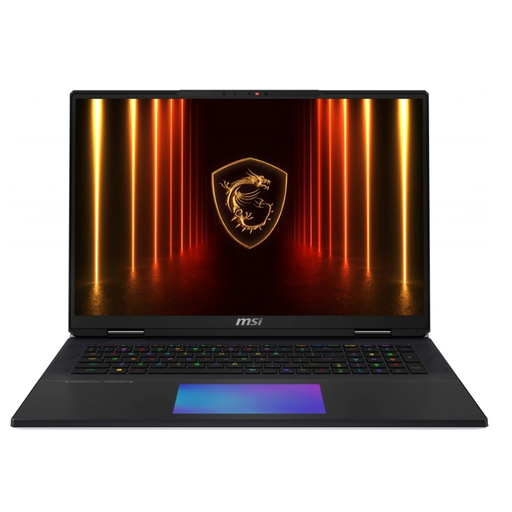
Why This Fits Their Persona: This model is designed for users who need maximum performance for 4K gaming, ray tracing, and simultaneous streaming without compromise. The combination of a desktop-replacement CPU and the most powerful mobile GPU provides the necessary headroom.
The advanced vapor chamber cooling system ensures that the NVIDIA GeForce RTX 5090 and the Core Ultra 9 processor can unleash their full performance with a TGP of 175W without thermal throttling.
Mechanical Cherry MX keyboard for tactile feedback and a brilliant 18-inch UHD+ 120Hz Mini-LED display for outstanding image quality.
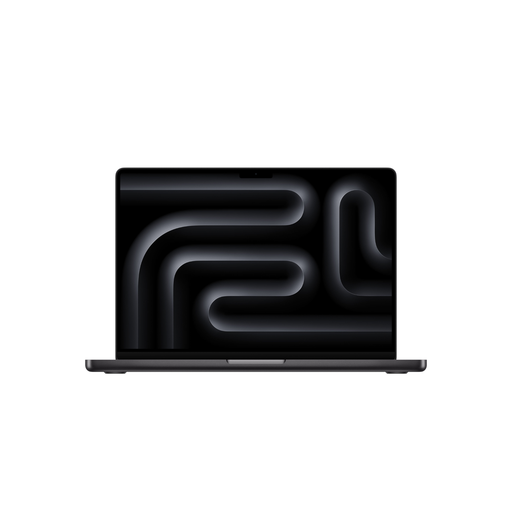
Why This Fits Their Persona: Ideal for professionals in video editing, 3D animation, or music production who need an extremely powerful, efficient, and colour-accurate mobile studio. The MacBook Pro M5 is optimised for these workflows.
Apple bypasses the TGP issue with an integrated system where hardware and software are perfectly tuned. Performance is consistent, whether on battery or plugged in. The Neural Engine makes it a true AI Laptop for creative applications.
Exceptional Liquid Retina XDR display with precise colour reproduction and a very long battery life, enabling mobile work without constant charging.
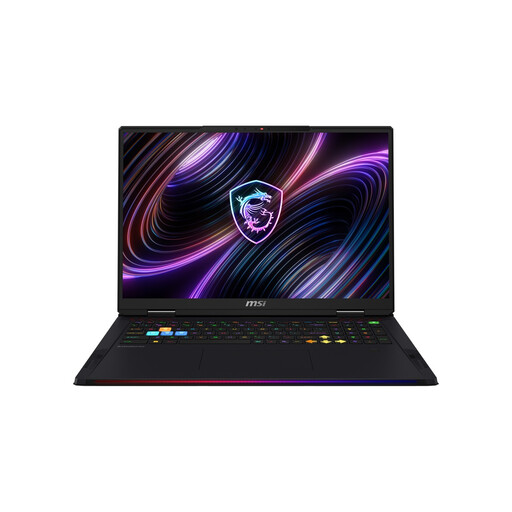
Why This Fits Their Persona: A balanced choice for users who want to perform both high-end gaming and compute-intensive tasks like AI model training or complex simulations on a Windows system.
MSI again delivers a transparent performance promise with a high TGP of 175W for the NVIDIA GeForce RTX 5080 and a potent cooling system. The processor's NPU performance is clearly specified for AI tasks.
Offers an attractive price-to-performance ratio in the high-end segment and is future-proofed with ports like Thunderbolt 5 and Wi-Fi 7.
We have compiled a complete, up-to-date list of products that fully meet these strict selection criteria and safety standards.
Is a gaming laptop with an RTX 5090 really worth it in 2026? That heavily depends on your use case. For gaming in 4K resolution with maximum graphics settings and ray tracing, an RTX 5090 Laptop is a future-proof investment that offers enough performance headroom for upcoming game titles. However, if you primarily play in WQHD or Full HD resolution, a model with an RTX 5080 or even a 5070 might offer a better price-to-performance ratio without sacrificing a smooth gaming experience.
How important is the NPU (Neural Processing Unit) in a new AI laptop? The importance of the NPU is constantly growing. For specific, optimised applications like Windows Copilot+ features, real-time translations, or AI-powered image and video editing, an NPU can significantly boost system efficiency and conserve battery life. For traditional gaming, however, the GPU remains the decisive component. The value of an NPU, therefore, depends directly on the software you use daily.
Can I use a high-end laptop like a MacBook Pro M5 for gaming? Although Apple's M5 chips offer impressive computing and graphics performance, the selection of games available natively for macOS is significantly smaller compared to Windows. Many popular titles are released only for Windows or with a delay for macOS. For users whose primary focus is gaming, a Windows-based Gaming Laptop is generally the more straightforward choice due to the larger game library, better compatibility, and more comprehensive driver support.