Players using a large external monitor
If you mostly play in one place, compare how well a laptop runs your games and how it connects to your existing monitor.


If you usually play in one place, start by checking the resolution and connections supported by your external display. If you play in different locations, a large built-in screen is the more straightforward option. Match the CPU, RAM and exact laptop GPU to your games and preferred resolution. For Civilization VII on Windows, Civilization Support / 2K distinguishes between profiles for 1080p/60 FPS and 4K/60 FPS, but this doesn’t guarantee a particular level of performance from any individual laptop.
If you mostly play in one place, compare how well a laptop runs your games and how it connects to your existing monitor.
If there isn’t a second screen wherever you go, weigh up the laptop’s screen size and resolution against how easy it is to carry.
If you want to use a large 4K display, check that your chosen game profile matches the laptop’s exact configuration and the full display connection.
Start with the games you play and the display you want to use. For Civilization VII on Windows, Civilization Support / 2K distinguishes between profiles for 1080p/60 FPS and 4K/60 FPS. These requirements don’t guarantee a particular level of performance from any individual laptop.
| What to consider | What to check before buying | Who should pay particular attention? |
|---|---|---|
| Performance in the games you play | Compare the full CPU, RAM and laptop GPU specification with the requirements for each game and your target resolution. | If I want to play specific strategy games at my preferred settings, I check the exact configuration against their requirements. Around 33% of consumers put gaming performance first. |
| Screen space and connections | Check the built-in display’s resolution or the laptop’s video outputs, along with the external display’s input and supported refresh rate. | If I want to see maps and battles on a large screen, I check its resolution and how it can be connected. Around 27% of consumers prioritise screen space and display output. |
| Overall specification | Compare the exact model number, RAM, operating system and connections. Take into account which parts of your setup you already own. | If I only want to pay for what I need for the games and resolution I actually use, I check which specifications are essential. Around 20% of consumers focus mainly on value for money and specification. |
| Portability and setup | Factor in the device’s size and weight, its power supply, and the screens available where you usually play. | If I play in different locations, I consider whether I want to take the large screen with me or use an external monitor at my destination. Around 20% of consumers give particular weight to portability and setup. |
Desktop graphics cards listed in requirements such as those for Civilization VII don’t prove that a similarly named laptop GPU will deliver the same performance.
First check the game’s profile, then look for tests of the complete laptop configuration at your target resolution.
A large built-in display and an external monitor suit different playing locations. With an external screen, the entire signal connection must also support your chosen format.
First decide whether you want to carry the display with you or use it in one place. Then check the resolution, connections and, if needed, the cable.
If your setup doesn’t already include a suitable monitor or cable, you may need to buy the right accessories.
Models in the same range can differ in display, GPU and pre-installed operating system.
Compare the full manufacturer or product number with the specification of the exact listing.
If a model is explicitly sold without an operating system, you’ll also need to plan for setting one up.
The Legion 5 range is worth considering when comparing specific GPU variants and how to connect an external display.
The Katana 17 HX could suit you if you want a large screen built into your laptop.
The Nitro V 16 AI and Predator Helios Neo 16S AI represent different documented 16-inch configurations.
The documented OMEN MAX 16 variant B9EM7EA is worth considering when comparing exact specifications and display connections.
The models below have large built-in laptop displays. Compare each one’s resolution and specification with the games you play and the setup you want.
 No image available
The built-in 18-inch display is an option if you want to play without an additional monitor.
Specifications include QHD+, 240 Hz, Intel Core Ultra 9 275HX, GeForce RTX 5070 Ti with 12 GB, 32 GB DDR5, 1 TB SSD and Windows 11 Home. Keep the air vents clear while gaming.
 No image available
The built-in 16-inch display suits places where you don’t want to connect an external monitor.
Specifications include WQXGA, 240 Hz, Core Ultra 9 275HX, GeForce RTX 5090 with 24 GB, 64 GB RAM, 2 TB SSD and Windows 11 Home. Make sure the laptop has enough ventilation while gaming.
 No image available
The built-in display lets you play on your laptop without a separate screen.
The product name lists a 16-inch QHD+ display with 240 Hz, AMD Ryzen 7 7745HX, 16 GB DDR5, 1 TB SSD and GeForce RTX 5060. Keep the air vents clear.
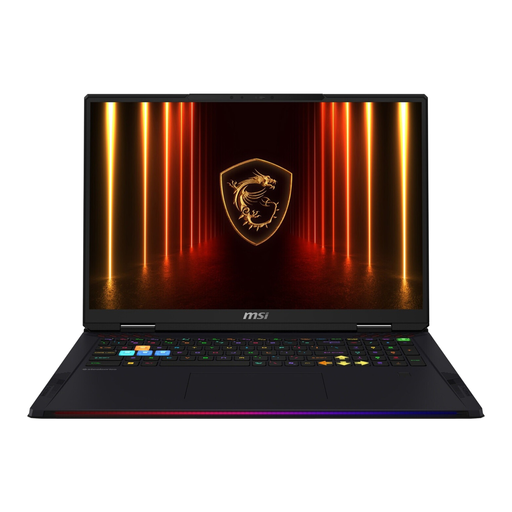 No image available
The built-in 18-inch display is designed for places where there isn’t an external screen available.
Specifications include UHD+, 120 Hz, Core Ultra 9 285HX, GeForce RTX 5090, 64 GB RAM, 4 TB SSD and Windows 11 Home. Good ventilation is important during intensive use.
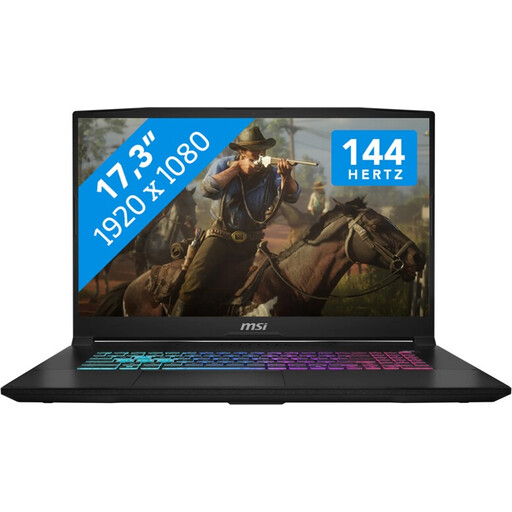 No image available
The 17.3-inch display is an option if you want to play without a second screen.
Specifications include Full HD, 144 Hz, Intel Core i7-14650HX, GeForce RTX 5060 with 8 GB, 16 GB RAM, 1 TB SSD and Windows 11. Use the laptop on a hard, flat surface while gaming and keep the air vents clear.
If you need a large screen in different places, compare built-in displays by size and resolution. If you mostly play in one place, you can connect a laptop to a monitor you already own. Check the connections on both specific devices first.
No. The Windows profile “Ultra (4K/60 FPS + High Graphics)” published by Civilization Support / 2K lists desktop graphics cards as a reference and doesn’t guarantee a frame rate for a laptop GPU. Look for tests of the complete laptop model at your preferred settings.
The laptop output, display input and cable must all support the format you want. The HDMI Licensing Administrator lists Ultra High Speed HDMI for configurations up to 4K/120 Hz.
That depends on your existing setup. You may need a suitable monitor and cable for an external display. Also check the operating system listed for the exact product number, as some models may be sold explicitly without one.
Faulty goods are generally covered by the statutory guarantee; in the EU, the two-year period starts when you receive the goods. For a purchase contract made online, you generally have a 14-day right to cancel, subject to applicable exceptions. The right to cancel if you change your mind is separate from claims relating to faulty goods and from any voluntary returns policy.