What should you consider when buying?
First decide which game you want to play, then compare the specific laptop configuration and the space it takes up with your needs.
| Buying priority |
What to look for |
Who is it important to? |
| Game requirements |
Compare the RAM and graphics card in the exact laptop configuration with the game’s requirements. KRAFTON lists specific minimum and recommended GPUs for inZOI; desktop GPU names cannot be applied to laptop GPUs without checking. |
If I mainly build homes in The Sims 4, I don’t want to choose specifications I don’t need for my game. Around 40% of consumers prioritise the requirements of their main game. |
| Desk space and display |
Compare the laptop’s width and depth with the space available. Lenovo lists dimensions of 359,86 × 258,7 mm and a 15.6-inch display for configuration 83JE00E0AX; screen size and desk footprint need to be considered separately. |
I need to leave room for my mouse and airflow on my small desk. Around 31% of consumers put available desk space first. |
| Operating system and setup |
Check the operating system listed for the full model number. HP lists the Victus 15-fa2750ng/C68WPEA#ABD variant with FreeDOS 3.0; EA lists a keyboard and mouse or a touchpad as input options for The Sims 4. |
I want to know in advance which operating system and input devices I’ll still need to get started. Around 15% of consumers prioritise a complete setup. |
| Available storage |
EA recommends 50 GB of free storage for The Sims 4, plus at least 1 GB for custom content and saved games. KRAFTON lists 40 GB of SSD storage as the minimum for inZOI and 60 GB for the recommended PC configuration. |
If I want to store several games or custom content, I check how much storage is actually available. Around 14% of consumers prioritise storage space. |
Gaming laptops at Joybuy
This Joybuy selection includes gaming laptops with a range of screen sizes and specifications. If your desk is small, also check the laptop’s dimensions and leave room for your mouse, power supply and unobstructed air vents.
 No image available
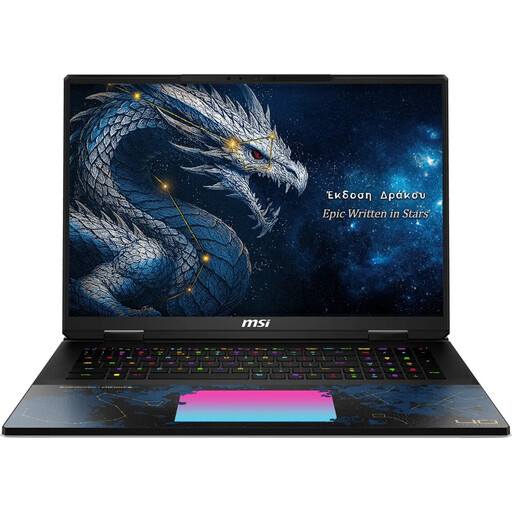
MSI Titan 18 HX Dragon Edition Draco Epic A2WJ-1218
With its 18-inch format, it’s especially important to check the available space on a small desk; keep the air vents unobstructed.
18-inch Mini LED display, UHD+ at 240 Hz; Intel Core Ultra 9 290HX Plus; NVIDIA GeForce RTX 5090 with 24 GB; 96 GB DDR5; 4 TB SSD; Windows 11 Home.
View at Joybuy
 No image available
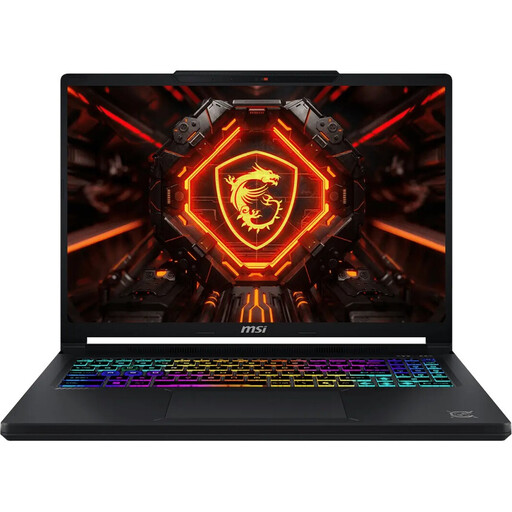
MSI Crosshair 16 Max HX E2WGXK-023
For this 16-inch model, also compare the laptop’s dimensions with your desk space and keep the air vents unobstructed.
16-inch QHD+ OLED display at 165 Hz; dimensions 363 × 270 × 23.9 mm; Intel Core Ultra 9 275HX; NVIDIA GeForce RTX 5070 with 12 GB; 16 GB DDR5; 1 TB SSD; Windows 11 Home.
View at Joybuy
 No image available
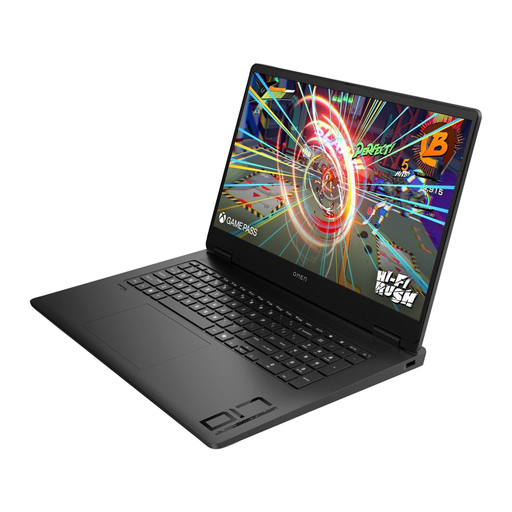
HP OMEN 17 17-db1071ng
Before choosing a laptop for a small desk, check its dimensions and plan to use it on a hard, flat surface for graphics-intensive tasks.
17.3-inch Full HD display at 144 Hz; AMD Ryzen AI 7; 16 GB RAM; NVIDIA GeForce RTX 5050 with 8 GB; 1 TB SSD; Windows 11.
View at Joybuy
 No image available
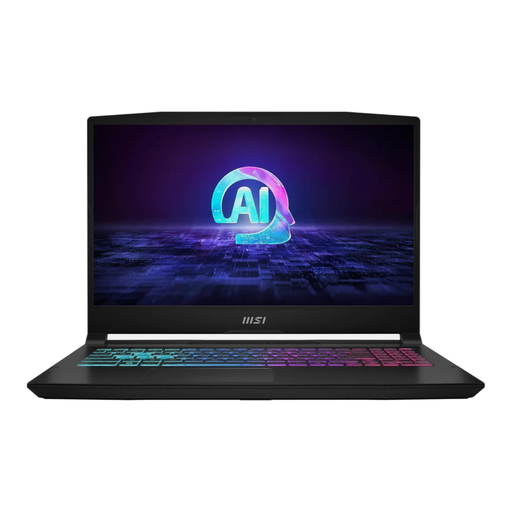
MSI Katana A15 AI B8VG-459
The 15.6-inch measurement refers to the screen diagonal; to check how much space you’ll need, also look at the specific laptop’s width and depth.
15.6-inch Full HD touchscreen at 144 Hz; AMD Ryzen 9 8945HS; 16 GB RAM; NVIDIA GeForce RTX 4070 with 8 GB; 1 TB SSD; Windows 11 Home.
View at Joybuy
 No image available
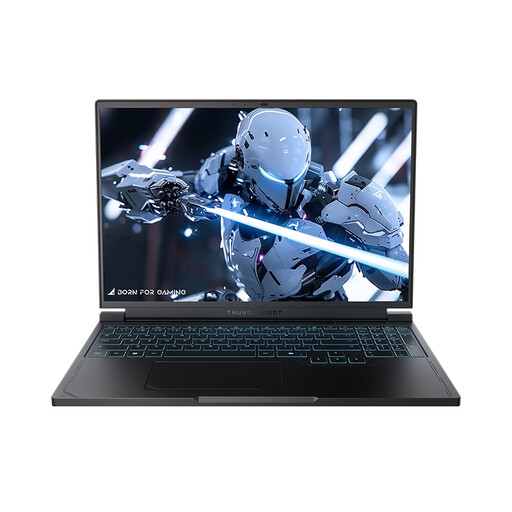
THUNDEROBOT Radiant S16
Check the laptop’s footprint against your desk dimensions and use it on a hard, flat surface with good airflow.
16-inch QHD+ display at 240 Hz; AMD Ryzen 7 7745HX; 16 GB DDR5; NVIDIA GeForce RTX 5060; 1 TB SSD.
View at Joybuy
Frequently asked questions
Will a laptop that runs The Sims 4 also run inZOI?
Not necessarily. EA recommends 8 GB of RAM for The Sims 4; KRAFTON lists at least 12 GB of RAM and specific graphics requirements for inZOI. Compare the full laptop configuration with the requirements for each game.
How should I set up a laptop on a small desk?
Measure the available width and depth, and leave room for your mouse, cables and power supply. Keep the air vents unobstructed; the Joybuy product page for the ASUS TUF Gaming A15 FA506NC-HN003W recommends using this model on a hard, flat surface and warns against placing it on soft surfaces.
What does FreeDOS mean when buying a laptop?
The HP Victus 15-fa2750ng/C68WPEA#ABD configuration is listed with FreeDOS 3.0 rather than Windows pre-installed. Check which operating system you want to install for your games and whether you need anything else to get set up.
Who should I contact if my laptop develops a fault in Germany?
If a product is faulty, the seller’s statutory liability for defects is separate from a voluntary manufacturer’s warranty. The Verbraucherzentrale states that new goods are generally covered for two years from delivery; the specific circumstances of the fault still apply.
Can I cancel an online laptop purchase in Germany?
Distance purchases generally come with a right to cancel; the Verbraucherzentrale says the period is usually 14 days. You must notify the other party to the contract that you wish to cancel; for your purchase, check when the period starts and whether any exceptions apply.


