If you mainly work at a desk, a gaming laptop with one built-in display should be enough, as long as its video output is compatible with your external monitor; you don’t necessarily need two built-in displays. If you regularly need both workspaces when you’re out and about, a dual-screen model is a better fit – but check its weight and the exact specification. For icon design, focus on the requirements of your design software. Any extra gaming power should be based on the games or engines you actually use.
Which setup is right for you?
Icon designers working at a desk
If you can use your canvas and references at the same time, and have room for an external monitor, start by checking the video output on the specific laptop and the monitor’s input. Microsoft Support explains how to arrange detected displays in Windows.
Designers who need two screens on the move
If you regularly need both workspaces when you’re out and about, compare built-in dual-screen devices, taking their weight and exact specification into account. ASUS lists two built-in OLED displays for the ROG Zephyrus Duo GX651.
Designers with gaming requirements
If you create icons and also play games or test them on the same device, choose the graphics performance you need based on the software, games or engine you actually use. Adobe publishes its own requirements for Photoshop; these aren’t general minimum requirements for every icon project.
What should you look for when buying?
First decide whether your second screen needs to travel with you regularly. Then check the ports and specification of the exact laptop model.
| Buying priority |
What to check |
Who will find this most important? |
| Second screen at a fixed workstation |
Video output on the exact laptop model, plus the monitor input and resolution you want; you may also need a cable or adapter. |
If you mostly work at a desk, you’ll want room for your canvas and references side by side, without having to carry a dual-screen device. Around 36% of consumers prioritise a suitable external monitor connection. |
| Two workspaces on the move |
Layout of the built-in displays, weight and how well the exact configuration suits your workflow. |
If you often design on the move, you’ll want both workspaces with you without carrying a separate monitor, so weigh up the design and portability. Around 21% of consumers put this need for a mobile dual-screen setup first. |
| Icon design workspace and software |
Compare your design software and its requirements with the operating system, RAM and display of the model on offer. |
If you create icons in a particular application, its requirements and the usable workspace should suit your workflow. Around 29% of consumers prioritise suitable software specifications and workspace. |
| Extra gaming performance |
Check the system requirements of the games or engine you actually use against the full laptop specification. |
If you also play games or test an engine on the same device, its specification should meet those specific requirements too. Around 14% of consumers prioritise extra gaming performance. |
Common misconceptions
-
‘Two screens’ means two built-in laptop displays
A laptop with one built-in display can also create a two-screen workstation when connected to an external monitor. The two setups suit different working environments.
First consider whether your second screen needs to travel with you regularly. Then compare the complete setup, including the space it takes up and the connection you’ll need.
An external monitor may mean buying an additional screen and connection cable. A built-in dual-screen device, on the other hand, adds weight every time you carry it.
-
A laptop range name tells you all about its ports and components
MSI lists different display, GPU and operating system options for the Katana 15 HX B14W. HP also notes that configurations vary for the OMEN 16-ap0000.
Check the full model number, video output, operating system, RAM and display for the exact version. An unsuitable video output may mean you need a different connection or configuration.
-
A gaming laptop ranking also tells you which setup is right for icon design
The ranking published by Notebookcheck on 19 October 2026 compares gaming laptops, but its stated scope doesn’t specifically cover icon design or the two-screen setup you want.
Use a ranking only as a starting point for possible models, then check the software, monitor connection and exact configuration separately.
Key brands at a glance
ASUS
The ROG Zephyrus Duo GX651 is a documented dual-screen design, while the Zephyrus G16 is a separate gaming laptop range with one built-in display.
- ASUS lists two built-in OLED displays for the Duo.
- Check the specification of the exact model separately. A single review of the soldered memory in the G16 GU606AW doesn’t automatically apply to other ASUS models.
Lenovo
The Legion Pro 5i Gen 10 is a gaming laptop range worth considering for a setup with an external monitor.
- Lenovo describes the range as suitable for gaming and creative work, and lists Thunderbolt 4.
- Check the ports and device specifications to see whether the exact configuration supports your monitor at the resolution you want.
MSI
The Katana 15 HX B14W family includes different display, GPU and operating system options.
- Specifications include Full HD and QHD versions, as well as Windows and Free-DOS configurations.
- The range name alone doesn’t confirm that the model has the specification you want or a suitable video output.
Acer
The Predator Helios Neo 16 AI PHN16-73-9816 is a specifically named gaming laptop model.
- For this version, Acer lists a 16-inch display with a resolution of 2560 × 1600 pixels and 32 GB RAM.
- These details alone don’t confirm that its ports are compatible with your second screen.
HP
The OMEN 16-ap0000 is a gaming laptop range with several possible configurations.
- The range is worth including when comparing different configurations.
- HP notes that components may vary by configuration and region, so check the exact version on offer.
Gaming laptops for use with an external monitor
This selection features gaming laptops with one built-in display, suitable for a potential setup with an external monitor. For each model, check that its specific video output matches your screen’s connection and the resolution you want.
 No image available
MSI Thin 15 B13UC-3475NN, 15.6-inch, Full HD, 144 Hz
For a fixed two-screen workstation, you can compare the listed ports with the input on your monitor.
Listed specifications include 16 GB RAM, 512 GB SSD and NVIDIA RTX 3050. Ports include USB-C with DisplayPort and HDMI.
View at Joybuy
 No image available
THUNDEROBOT Radiant 16, 16-inch, 240 Hz, RTX 5070
If you plan to use the same device for icon design and gaming, check its specification against the requirements of your applications. For a second screen, you’ll also need to confirm that the exact configuration has the right video connection.
Listed specifications include an Intel Core i7-14700HX, 32 GB RAM and an RTX 5070. The matte display is rated at 100% DCI-P3 and 500 nits.
View at Joybuy
 No image available
THUNDEROBOT Radiant S16, QHD+, 240 Hz, RTX 5060
For a workstation with an additional monitor, compare HDMI and Mini DisplayPort with the inputs on your screen.
Listed specifications include a 16-inch QHD+ display with 240 Hz, AMD Ryzen 7 7745HX, 16 GB DDR5 RAM, 1 TB SSD and NVIDIA GeForce RTX 5060.
View at Joybuy
 No image available
ASUS ROG Strix G17, 17.3-inch, Full HD, 144 Hz
HDMI 2.1 and USB-C with DisplayPort are listed for connecting an external screen. Check which connection matches your monitor.
Listed specifications include AMD Ryzen 9 7940HX, GeForce RTX 4060 with 8 GB, 16 GB RAM, 1 TB SSD and Windows 11.
View at Joybuy
 No image available
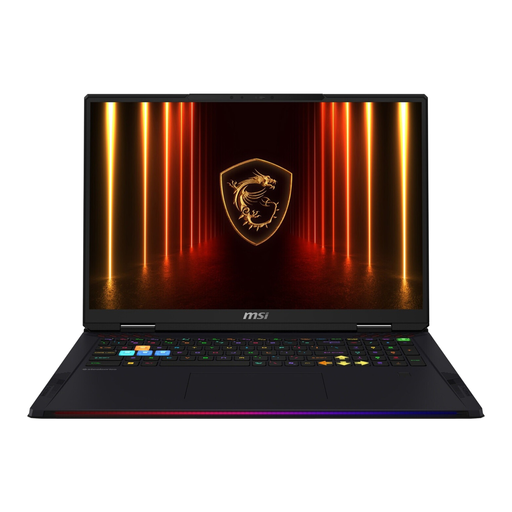
MSI Raider 18 HX AI A2XWJG-074, 18-inch, RTX 5090
If you want to connect an external monitor, check HDMI against your screen’s input and the resolution you want.
Listed specifications include an 18-inch WQUXGA display with 120 Hz, Intel Core Ultra 9 285HX, 64 GB RAM, 4 TB SSD, RTX 5090 and Windows 11 Home.
View at Joybuy
Frequently asked questions
How do I set up the second screen?
Connect a monitor with an input that matches the video output on your specific laptop. Once Windows detects both displays, you can identify them in the display settings and arrange them to match your actual setup.
Do I need a particularly powerful gaming GPU for an inventory icon?
Not just because it’s an ‘inventory icon’. Check the requirements of your design software, as well as those of any games or engine you use on the same device. For Photoshop 27.x, Adobe lists its own minimum and recommended specifications.
What should I know about returns and faults with a laptop bought online in Germany?
For a standard online purchase from a business seller, you generally have a 14-day right to cancel from the date of delivery; exceptions and the terms of the specific purchase should be checked. This is separate from your statutory rights if the product is faulty: EU consumer information states that these rights apply for at least two years from receipt of the goods. A voluntary manufacturer’s guarantee is separate from these rights.


