3D level prototypers
You want to match the specification to your engine and project scope, rather than comparing gaming benchmarks alone. Unity, Epic Games and Godot publish different requirements or recommendations for their engines and projects.


Choose your laptop based first on the engine and complexity of your platformer level: Unity recommends at least 8 GB of RAM for the Editor, while Epic Games recommends 32 GB of RAM and at least 8 GB of graphics memory for Unreal Engine on Windows. These are engine-specific guidelines, not universal requirements for every prototype. Then check that the exact configuration will fit on your shared desk and has the ports and power adapter you need.
You want to match the specification to your engine and project scope, rather than comparing gaming benchmarks alone. Unity, Epic Games and Godot publish different requirements or recommendations for their engines and projects.
You need to set up or put away your laptop, power adapter and connected devices regularly. Lenovo PSREF and ASUS provide dimensions and port details for specific configurations, which you can compare with your workspace.
You want to choose the right RAM and storage configuration, with the option to upgrade later if needed. Lenovo PSREF and ASUS document different slot configurations for the models listed.
Decide on your engine and project scope first. Then compare the exact specification with your desk requirements and how often you need to clear your workspace.
| Buying consideration | What to look for | Who it matters most to |
|---|---|---|
| Engine and project performance | Check the engine, project scope, RAM and graphics memory against the exact GPU configuration; don’t treat recommendations as universal minimum requirements. | If I’m planning a more complex 3D level, I want to match the specification to my engine. Around 33% of consumers put suitable performance first. |
| Space and ports | Compare the device’s dimensions with the available desk space and check each monitor, USB and network port you need. | If I share my desk with others, the laptop and peripherals need to fit in the available space. Around 25% of consumers prioritise desk space and ports. |
| Packing away and setting up | Consider the weight, dimensions, power adapter and cables you need every day together; don’t assume that USB-C charging alone will provide full gaming performance. | If I regularly need to clear my workspace, how easily the device and power adapter can be stored matters to me. Around 25% of consumers prioritise packing away and setting up again. |
| Configuration and upgrades | Check the model number, installed RAM, occupied slots and storage options for the configuration you’re ordering. | If I want to upgrade the configuration later, I need to know which slots are actually occupied. Around 17% of consumers put the specification and upgrade options first. |
Requirements vary depending on the engine and project scope. A recommendation for Unreal Engine won’t automatically apply to a simple prototype in another engine.
Decide on your engine and planned project first, then check the relevant RAM and graphics memory requirements.
For the Lenovo LOQ 15IRX10 83JE00JWGE, Lenovo lists USB-C PD at 65–100 W as well as a 170 W power adapter. The charging specification alone therefore doesn’t tell you which adapter you’ll need for your planned use.
Check the power requirements for the exact configuration separately for charging and your intended use.
Manufacturer specifications such as ‘up to’ don’t necessarily describe every configuration available to order. RAM configuration and ports may vary by model.
Check the full model number, RAM configuration and ports for the specific version you’ve selected.
The LOQ 15IRX10 83JE00JWGE is a specific, documented 15.6-inch configuration, making it easy to check its ports, dimensions and upgrade options.
The TUF Gaming A16 FA608UH-RV027W is a specific 16-inch configuration with a 16:10 display.
The OMEN 16-am0725ng is a specific 16-inch configuration with 24 GB of RAM.
The Nitro V 15 range is another 15.6-inch option; the exact configuration you order is what matters.
This selection features gaming laptops for 3D prototyping and use at a shared desk. Compare the specifications listed with your engine, available space and the ports you need.
 No image available
For more demanding Unreal Engine projects, compare the exact specification with Epic’s recommendations; dimensions and ports also matter at a shared desk.
16 inches; 32 GB RAM; RTX 5070 with 8 GB graphics memory; 1 TB SSD; WQXGA display; USB-C with DisplayPort and HDMI.
Use on a hard, flat surface for ventilation and keep the vents clear.
 No image available
This 16-inch configuration lets you balance screen size with desk space; check the RAM and graphics memory against your project requirements too.
16 inches, QHD+ OLED; Ryzen AI 9 370; 32 GB RAM; 2 TB SSD; RTX 5070 with 8 GB graphics memory; Windows 11. Ports listed include USB4, USB-C with DisplayPort, USB-A and HDMI.
Keep the vents clear under heavy loads and use the original power adapter.
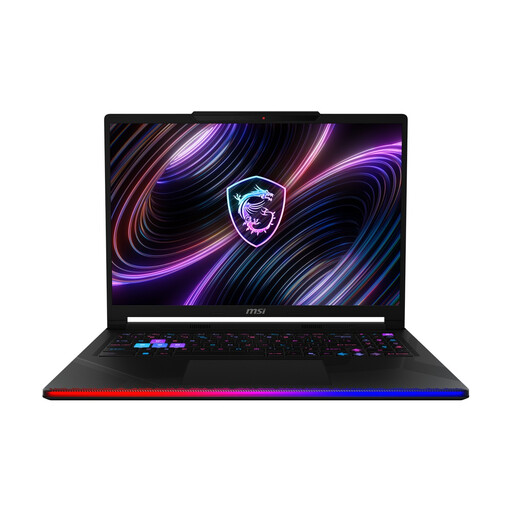 No image available
This 16-inch model has a built-in screen for working at your desk; check the RAM specification against your engine’s requirements.
16-inch OLED WQXGA display; Intel Core Ultra 9 290HX; 32 GB DDR5 RAM; 2 TB SSD; RTX 5090; Windows 11 Home.
 No image available
This 16-inch configuration is worth considering when comparing screen size with the space available at a shared desk. Its 24 GB of RAM falls short of Epic’s 32 GB recommendation for Unreal Engine.
16-inch display in a 16:10 format; AMD Ryzen 9 8940HX; 24 GB RAM; 1 TB SSD; RTX 5070; HDMI and Gigabit Ethernet.
Keep the vents clear and use the supplied power adapter.
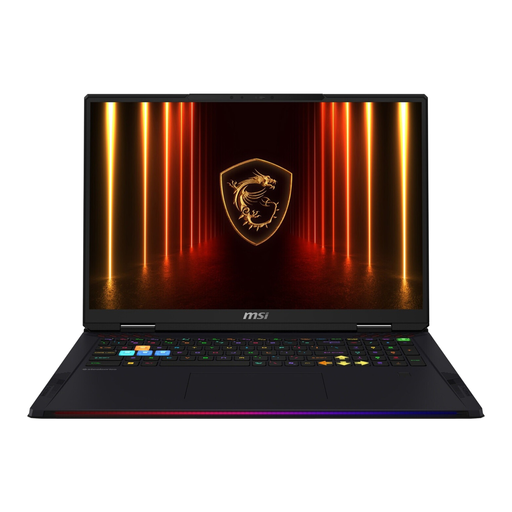 No image available
This 18-inch configuration has a large built-in screen, but takes up more desk space. Check in advance that the laptop and connected peripherals will all fit.
Intel Core Ultra 9 285HX; 64 GB RAM; 4 TB SSD; 18-inch UHD+ display; RTX 5090 with 24 GB graphics memory; HDMI and several USB ports.
Keep the vents clear to ensure sufficient ventilation.
No, not regardless of engine and project scope. Unity recommends at least 8 GB of RAM for the Editor and notes that larger projects need more; Epic Games recommends 32 GB of RAM for Unreal Engine on Windows. Decide on your planned engine and project size before making this a buying requirement.
Compare the available space with the dimensions of the exact configuration and check your monitor, input devices and network connection individually. For the Lenovo LOQ 15IRX10 83JE00JWGE, Lenovo lists HDMI, USB-C with DisplayPort, USB-A and Ethernet, among other ports; don’t assume other models have the same specification.
You can’t tell from the USB-C PD specification alone. Lenovo lists USB-C PD at 65–100 W for the LOQ 15IRX10 83JE00JWGE, as well as a supplied 170 W power adapter. Check the power requirements for your intended use before designing your workspace around USB-C alone.
For consumer purchases in Germany, you generally have two years of statutory warranty rights against the seller; a voluntary manufacturer’s guarantee doesn’t replace them. Online purchases are also generally covered by a 14-day right to cancel, starting from receipt of the goods. Conditions and exceptions depend on the specific purchase; the Verbraucherzentrale explains these rights and the terms that apply.