Who this selection is for

Players with very limited desk space

If your desk is small, the dimensions of the open laptop and the space available for your hands, input device and cables all matter. ASUS lists dimensions of 31.1 × 22.0 cm for the GU405AR-SY006W; Lenovo gives the LOQ 15IRX9 a screen size of 15.6 inches.

Rhythm game players who prefer a keyboard

If you use particular keys or simultaneous inputs, check the keyboard layout on the exact configuration. HP advertises N-key rollover and anti-ghosting on the OMEN Transcend 14. For other control methods, check that the game supports them and that the laptop has the right ports.

Players focused on visuals and synchronisation

Screen size and refresh rate can help you narrow down your options, but they don’t tell you on their own how well input, gameplay, audio and visuals work together. ASUS and Lenovo list different refresh rates for specific configurations; the osu! wiki describes noticeable delays between input and the on-screen response.

What to look for when buying

Buying priority What to check before buying Who it matters most to
Desk space and room to move Check the width and depth of the exact configuration, as well as the space it takes up with the lid open. Allow room for cables and unobstructed air vents. If my desk is tight on space, I need room for my hands and preferred input device as well as the laptop. Around 31% of consumers make desk space their main priority.
Keyboard and alternative controls Check that the specific keyboard has the keys you need. If you use an external controller, make sure the game supports it and the laptop has the right ports. If I use particular keys or another control method, my set-up needs to work with the game. Around 31% of consumers make input requirements their main priority.
Readability and synchronisation Compare the screen size and refresh rate of the exact configuration. Assess any delays with your own game, audio and input set-up. If I want to read notes clearly and keep the visuals and audio in sync, I don’t treat display specifications as a measure of overall input latency. Around 25% of consumers make visual and timing requirements their main priority.
Specifications for multiple uses Check the full model configuration against the games and other applications you use. Make sure it has the ports you need and check upgrade options in advance. If I want to use the laptop for other applications too, the overall specification matters more than a single headline figure. Around 13% of consumers prioritise using their laptop for multiple purposes.

Common buying mistakes

  • Assuming the screen size tells you how much desk space you need

    The screen diagonal won’t tell you the depth of the chassis or how much room you’ll have left for your hands, cables and an external input device.

    Measure your set-up and compare the available desk space with the dimensions for the complete model number.

  • Taking display response time to mean overall input latency

    A quoted pixel response time doesn’t describe the entire chain from keyboard and game to audio and on-screen display.

    Treat manufacturers’ figures as individual display specifications, then check synchronisation with your actual gaming set-up.

  • Assuming every configuration in a model range has the same features

    Configurations in the same product range can differ in their keyboards, ports and memory.

    Before you decide, compare the complete model number, the specific keyboard and the ports you need.

    An unsuitable port, a different keyboard or memory that can’t be upgraded as expected may mean you need to make changes later.

Relevant brands at a glance

ASUS

The ROG Zephyrus G14 GU405AR-SY006W is a documented 14-inch option for limited desk space.

  • ASUS lists dimensions of 31.1 × 22.0 cm, a 120 Hz OLED display and 32 GB of onboard memory for this configuration.
  • The display specifications don’t establish a particular level of rhythm game latency, and onboard memory isn’t necessarily upgradeable.

HP

The OMEN Transcend 14-fb1775ng is worth considering if you’re looking for a compact device with documented keyboard features.

  • HP lists a 120 Hz display for this specific configuration and advertises N-key rollover and anti-ghosting.
  • The manufacturer’s specifications are no substitute for checking the key layout yourself or measuring overall input latency.

Acer

The Predator Helios Neo 14 PHN14-51 NH.QRPEG.004 is a documented 14.5-inch configuration.

  • For this configuration, Acer lists a matte 14.5-inch IPS display with a 165 Hz refresh rate and an RTX 4060.
  • These specifications apply to the stated product number and shouldn’t be assumed to apply to other configurations without checking.

Lenovo

The LOQ 15IRX9 83DV00J5GE is a 15.6-inch option if your measured desk has enough space.

  • Lenovo lists a 144 Hz display, a German keyboard, 24 GB of RAM and a 230 W power supply for this configuration.
  • The screen diagonal alone won’t tell you whether the laptop and accessories will fit on your desk.

Joybuy laptops for a small desk

This selection includes compact and larger gaming laptops, with display specifications and features you can compare against your available space and preferred input method.

Acer Nitro V14 AI with Ryzen AI 7 350 and RTX 5050

Acer Nitro V14 AI, Ryzen AI 7 350, RTX 5050

The listed chassis dimensions can help you check whether it will fit on a small desk. Also allow room for your hands, cables and ventilation.

14.5-inch WUXGA IPS display with 120 Hz, RTX 5050 with 8 GB GDDR7, 16 GB DDR5 and 1 TB SSD.

The product name specifies an English International keyboard. Check that its layout suits the way you play. The chassis dimensions are listed as 325.7 × 236.8 mm.

View at Joybuy
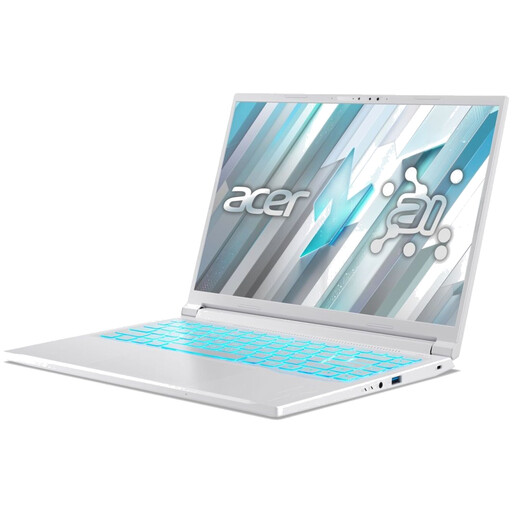
Acer Nitro V14 AI with Ryzen AI 5 340 and RTX 5050

Acer Nitro V14 AI, Ryzen AI 5 340, RTX 5050

Compare the listed chassis dimensions with your desk, and allow space for your input device, cables and ventilation too.

14.5-inch WUXGA IPS display with 120 Hz, RTX 5050 with 8 GB GDDR7, 16 GB DDR5 and 1 TB SSD.

The product name specifies an English International keyboard. The chassis dimensions are listed as 325.7 × 236.8 mm.

View at Joybuy

MSI Thin 15 B13UC-3475NN with RTX 3050

MSI Thin 15 B13UC-3475NN

This 15.6-inch model is a larger alternative. Compare its footprint with your desk and the space you need for accessories.

Full HD display with 144 Hz, Intel Core i5-13420H, RTX 3050, 16 GB RAM and 512 GB SSD.

The specifications list a German QWERTZ keyboard and several USB and video ports. According to the product description, no operating system is pre-installed.

View at Joybuy
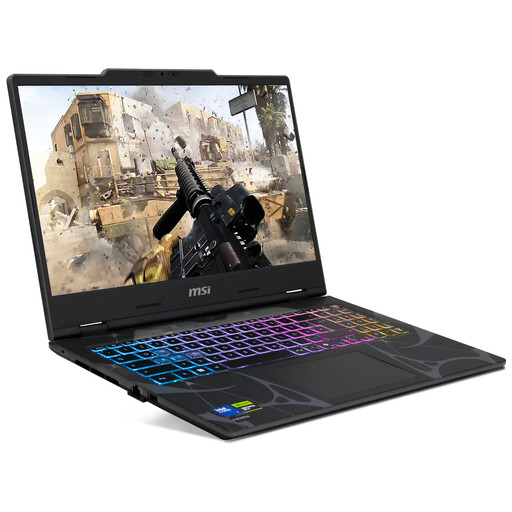
MSI Cyborg 15 B2RWEKG-067 with RTX 5050

MSI Cyborg 15 B2RWEKG-067

At 15.6 inches, this model needs enough desk space. The screen diagonal doesn’t replace checking the chassis dimensions.

Full HD display with 144 Hz, Intel Core 7 240H, RTX 5050, 16 GB RAM, 512 GB SSD and Windows 11 Home.

The description lists a German QWERTZ keyboard, along with USB-C, USB-A and HDMI ports. The listed dimensions are 359.4 × 245.2 mm and the weight is 1.95 kg.

View at Joybuy

THUNDEROBOT Radiant S16 with RTX 5060 and a 16-inch display

THUNDEROBOT Radiant S16

The 16-inch display makes it especially important to check the space available on your desk. The screen diagonal alone doesn’t tell you how much room the laptop needs.

QHD+ display with 240 Hz, AMD Ryzen 7 7745HX, RTX 5060, 16 GB DDR5 and 1 TB SSD.

The product name specifies an RGB keyboard and Wi-Fi 6.

View at Joybuy

Frequently asked questions

Should I choose a laptop based on the highest possible refresh rate alone?

No. Compare the refresh rate of the specific display configuration, but check the keyboard, game and audio set-up separately. The manufacturers’ specifications quoted here don’t measure the entire delay from input to on-screen display.

Can I use an external controller for rhythm games?

It depends on the game and the type of control you want to use. Spin Rhythm XD supports several input methods, including MIDI DJ devices. Check that the game supports your chosen device and that your laptop has the necessary ports.

What can I do if the visuals and audio don’t line up in osu!?

The osu! wiki describes offset settings that let you align in-game elements by timing. Check your audio and game settings; adjusting the offset isn’t a measurement of your laptop’s latency.

What are my rights when buying online in Germany or if a product is faulty?

According to Verbraucherzentrale, consumers generally have a 14-day cancellation period for distance-selling contracts; exceptions apply, and the exact date the period starts must be taken into account. For faulty goods, the seller is generally responsible under statutory consumer rights. This responsibility doesn’t automatically fall to the manufacturer under a voluntary guarantee.

What should I look for in an electronic product intended for the German market?

For market surveillance, the Bundesnetzagentur lists points to check including CE marking, product traceability and accurate manufacturer details. Check the information for the specific product. A CE mark says nothing about gaming performance and doesn’t mean the product was made in the European Economic Area.