Which display setup is right for you?

Route builders who want a large laptop display

If you want to work on tracks and scenery without a separate monitor and rarely take your laptop out with you, check the screen size and resolution of the exact model variant. MSI offers 17.3-inch FHD and QHD displays in its Katana 17 HX range.

Route builders with a dedicated monitor setup

If you use a large screen at your desk but also want to use your laptop elsewhere, the video outputs on the exact configuration matter. Lenovo lists HDMI 2.1 and USB-C with DisplayPort 1.4 for the LOQ 15IRX10, model 83JE00JWGE.

Builders planning extensive layouts

If you’re planning large routes and additional content, compare the RAM, SSD capacity and upgrade options for the exact model variant. Lenovo PSREF lists 16 GB RAM, two SODIMM slots and a 1 TB SSD for model 83JE00JWGE. The performance you need will still depend on your software and project.

What should you consider when buying?

What you’re looking for What to check when buying Who is it most relevant to?
Plenty of built-in screen space Check the display size and resolution for the full model number, and weigh up the space it takes up against how often you’ll transport it. If I want to build routes without an additional monitor, I’ll check whether the built-in display gives me enough room to work. Around 36% of consumers put a large laptop display first.
Specifications for route building Choose your software and edition first, then compare RAM, SSD, graphics chip and, where relevant, available slots. If I’m planning extensive routes and additional content, I’ll want to check the exact specification against what I have in mind. Around 29% of consumers prioritise specifications for route building.
Large external monitor Check that the video output on the exact laptop model matches the monitor’s inputs, resolution and refresh rate. If I want plenty of screen space at my desk but still need to use my laptop elsewhere, I’ll check both sides of the connection. Around 21% of consumers prioritise connecting a large external monitor.
Portability and overall cost Consider how often you’ll carry it, whether you need a power adapter, whether you already have a monitor, and which software edition or additional content you want. If I take my device with me regularly and want to avoid unnecessary extra purchases, I’ll compare the cost of the complete setup I’m planning. Around 14% of consumers prioritise portability and overall cost.

Buying decisions worth checking

  • Assuming every model in a range has the same specification

    MSI offers different display and graphics options in the Katana 17 HX range. The range name alone doesn’t tell you which version is available.

    Check the product description for the full model number, display resolution, GPU and RAM.

  • Taking a gaming GPU as proof of route-building performance

    Component specifications don’t tell you what frame rate a particular programme or extensive layout project will achieve. Trainz describes its own tools for creating routes, but that doesn’t amount to a performance test for a specific laptop configuration.

    Compare the requirements of the software you plan to use with the full model specification. Without a relevant test, don’t treat GPU details as proof of a particular FPS.

  • Looking at the laptop alone

    A smaller device with an external monitor and a large laptop used without an additional monitor are two different setups. The Trainz edition you choose and any additional content could also affect your plans.

    Compare what you already own with the features you need, and consider what other devices or content your setup may require.

    An external monitor, your preferred software edition or additional content may mean extra purchases.

Brands to help guide your choice

Lenovo

The LOQ 15IRX10, model 83JE00JWGE, is a specific configuration to consider for use with an external monitor.

  • Lenovo PSREF lists HDMI 2.1, USB-C with DisplayPort 1.4, 16 GB RAM, two SODIMM slots and a 1 TB SSD for this model.
  • This variant has a 15.6-inch built-in display. These are manufacturer specifications, not the results of a Trainz test.

MSI

The Katana 17 HX range is worth considering if you’re looking for a large built-in display.

  • MSI lists 17.3-inch versions with FHD or QHD resolution.
  • Display resolution and graphics configuration vary by sub-model. Check the full version being sold: these specifications don’t prove performance for virtual railways.

HP

The OMEN 16-ap0793ng is a specific 16-inch configuration with 32 GB RAM.

  • HP lists 32 GB RAM, a 1 TB SSD and a GeForce RTX 5070 with 8 GB for this model.
  • These specifications apply to model 16-ap0793ng and shouldn’t be assumed to apply to other OMEN configurations.

Gaming laptops at Joybuy

This selection features gaming laptops with large built-in displays, for route building without necessarily needing an additional monitor. The specifications listed apply to the individual variants and don’t prove a particular frame rate in Trainz.

MSI Raider 18 HX A2WH-1088 gaming laptop

MSI Raider 18 HX A2WH-1088

The 18-inch display is worth considering if you want to build routes without an additional monitor.

QHD+ at 240 Hz; Intel Core Ultra 9 275HX; NVIDIA GeForce RTX 5070 Ti with 12 GB; 32 GB DDR5; 1 TB SSD; Windows 11 Home.

View at Joybuy

HP OMEN 17-db1071ng gaming laptop

HP OMEN 17-db1071ng

The listed 17.3-inch display gives you plenty of built-in screen space.

Full HD at 144 Hz; AMD Ryzen AI 7; 16 GB RAM; 1 TB SSD; Windows 11.

USB-C Power Delivery is listed in the product name.

View at Joybuy

ASUS ROG Strix G17 gaming laptop

ASUS ROG Strix G17

The built-in 17.3-inch display is worth considering if you want to work without an external screen.

Full HD at 144 Hz; AMD Ryzen 9 7940HX; GeForce RTX 4060 with 8 GB; 16 GB RAM; 1 TB SSD; Windows 11.

View at Joybuy
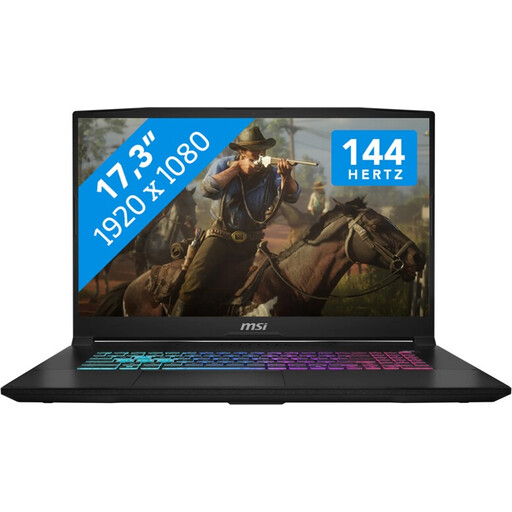
MSI Katana 17 HX B14WFK gaming laptop

MSI Katana 17 HX B14WFK

The listed 17.3-inch display is an option for route building without an additional monitor.

Full HD at 144 Hz; Intel Core i7; NVIDIA GeForce RTX 5060 with 8 GB GDDR6; 16 GB RAM; 1 TB SSD; Windows 11.

View at Joybuy
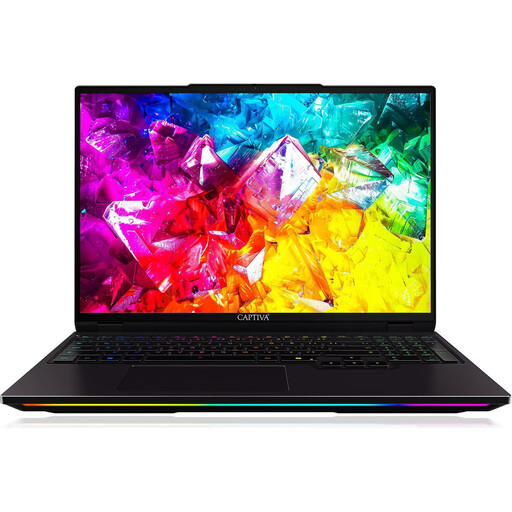
Captiva I92-069 Ultimate gaming laptop

Captiva I92-069 Ultimate

The 16-inch display is built in. Compare its size with the amount of screen space you need when working without an external monitor.

WQXGA at 300 Hz; Intel Core Ultra 9 275HX; NVIDIA GeForce RTX 5080 with 16 GB GDDR7; 32 GB DDR5; 1 TB SSD; Windows 11 Home.

View at Joybuy

Frequently asked questions

Is Train Sim World automatically the right software if I want to build my own routes?

No. Choose your software based on what you want to build. Trainz describes tools for creating your own routes, while Dovetail Games presents Train Sim World 7 as a simulation focused on driving. The PC Editor documentation specifically relates to Train Sim World 4 and doesn’t confirm compatibility with Train Sim World 7.

How do I check whether a laptop will work with my external monitor?

Compare the video outputs on the full laptop configuration with the monitor’s inputs, then check the resolution and refresh rate you want. For the Lenovo LOQ 15IRX10, model 83JE00JWGE, Lenovo lists HDMI 2.1 and USB-C with DisplayPort 1.4. The exact connection also depends on the monitor and cable.

What rights do I have when buying a laptop online?

When you buy goods from a trader in the EU, you’re generally entitled to a legal guarantee of at least two years from receipt. This is separate from any additional manufacturer’s warranty. Most online purchases of goods also come with a 14-day right to cancel, starting from delivery. Your Europe notes that the seller’s status and any exceptions should be taken into account.

Can I put an old laptop in my household rubbish?

No. The German Environment Agency describes the separate collection of waste electrical equipment and local collection points. Removable batteries should be returned separately if they can be taken out easily.