For a shared bedroom, choose a gaming laptop whose performance matches the demands of the games you play and whose noise levels under gaming load are acceptable for the times you use it. Check measurements for the exact model and the performance profile you want to use: ASUS describes ROG profiles as a trade-off between acoustics and performance, while a larger display takes up more desk space.
Which priorities suit you?
For considerate evening gamers
If you play while someone else in the room needs peace and quiet, noise measurements under gaming load and the performance drop in a quiet profile matter more than the profile’s name. ASUS ROG describes its profiles as a trade-off between acoustics and performance.
For players exploring demanding worlds
If you want to play graphically demanding exploration games at a particular resolution and detail level, compare the requirements of the specific games you play with the laptop’s full configuration, not just the GPU name. Game makers’ specifications apply to particular games and settings.
For those who regularly clear away their setup
If you share a desk or room and often put your laptop away, consider the device’s dimensions and weight, as well as the power adapter you’ll need to store, alongside the screen size. For example, ASUS lists the TUF Gaming A18 FA808UM-S8012W as weighing 2.60 kg.
What to look for when buying
| Priority |
What to look for when buying |
Who is this important to? |
| Fan noise |
Compare noise levels and frame rates on the same model, in the same game and using the profile you want. ASUS ROG describes its quiet profile as prioritising acoustics; this is not a measurement that applies to other devices. |
If I play in the evening, I want to minimise disruption to others in the room while still knowing what performance I can expect; around 33% of consumers rank noise under gaming load as their top priority. |
| Gaming performance |
Check the requirements of the games you play at your preferred resolution and detail level, as well as the CPU, GPU, RAM and storage in the full configuration. |
If I want to play particular exploration games smoothly, I base my choice on their requirements rather than the graphics card name alone; around 27% of consumers put performance for their games first. |
| Desk space and storage |
Compare the laptop’s dimensions with the space available on your desk, and remember to allow for the power adapter and cables when putting it away. Screen size alone won’t tell you whether it will fit in your shared space. |
If I regularly need to clear the desk, I want to be able to put the whole setup away without a fuss; around 20% of consumers prioritise available space. |
| Cost and value |
Compare only complete configurations that suit your games and the space available. Consider additional benefits, such as an optional warranty, separately from your statutory rights. |
If I don’t want to pay for more features than my games and shared living arrangements require, I compare options that are a close match; around 20% of consumers put value first. |
Avoiding common buying mistakes
-
A ‘Silent’ button is taken as proof of quiet gaming at full performance
A performance profile may limit the power available. The name alone doesn’t tell you how loud a particular model will be while gaming.
Compare noise levels and frame rates on the same model, in the same game and using the same performance profile.
-
Similarly named model variants are assumed to be identical
The model number can conceal differences in the graphics card: ASUS lists an RTX 5060 Laptop GPU for the TUF Gaming A18 FA808UM-S8012W, while the FA808UH-S8017W model is available with an RTX 5050.
Before buying, compare the full model number, GPU, display, storage, keyboard layout and what’s included.
-
A large display is chosen without measuring the space
ASUS lists the TUF Gaming A18 FA808UM-S8012W as measuring 39.9 × 28.3 cm at the base. You’ll also need to make room for the power adapter and cables when putting it away each day.
Measure the available desk and storage space, and keep the vents clear while gaming.
Brands and product ranges at a glance
ASUS
ROG and TUF Gaming are different product ranges; information about an ROG profile can’t automatically be applied to a TUF model.
- ASUS lists an 18-inch display, a weight of 2.60 kg and an RTX 5060 Laptop GPU with 115 W for the TUF Gaming A18 FA808UM-S8012W.
- ROG’s information about the trade-off between acoustics and performance isn’t proof of measured noise levels for every ASUS model.
Lenovo
For the tenth-generation Legion 5 and Legion 5i, Lenovo describes performance and lighting settings in Legion Space.
- According to Lenovo, the software gives you access to performance and lighting settings.
- Available features depend on the model; this doesn’t prove that a particular configuration runs quietly while gaming.
Acer
The Nitro V 16 AI ANV16-61 NH.QUEEG.00M is a specific 16-inch configuration that offers a useful comparison if desk space is limited.
- For this variant, Acer lists 32 GB RAM, a 1 TB SSD and an RTX 5060 with 8 GB of dedicated memory.
- These specifications apply to the model listed and shouldn’t be assumed to apply to other Nitro V configurations.
HP
OMEN 16 is a 16-inch product range, with graphics card and RAM specifications that vary by configuration.
- For its OMEN 16 Intel options, HP lists configurations of up to an RTX 5070 Ti and up to 32 GB RAM.
- These maximum specifications don’t describe every OMEN 16 and aren’t the result of an independent noise test.
Gaming laptops at Joybuy
These models include more compact gaming laptops and 16-inch configurations for exploration games. Compare their specifications with the games you play and the space available.
 No image available
Acer Nitro V14 AI Gaming Laptop
The compact screen size and listed weight could suit you if you regularly put your laptop away.
14.5-inch WUXGA (1920 × 1200), 120 Hz, IPS; AMD Ryzen AI 7 350; NVIDIA GeForce RTX 5050 with 8 GB GDDR7; 16 GB DDR5; 1 TB PCIe Gen4 SSD. Colour: Pearl White; English international keyboard.
Use a hard, flat surface for gaming and keep the vents clear.
View at Joybuy
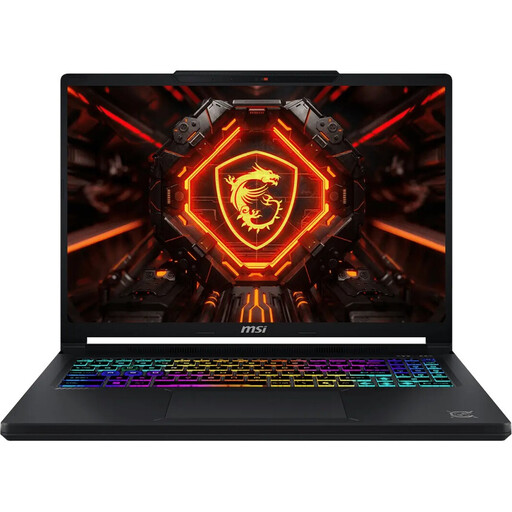 No image available
MSI Crosshair 16 Max HX E2WGXK-023
This 16-inch configuration is worth considering if you’d like a larger built-in display and have room for it.
Intel Core Ultra 9 275HX; NVIDIA GeForce RTX 5070 with 12 GB; 16 GB DDR5; 1 TB SSD; QHD+ OLED with 165 Hz; Windows 11 Home.
Keep the vents clear while gaming.
View at Joybuy
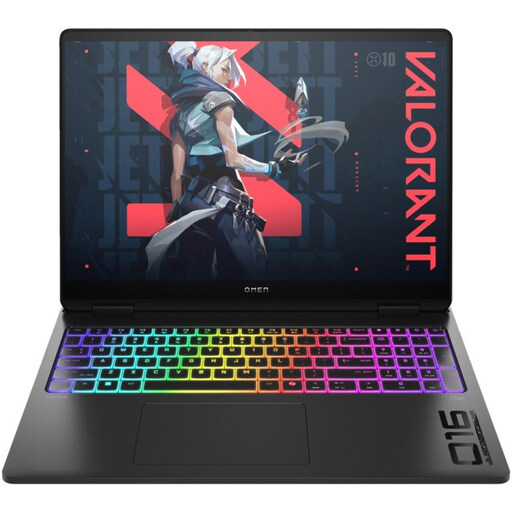 No image available
HP OMEN MAX 16-ak0693ng
This 16-inch configuration is an option if its listed specifications suit your games and you have enough space for it.
AMD Ryzen AI 9 HX 375; GeForce RTX 5070 Ti with 12 GB; 32 GB RAM; 1 TB SSD; WQXGA with 240 Hz; Windows 11 Home.
Make sure there’s enough ventilation while gaming and keep the vents clear.
View at Joybuy
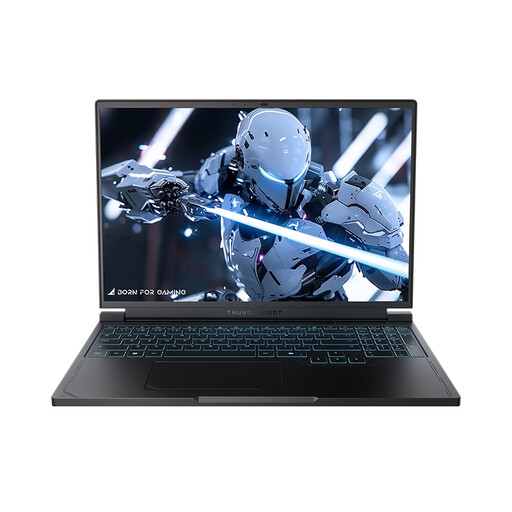 No image available
THUNDEROBOT Radiant S16
This 16-inch configuration combines a larger display with gaming-ready specifications. Check that it suits your desk space and the games you want to play.
AMD Ryzen 7 7745HX; NVIDIA GeForce RTX 5060; 16 GB DDR5; 1 TB SSD; QHD+ with 240 Hz.
Use a hard, flat surface for gaming and keep the vents clear.
View at Joybuy
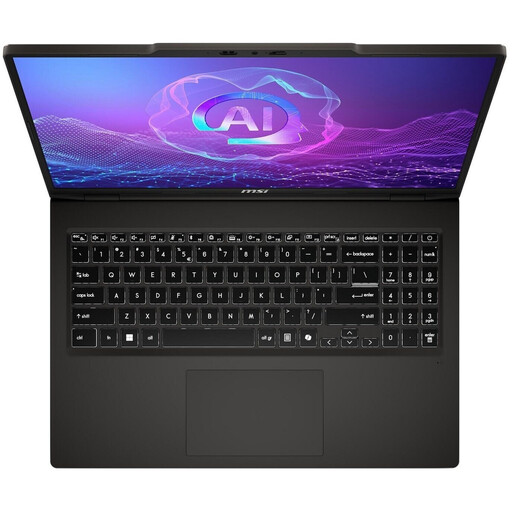 No image available
MSI VenturePro A16 AI+ A3HWEG-003
The product information lists performance modes in MSI Center; you should still check the noise levels and gaming performance for this exact model and the mode you want to use.
AMD Ryzen AI 7 350; GeForce RTX 5050; 16 GB RAM; 1 TB SSD; 16-inch OLED display. Weight: approx. 1.9 kg. Colour: Solid Gray.
Keep the ventilation clear while gaming and use the MSI power adapter.
View at Joybuy
Frequently asked questions
Is quiet mode enough for demanding exploration games?
Not necessarily: ASUS says that Silent prioritises acoustics in its ROG profiles and limits the power available. Check a gaming test of the exact laptop using your preferred profile and graphics settings.
Can I use my gaming laptop on a bed?
Use a firm, flat surface and keep the vents clear. Lenovo’s safety guidance warns that beds, sofas and other soft surfaces can block vents; also follow the instructions for your specific device.
What are the requirements for my exploration game?
Check the requirements for the game in question at your target resolution and quality setting. Warner Bros. Games lists 16 GB RAM and 85 GB of storage for both the minimum and recommended PC configurations for Hogwarts Legacy; this isn’t a general requirement for all exploration games.
What are my rights regarding returns and faulty goods when buying in Germany?
For a standard online distance purchase, you generally have a 14-day right to cancel from the date of delivery; statutory exceptions apply, as Your Europe explains. The seller is responsible for faulty goods; the Verbraucherzentrale distinguishes these statutory rights from a voluntary guarantee.


