Which priorities suit which players?

Players of large-scale building simulations

If you’re planning to play demanding simulations or build large save files, compare your game’s requirements with the laptop’s full specification. Ubisoft sets out different requirements for Anno 117 depending on resolution and graphics settings. Laptop GPUs can’t be considered equivalent to desktop graphics cards based on their model names alone.

Map and menu players without a second monitor

If you want enough room on the built-in display for maps, production chains and menus, compare its diagonal size, aspect ratio and resolution with the space available on your desk. Lenovo and ASUS document different display options for their respective 16-inch models.

Players using a shared workspace

If you also need room for work, a mouse and cables, take the laptop’s dimensions and ventilation clearance into account. ASUS notes that blocked vents can affect heat dissipation and performance.

What should you look for when buying?

Buying priority What to check Who should pay particular attention?
Performance in specific simulation games Compare the game, target resolution and graphics settings with the requirements and tests for the exact laptop configuration. Ubisoft lists different configurations for Anno 117. If I want to play Anno 117 or another demanding simulation at specific settings, the performance of the complete laptop matters to me. Around 36% of consumers put gaming performance first.
Memory and storage Compare the RAM and available SSD space with the game’s requirements. For the listed 1440p configurations for Anno 117, Ubisoft specifies 32 GB of dual-channel RAM and 117 GB of free SSD space. If I’m installing several large games or aiming for a particular Anno 117 configuration, I want to make sure the RAM and SSD are suitable in advance. Around 29% of consumers prioritise RAM and storage.
A clear view on the built-in screen Compare the diagonal size, aspect ratio, native resolution and usable screen area of the exact configuration. Also take any external monitor you already have into account. If I want to see maps and menus clearly without a second monitor, the usable area of the built-in display matters to me. Around 21% of consumers prioritise screen visibility.
Desk space, cooling and consideration for others Allow for space to position the laptop and keep its vents clear. Only compare noise measurements taken under similar gaming loads and in the same operating mode. If I use my desk for work too, or want to be considerate of others, I pay attention to the space the laptop needs and its ventilation. Around 14% of consumers prioritise how well it fits into their workspace.

Common buying mistakes

  • Comparing desktop graphics cards with laptop GPUs by model number alone

    Ubisoft notes that a laptop GPU is suitable for Anno 117 only if its performance is comparable to that of the specified hardware. A similar name proves neither that the performance is comparable nor that you’ll get a particular frame rate.

    Compare the laptop’s full specification and, where possible, tests of that exact configuration with your game and preferred settings.

  • Focusing only on the graphics card and refresh rate

    Ubisoft lists different requirements for Anno 117 depending on your target configuration. The listed 1440p configurations require 32 GB of dual-channel RAM and an SSD with 117 GB of free space. A high display refresh rate doesn’t replace these requirements.

    First check your target settings for the game, the RAM and the SSD space actually available. Then compare the display.

  • Assuming every model in a laptop range is the same

    Manufacturers offer different specifications across closely related models. HP lists the Victus 15-fa2750ng with FreeDOS 3.0, while MSI highlights differences between Katana models.

    Before ordering, check the full model or product number and the operating system. A FreeDOS model may need to be set up separately, including with a suitable operating system licence.

  • Overlooking desk space and ventilation

    The ASUS TUF Gaming A16 FA608UH-RV027W measures 35,4 × 26,9 cm, according to ASUS. You’ll also need room for a mouse and cables, and enough clearance around the vents. ASUS notes that blocked vents can affect heat dissipation and performance.

    Measure the available space and keep the vents clear in line with the instructions for your specific device.

Key brands to consider

Lenovo

The documented Legion Pro 5 model 83LT002QGE combines 32 GB of RAM and a 1 TB SSD with a 16-inch OLED display offering 2560 × 1600 pixels.

  • Lenovo gives specific details of this model’s configuration and resolution.
  • The display is glossy. The RTX 5060 Laptop GPU doesn’t guarantee a particular level of performance in a simulation without a relevant game test. These specifications don’t automatically apply to other models.

ASUS

The TUF Gaming A16 FA608UH-RV027W is a documented 16-inch model with a 16:10 display, 16 GB of RAM and a 1 TB SSD.

  • For this model, ASUS lists details including the display, dimensions, ports and slots.
  • These specifications don’t guarantee smooth performance in demanding simulations at high detail settings. Check the game’s requirements and the space needed for the exact model.

MSI

According to MSI, the Katana 15 HX B14WGK-058 has an anti-glare 15.6-inch Full HD display, an RTX 5070 Laptop GPU and 16 GB of dual-channel RAM.

  • MSI lists the specifications of related B14W models separately, making the full model number important when comparing them.
  • The GPU name alone doesn’t tell you how it will perform in a particular game or whether the overall specification is right for you. Check the RAM and SSD for the exact model too.

HP

HP documents a range of Victus configurations. The 15-fa2750ng model is listed with 16 GB of RAM, a 512 GB SSD and RTX 5050 Laptop graphics.

  • Details for the full configuration make it easier to compare the display, storage and graphics.
  • HP lists this model with FreeDOS rather than Windows pre-installed. Check the operating system and whether you’ll need to set it up yourself; other Victus models may differ.

Joybuy products for simulation games in your home office

This Joybuy selection includes gaming laptops for simulation games, with a range of screen sizes and specifications. Compare each model with your gaming needs and the space available in your workspace.
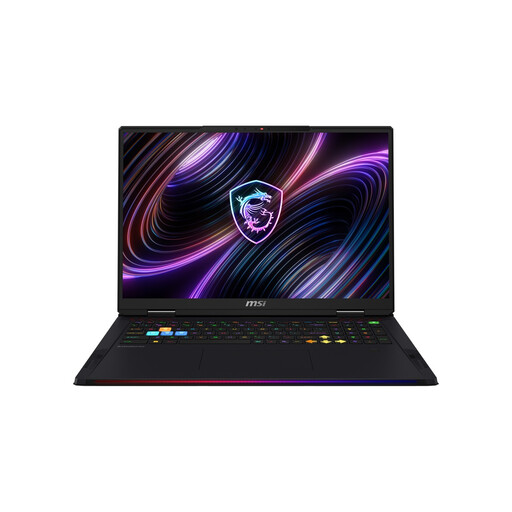
MSI Raider 18 Max HX A2WI-1075 gaming laptop

MSI Raider 18 Max HX A2WI-1075

Worth considering if you want to compare a large built-in display with plenty of RAM and SSD storage. This model is listed with an 18-inch Mini LED display offering 3840 × 2400 pixels, an Intel Core Ultra 9 290HX, GeForce RTX 5080, 32 GB DDR5, a 2 TB SSD and Windows 11 Home. The chassis measures 404 × 308 mm and weighs 3,6 kg, so make sure you have enough desk space.

View at Joybuy

Acer Nitro V14 AI gaming laptop with English-International keyboard

Acer Nitro V14 AI

The smaller screen could suit a tighter desk space, provided the specifications meet your gaming needs. Listed features include a 14.5-inch WUXGA IPS display with 1920 × 1200 pixels and a 120 Hz refresh rate, AMD Ryzen AI 7 350, GeForce RTX 5050 with 8 GB GDDR7, 16 GB DDR5, a 1 TB PCIe Gen4 SSD and Windows 11 Pro. The keyboard is listed as English-International, so check that the layout suits you.

View at Joybuy

HP OMEN 16-ap1099ng gaming laptop

HP OMEN 16-ap1099ng

This 16-inch configuration is worth considering if you’re comparing screen space, RAM and SSD storage. The listing specifies QHD, an AMD Ryzen 9 8940HX, 24 GB of RAM, a 1 TB SSD, GeForce RTX 5070 and Windows 11 Home. If you’re aiming to play Anno 117 using one of Ubisoft’s listed 1440p configurations, note that Ubisoft specifies 32 GB of dual-channel RAM for these.

View at Joybuy

HP OMEN 16-ap1071ng gaming laptop

HP OMEN 16-ap1071ng

If you’re comparing 16-inch laptops with a 1 TB SSD, this model offers a specific configuration to check against your games. The listing specifies QHD, an AMD Ryzen 7 8745HX, 16 GB of RAM, a 1 TB SSD, GeForce RTX 5060 and Windows 11 Home. Check the full game configuration before drawing conclusions about performance at your chosen settings.

View at Joybuy
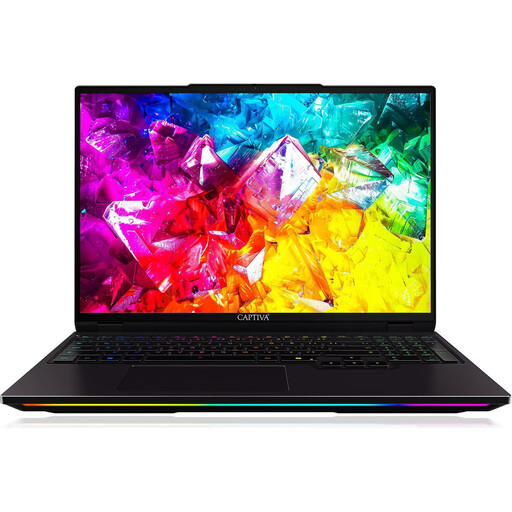
Captiva I92-069 Ultimate gaming laptop

Captiva I92-069 Ultimate Gaming Laptop

This model could suit you if you want to compare a 16-inch display and 32 GB of RAM with a 1 TB SSD. Listed features include a WQXGA IPS display offering 2560 × 1600 pixels and 300 Hz, an Intel Core Ultra 9 275HX, GeForce RTX 5080 with 16 GB GDDR7, 32 GB DDR5, a 1 TB SSD and Windows 11 Home. Check that the high native resolution suits your game’s requirements.

View at Joybuy

Frequently asked questions

Is 16 GB of RAM enough for Anno 117: Pax Romana?

It depends on your target configuration. Ubisoft specifies 16 GB of dual-channel RAM for the listed 1080p configurations and 32 GB for the listed 1440p configurations. Also compare the CPU and laptop GPU with your preferred settings for the game. RAM alone doesn’t determine the frame rate.

Do I need the same specifications for Cities: Skylines II as for Anno 117?

No. Paradox Interactive lists its own minimum and recommended requirements for Cities: Skylines II. These include 8 GB and 16 GB of RAM respectively, and 60 GB of free storage. The recommended graphics cards are desktop reference models and don’t guarantee a particular level of performance from a specific laptop.

How should I position and maintain my laptop on my home-office desk?

Keep the vents clear and follow the instructions for your specific device. ASUS recommends switching off the device and disconnecting the power adapter before cleaning it. Using strong compressed air directly on the fans could damage them.

What are my rights when buying online in Germany if the laptop isn’t suitable or is faulty?

Online purchases generally come with a right to cancel, usually within 14 days of receiving the goods. Exceptions apply, and the circumstances of the contract matter. Verbraucherzentrale distinguishes this right from statutory rights relating to faulty goods and from voluntary guarantees. For newly purchased goods, it generally cites a two-year statutory period starting from delivery.

Do I need to budget for an operating system separately when buying a gaming laptop?

Check the full model number and the operating system listed. HP offers the Victus 15-fa2750ng with FreeDOS 3.0. If you want to use Windows, check the installation requirements and the licence you’ll need before buying. Other models in the same range may have different specifications.