First, measure the usable desk space, allowing room for your mouse, cables and ventilation. Then choose specifications to suit the games and settings that matter to you. For maps and menus, screen size and resolution are important; for demanding battles, check the requirements of the game in question against the laptop’s full configuration. The specifications for Age of Empires IV apply to that title only, not to historical strategy games in general.
Which priorities suit which players?
Players with limited desk space
If you need room for a mouse and cables alongside your laptop, compare the dimensions of the specific models rather than just the screen size. Lenovo PSREF lists the LOQ 15IRX10, model 83JE00JWGE, as measuring 359,86 × 258,7 mm; ASUS Germany gives the TUF Gaming A16 FA608UH-RV027W dimensions as 35,4 × 26,9 cm.
Fans of real-time battles
Check the requirements of your games against the processor, graphics chip and RAM in the specific configuration. Age of Empires Support lists minimum and recommended requirements for Age of Empires IV; these do not guarantee a particular frame rate.
Map and menu strategists
If you spend a lot of time looking at maps, text and menus, compare the screen format and resolution with the space the laptop takes up. ASUS Germany lists a 16-inch display with 1920 × 1200 pixels and a chassis depth of 26,9 cm for the TUF Gaming A16 FA608UH-RV027W.
What should you look for when buying?
Start by measuring your desk and the space you need to use the laptop. Then check your games’ requirements and decide how much screen space, noise levels and storage matter to you.
| What to consider |
What to look for |
Who is it important to? |
| Footprint and space to use it |
Check the width and depth of the specific configuration, and mark out space for your mouse and cables. |
If my desk is short on space, I need room to play and accommodate cables alongside my laptop. Around 29% of consumers prioritise the laptop’s footprint. |
| Performance for your games |
Compare each game’s requirements with the CPU, GPU and RAM; don’t confuse requirements with measured frame rates. |
If I want to play certain battles at particular settings, I need to know whether the full configuration is suitable. Around 23% of consumers prioritise performance for their games. |
| Maps and menus |
Compare the screen format and native resolution of the exact model, and weigh them against the depth of the chassis. |
If I often look at maps and menus, the amount of screen space matters more to me than having the smallest possible screen. Around 18% of consumers prioritise readability. |
| Noise and heat |
Keep the vents clear. If noise levels are a priority, look for independent measurements of the exact model. |
If my laptop sits right beside me, I want to take noise and heat during use into account. Around 18% of consumers focus primarily on keeping their workspace quiet and cool. |
| Storage and future costs |
Check how much space the games you want to install need, and assess upgrade options for the exact model only. |
If I want to install several games, I plan for the storage I’ll need and any potential upgrades. Around 12% of consumers prioritise storage and possible future costs. |
For Age of Empires IV, official support lists 8 GB of RAM as the minimum and 16 GB as the recommendation. For Total War, SEGA recommends checking the in-game benchmark and settings such as detail and shadows if you experience performance issues. Neither tells you automatically how a different game will run on a particular laptop configuration.
Common buying mistakes
-
Comparing screen size alone
Screen size doesn’t tell you how much desk space the chassis takes up or whether there’ll be room for your mouse and cables beside it.
Before you buy, mark out the width and depth of the specific model on your desk, and allow enough room to use it.
-
Assuming a graphics card tells you the frame rate
Games have different requirements. The name of a graphics card alone doesn’t guarantee a particular frame rate or mean that every title will run at high settings. SEGA points out that not every system configuration can handle high settings.
Check the requirements of the games you want to play, and look for tests of the exact laptop configuration to see how it performs.
-
Assuming SSD capacity equals available installation space
Age of Empires Support lists 50 GB of available storage for Age of Empires IV; a download through the Microsoft Store requires 93 GB. The configurations listed here also differ in their pre-installed SSD capacity.
Allow for the storage needs of all the games you want and the download method you’ll use. Check whether the exact model supports a storage upgrade.
-
Confusing a warranty with your statutory rights
Verbraucherzentrale distinguishes statutory rights from a voluntary warranty. If a product is faulty, your statutory claims are against the seller; a warranty is subject to the terms set by the warranty provider.
Keep a clear record of the seller, the warranty provider and the relevant terms.
Relevant brands and product ranges to consider
Lenovo
The LOQ 15IRX10 is a specific 15.6-inch option to consider when comparing chassis dimensions and ports for a small desk.
- For model 83JE00JWGE, Lenovo PSREF lists a 1-TB SSD, an RTX 5060 with 100 W TGP and a footprint of 359,86 × 258,7 mm.
- These specifications apply to the configuration listed and don’t prove how well it performs in games or how noisy it is.
ASUS
The TUF Gaming A16 FA608UH-RV027W is a useful comparison if you’re weighing up a 16:10 display against the extra space it takes up.
- ASUS Germany lists a 16-inch screen, 1920 × 1200 pixels and chassis dimensions of 35,4 × 26,9 cm for this model.
- These specifications apply to this configuration; they don’t prove that the screen will be easier to read from a particular seating distance.
Acer
The Nitro V 15 ANV15-52-71W0 is a specified 15.6-inch option for comparing features with the requirements of your games.
- For this model, Acer lists a Core i7-13620H, 16 GB RAM, a 1-TB SSD and an RTX 5050.
- These specifications don’t prove a particular frame rate; other Nitro V 15 models don’t necessarily have the same features.
MSI
The Katana 15 HX B14WFK-487 is a specific 15.6-inch configuration with a German keyboard layout.
- MSI lists 16 GB RAM, a 512-GB SSD, an RTX 5060 and a footprint of 359 × 262 mm.
- Its pre-installed SSD is smaller than those in the 1-TB configurations listed here. Cooling specifications aren’t independent noise measurements.
Gigabyte
The Gaming A16 GA6H and Gaming A16 Pro GA6DH are 16-inch alternatives, provided their chassis depth fits your desk.
- These model ranges are worth considering as possible alternatives if you’re comparing screen sizes.
- Check the specifications and footprint of the exact model you’re considering before comparing it with other laptops.
Gaming laptops at Joybuy
The selection includes 15.6-inch models and 16-inch options. Compare the dimensions, specifications and display details of each model with your desk space and the requirements of your games.
 No image available
Acer Nitro V 16 AI ANV16-42-R1HB
This 16-inch model is an option if you want to compare its display details and chassis dimensions with your desk space.
16-inch WQXGA display, 16:10, 16 GB RAM, 1-TB SSD, RTX 5060, Windows 11 Home; the description lists chassis dimensions of 36,0 × 27,56 cm. Keep the vents clear during use.
Joybuy
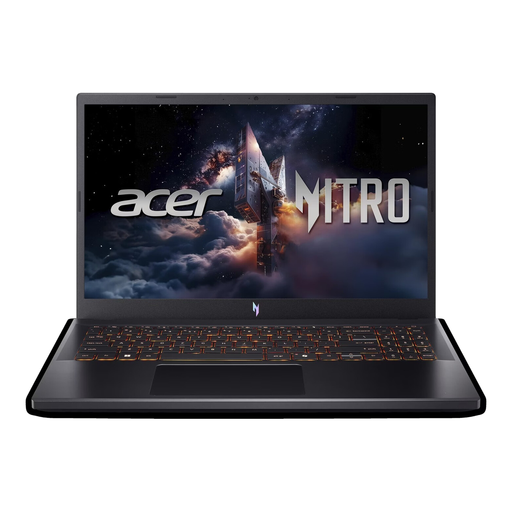 No image available
Acer Nitro V 15 ANV15-52-592S
This 15.6-inch model has specific chassis dimensions to help you plan for a desk with limited space.
Full HD, 165 Hz, Intel Core i5-13420H, 16 GB DDR4, 512-GB SSD and RTX 5070 with 8 GB; the description lists a width of 362,3 mm and a depth of 239,9 mm. Use on a flat surface and keep the vents clear.
Joybuy
 No image available
MSI Thin 15 B13UC-3475NN
A 15.6-inch option if you want to check how the laptop’s dimensions fit alongside the space you have for your mouse and cables.
Full HD, 144 Hz, Intel Core i5-13420H, 16 GB RAM, 512-GB SSD and RTX 3050; the description lists chassis dimensions of 359 × 254 mm. Use on a stable, flat surface with adequate ventilation.
Joybuy
 No image available
MSI Crosshair 16 Max HX E2WGXK-023
This 16-inch model is an option if screen space is important and its dimensions fit your desk.
QHD+ OLED, 16:10, 165 Hz, Intel Core Ultra 9 275HX, RTX 5070 with 12 GB, 16 GB DDR5 and 1-TB SSD; the description lists dimensions of 363 × 270 mm. Allow for adequate airflow and don’t block the vents.
Joybuy
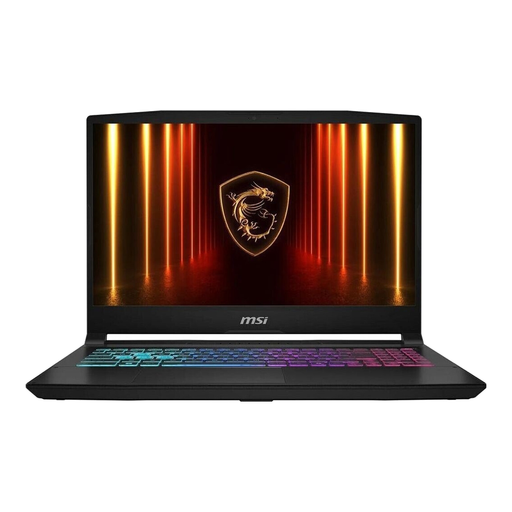 No image available
MSI Katana 15 HX B14WFK-487
Use the listed footprint of this 15.6-inch model to see how it fits on your desk.
Intel Core i7, 16 GB RAM, 512-GB SSD and RTX 5060; MSI lists dimensions of 359 × 262 mm and a German keyboard layout for this model. Use on a flat surface and keep the vents clear.
Joybuy
Frequently asked questions
Is 8 GB RAM enough for historical strategy games?
There’s no single answer for all historical strategy games. Age of Empires Support lists 8 GB RAM as the minimum and 16 GB as the recommendation for Age of Empires IV; check the requirements for every other game separately.
What should I check first if Total War is stuttering?
SEGA recommends running the in-game benchmark and adjusting settings such as detail and shadows. This is troubleshooting advice, not a guarantee of a particular level of performance.
How much storage does Age of Empires IV need?
Age of Empires Support lists 50 GB of available storage; a download through the Microsoft Store requires 93 GB. Plan for the download method you’ll use, as well as the other games you want to install.
Who can help if something goes wrong after buying online?
If a product is faulty, your statutory rights are against the seller; a warranty is a voluntary service with its own terms and conditions. Verbraucherzentrale also notes that online purchases generally come with a 14-day right to cancel. The conditions and when the cancellation period begins depend on the specific purchase.


