If your small desk needs to accommodate a mouse, cables and clear airflow around your laptop, a compact 14-inch model is likely to be the better choice. If a larger gaming display matters more and the whole laptop fits on your desk, a 15- or 16-inch model could also work. Next, check the exact configuration against the requirements of the games you play: for example, Steam specifies an SSD and 150 GB of free storage for Baldur’s Gate 3.
Which size is right for you?
Gamers with limited desk space
If you need to fit your laptop, mouse and cables into a tight space, compare the dimensions of the chassis and keep the vents clear. For example, MSI lists the Cyborg 14 A13VX as measuring 314.7 × 233.5 mm across its base.
Fantasy gamers without a second monitor
If you want to see the game world and interface directly on your laptop, a larger display may be important. Even so, check that the entire chassis will fit on your desk. The requirements of the specific game remain key, as the example of Baldur’s Gate 3 listed by Steam shows.
Buyers weighing up the specs carefully
If you want to compare the operating system, SSD capacity and graphics, check the exact product number rather than just the model range. For example, the HP Store lists a Victus variant with FreeDOS, 16 GB RAM and a 512 GB SSD; these details apply to that configuration.
What should you consider when buying?
First, measure the available space, including room for your mouse and clear airflow around the laptop. Then compare your games’ requirements with the laptop’s full specification and decide how much built-in screen space you need.
Compact 14-inch laptop
A good fit if: You need to leave room for a mouse and clear airflow around the laptop.
The trade-off: The built-in display offers less space than larger models.
15- to 16-inch laptop
A good fit if: You want more screen space without a second monitor, and the chassis fits on your desk once you’ve measured it.
The trade-off: Screen size alone won’t tell you whether there’ll be room for a mouse and clear airflow around the laptop.
| Buying criterion |
What to check |
Who is it important to? |
| Desk space and ports |
Compare the width and depth of the chassis, port positions, and space for a mouse and clear airflow on the specific model. |
If my desk is small, I need room for a mouse and cables alongside my laptop; around 25% of consumers put available desk space first. |
| Performance for the game you play |
Compare the game’s requirements with the CPU, RAM, graphics memory and graphics performance of the complete laptop configuration. Matching GPU names alone don’t guarantee matching performance. |
If I want to play a particular fantasy game, I want to check its requirements against the exact model; around 25% of consumers prioritise gaming performance. |
| Screen space without a second monitor |
Check the screen size and resolution alongside the chassis dimensions and available desk space. |
If I want to see the game world and interface directly on my laptop, a larger display matters to me; around 20% of consumers put screen space first. |
| Airflow where you use the laptop |
Check the vent positions and setup instructions for the specific model. Only consider a cooling pad if you have room for it. |
For longer gaming sessions, I want to keep the vents clear and set up the laptop properly; around 15% of consumers put setup and cooling first. |
| Storage and operating system |
Check the product number, SSD capacity and included operating system. Steam specifies 150 GB of free SSD storage for Baldur’s Gate 3. |
If I want to install several games or avoid installing an operating system myself, the configuration needs to suit my needs; around 15% of consumers put the overall storage and operating system requirements first. |
Avoid common buying mistakes
-
Choosing by screen size alone
The screen size doesn’t tell you how much desk space you’ll need for the chassis, mouse, plugs and clear airflow.
Measure the available space and compare it with the dimensions of the complete model and the positions of its ports.
-
Assuming the same GPU name means the same laptop performance
Actual graphics performance depends on the specific laptop configuration. For example, MSI lists maximum graphics power of 45 W, including Dynamic Boost, for one Cyborg 14 A13VF variant. This isn’t a gaming benchmark and doesn’t automatically apply to other laptops with a similarly named GPU.
Check the exact GPU variant and its listed power; only compare tests of the specific configuration.
-
Comparing model ranges instead of product numbers
Operating systems, SSD capacities and graphics configurations can vary within the same model range. For Baldur’s Gate 3, Steam specifies 150 GB of free SSD storage, so an SSD capacity figure alone won’t tell you how much space will actually be left after setup.
Before buying, check the exact product number, the operating system included and the storage available for your games.
Gaming laptop brands at a glance
ASUS
The ROG Zephyrus G14 range is a 14-inch option for desks with limited space. ASUS lists different GPU variants for the GA403 range.
- Its compact size may suit a small desk.
- Specs vary by variant; a GPU listed as ‘up to’ a certain level doesn’t automatically apply to every GA403 product number.
MSI
The Cyborg 14 A13VX is a 14-inch option with chassis dimensions you can use to check how well it will fit your desk.
- MSI lists the dimensions of this model as 314.7 × 233.5 mm.
- The maximum graphics power of 45 W applies to the specified A13VF variant and isn’t a like-for-like comparison figure for all MSI laptops.
Razer
The Blade 14 is another compact gaming laptop range.
- For the Blade 14 generation shown, Razer lists a thickness of 1.57 cm and a weight of 1.62 kg.
- These manufacturer figures apply to the generation specified; the GPU and other features depend on the variant you order.
Lenovo
The 16-inch Legion Slim 5 Gen 9 is an option if screen space matters more to you than having the smallest possible chassis.
- The 16-inch screen size gives you a clear reference point for the display space you want.
- Lenovo’s description of its cooling technology doesn’t confirm a particular noise level or mean that every configuration will fit on a small desk.
HP
Victus includes 15.6-inch configurations, but you should check the specs of the exact model.
- The HP Store lists a specific Victus variant with FreeDOS, 16 GB RAM and a 512 GB SSD.
- These specs don’t automatically apply to other configurations in the Victus range.
Joybuy products for a bigger display
These 15- and 16-inch gaming laptops are suited to shoppers who value a larger built-in display over the smallest possible chassis. Before buying, check that the exact dimensions leave enough room on your desk for your mouse and clear airflow around the laptop.
 No image available
Acer Nitro V 16 AI ANV16-42-R1HB
Worth considering if you want a 16-inch display and have enough desk space for the chassis.
16 inches; R7; 16 GB RAM; 1 TB SSD; RTX 5060; Windows 11 Home. When gaming, use it on a flat, hard surface and keep the vents clear.
View at Joybuy
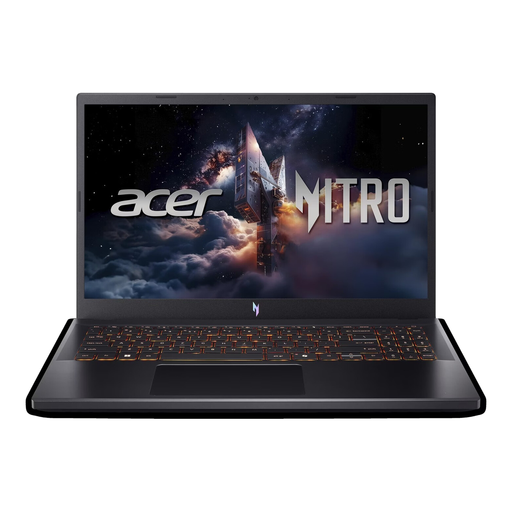 No image available
Acer Nitro V 15 ANV15-52-592S
A 15.6-inch option if you want more built-in screen space and the chassis fits on your desk.
15.6-inch Full HD, 165 Hz; Intel Core i5-13420H; RTX 5050 with 8 GB; 16 GB DDR4; 512 GB SSD; Thunderbolt 4; Windows 11 Home. When gaming, use it on a flat, hard surface and keep the vents clear.
View at Joybuy
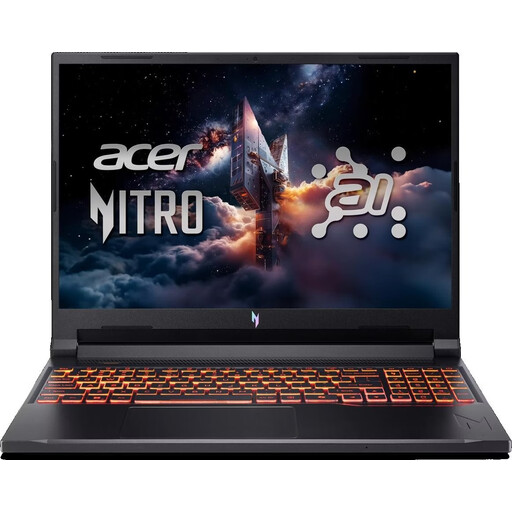 No image available
Acer Nitro V 16 AI ANV16-42-R1PE
Worth considering if a 16-inch display suits your setup and you’ve checked the exact keyboard layout.
16-inch WUXGA, 180 Hz; AMD Ryzen 5 240; RTX 5050 with 8 GB; 16 GB DDR5; 512 GB SSD; Wi-Fi 6E; Windows 11 Home; US keyboard. When gaming, use it on a flat, hard surface and don’t block the vents.
View at Joybuy
 No image available
HP OMEN 16-ap1099ng
A 16-inch option if you want more built-in screen space and have enough room for the laptop on your desk.
16-inch QHD; AMD Ryzen 9 8940HX; 24 GB RAM; 1 TB SSD; GeForce RTX 5070; Windows 11 Home. When gaming, leave enough space for airflow and keep the vents clear.
View at Joybuy
 No image available
MSI Thin 15 B13UC-3475NN
A 15.6-inch option if you want a larger display and the chassis fits the space available on your desk.
15.6-inch Full HD, 144 Hz; Intel Core i5-13420H; 16 GB RAM; 512 GB SSD; NVIDIA RTX 3050. The product description states that no operating system is pre-installed, so you’ll need to install one yourself for gaming. Use it on a flat surface and make sure there’s adequate ventilation.
View at Joybuy
Frequently asked questions
Is 14 inches enough for my fantasy games?
Screen size alone doesn’t determine whether a game will run on a laptop. Compare the requirements of the specific game with the laptop’s full specification, then check whether your desk has enough room for the display, mouse and clear airflow around the laptop.
Do I need a cooling pad on a small desk?
No, a cooling pad isn’t automatically necessary. Lenovo recommends starting with the basics, such as keeping the vents clear and clean. A separate pad also takes up space, so make sure it will fit your setup.
What are my rights if I buy a laptop online and it’s faulty?
In Germany, online purchases generally come with a right to cancel; the Verbraucherzentrale says this is usually 14 days from receiving the goods. Your statutory rights if a product is faulty are separate from a voluntary manufacturer’s warranty. You should initially make any claim relating to a fault to the seller.
What should I know about product safety and disposal?
In the EU, electrical and electronic equipment sold must comply with the relevant product safety regulations. Where CE marking is required, it must be correctly displayed; the Bundesnetzagentur also lists markings and manufacturer details as things to check. In Germany, take-back rules apply to old devices, and you should check the conditions for the device in question.


