2D sprite artists
You work with frames, layers and colour details, and want to check the screen specifications before prioritising extra GPU power. Aseprite documents features for animating and editing frames and cels.


For 2D sprite animation, check the screen and available desk space before prioritising a particularly powerful graphics card. Aseprite documents animation features for frames and layers, but that doesn’t mean you automatically need a high-end GPU. If you also use Blender or demanding games, consider the requirements of each application and the specifications of the exact laptop variant. At a shared desk, you should also think about the space it takes up and how noisy it is in the mode you plan to use.
You work with frames, layers and colour details, and want to check the screen specifications before prioritising extra GPU power. Aseprite documents features for animating and editing frames and cels.
You share your workspace, so you need to think about desk space, ports and ventilation. ASUS Support notes that dust can block ventilation openings.
You create sprites and also use Blender or play demanding games. Check the requirements of each application rather than applying them to 2D work across the board; Blender publishes its own hardware requirements.
| What to consider | What to look for | Who should pay particular attention? |
|---|---|---|
| Screen and workspace | Check the resolution, screen finish and stated colour gamut for the exact variant. A high refresh rate alone doesn’t tell you anything about colour reproduction. | If I’m working with frames and colour details, I want to compare the screen specifications for the full model variant. Around 36% of consumers prioritise the screen and drawing area. |
| Space and noise | Check the dimensions of the chassis and the position of the ports against the desk space available. To assess noise, look for a measurement of the specific model in the mode you intend to use. | If you share a desk, you need room for your laptop, mouse or drawing tablet, while keeping the ventilation openings clear. Around 29% of consumers put the shared desk at the centre of their decision. |
| Additional gaming or 3D work | Decide which programmes and games you’ll actually use, then compare their requirements with the CPU, RAM and GPU in the exact variant. Blender’s requirements apply to Blender, not automatically to sprite work. | If I regularly use Blender or play demanding games as well as working with sprites, their specific hardware requirements matter more to me than choosing the most powerful configuration by default. Around 21% of consumers prioritise extra gaming or 3D performance. |
| Portability and moving between workspaces | Check the weight and dimensions of the exact variant, including the power supply you’ll need. Don’t treat the stated battery figures as a guaranteed battery life. | If you often put your laptop away or carry it to another workspace, consider how easy it is to transport. Around 14% of consumers make portability their main priority. |
The refresh rate doesn’t tell you the colour gamut. When working with sprites, you could overlook an important screen specification if you don’t check it.
Check the screen specifications for the full model number separately, paying particular attention to the resolution, finish and stated colour gamut.
Blender and Aseprite are used for different things and have different requirements. A more powerful configuration could cost you more without being necessary for your 2D workflow.
First decide which programmes and games you’ll actually use, then compare their requirements.
A larger device takes up more desk space, leaving less room for a mouse, drawing tablet or other people.
Compare the space available with the dimensions of the exact laptop variant.
A commercial warranty and your statutory rights against the seller are based on different rules. EU consumer information states that consumer purchases from traders come with at least two years of legal guarantee from the date you receive the goods.
Keep your proof of purchase. If something goes wrong, distinguish between your rights against the seller and any voluntary manufacturer’s warranty.
The LOQ range includes 15-inch variants whose screen specifications may be useful to consider for a shared workspace.
The TUF Gaming A16 is a 16-inch option; the exact model number is key to choosing the right one.
The Predator Helios Neo 16S AI is an example of a 16-inch laptop with specifications that may also suit more demanding applications.
The OMEN 17 is a large-format option, best suited to a workspace with enough room.
The Katana 15 HX range includes variants with different screens and GPUs.
This selection includes gaming laptops with 15.6- or 16-inch screens for sprite work at a desk, as well as variants for additional gaming or 3D applications. Compare the screen, chassis dimensions and specifications of each variant before you decide.
 No image available
The 15.6-inch format may suit a smaller desk; compare the chassis dimensions with the space you have available.
15.6 inches, FHD, 144 Hz, IPS-level panel, Intel Core i5-13420H, 16 GB RAM, 512 GB SSD and RTX 3050. Chassis dimensions: 359 × 254 mm. According to the product description, no operating system is pre-installed.
 No image available
The 16-inch screen gives you a larger display; check first that the laptop and peripherals will fit on the shared desk.
16 inches, OLED, 2560 × 1600 pixels, 240 Hz, Ryzen AI 9 370, 32 GB RAM, 2 TB SSD and RTX 5070. Stated weight: 2.1 kg; dimensions: 35.6 × 26 × 1.99 cm.
 No image available
If you use demanding games or 3D applications as well as working with sprites, compare their requirements with the specifications of this exact variant.
16 inches, QHD+ with 2560 × 1600 pixels, 240 Hz, AMD Ryzen 7 7745HX, 16 GB RAM, 1 TB SSD and RTX 5060.
 No image available
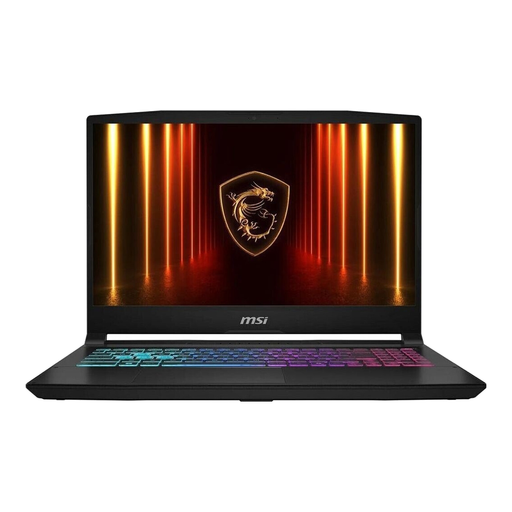
The 15.6-inch format may make it easier to plan your desk space; also compare the screen specifications with your sprite colour requirements.
15.6 inches, matte IPS-level FHD screen, Intel Core i7-14650HX, 16 GB DDR5 RAM, 512 GB SSD and RTX 5060. Dimensions: 359 × 259 × 27 mm; Windows 11 is listed.
 No image available
For sprite work at a shared desk, compare the screen specifications and chassis dimensions of this variant with the space available.
15.6 inches, FHD, 144 Hz, Intel Core i5-13420H, RTX 4050, 16 GB DDR5 RAM and 512 GB SSD. Dimensions: 35.9 × 25 × 2.29 cm. According to the product description, no operating system is pre-installed.
No. Aseprite’s documented features don’t imply a general requirement for a particularly powerful graphics card. If you also use Blender, check its own minimum and recommended requirements for your workflow.
Keep the ventilation openings clear and follow the instructions for your specific device. ASUS Support notes that dust can block ventilation openings.
No. When you buy as a consumer from a trader, you have statutory rights against the seller; these are separate from a commercial manufacturer’s warranty. EU consumer information states that goods come with a legal guarantee of at least two years from the date you receive them.
For an eligible consumer contract made at a distance, you generally have 14 days to withdraw, starting from the day the goods are delivered. The conditions and any exceptions that apply to the specific purchase should be checked. The right to withdraw is also separate from what you can do if the goods are faulty.