Pixel sprite artists
If you do most of your frame and layer work on your laptop, look for a screen with enough room to keep your timeline and preview comfortably in view. Igara Studio describes working with layers and animated frames in Aseprite.


For pixel sprites, start by choosing a display, workspace and ports to suit your setup; you don't automatically need a powerful gaming GPU. If you also test demanding games or work on larger engine projects, match the RAM and graphics performance to those tasks and check the full model specification.
If you do most of your frame and layer work on your laptop, look for a screen with enough room to keep your timeline and preview comfortably in view. Igara Studio describes working with layers and animated frames in Aseprite.
If you often switch between your editor, engine and test runs while animating, make sure the specifications suit your particular project. Godot and Unity note that requirements vary depending on the project and its complexity.
If you create sprites and test games on the same device, check the requirements for each task separately. Gaming specifications alone don't tell you whether the display and workspace will suit your animation work.
First, work out whether your main constraint is screen space, running projects in parallel, extra gaming performance, or the space and ports available on your desk.
| Buying priority | What to check | Who is it important for? |
|---|---|---|
| Display and workspace | Screen size and resolution for the exact model; don't treat colour gamut figures as measured colour accuracy. | If I want to view frames and previews on the built-in screen, usable screen space matters to me. Around 36% of consumers prioritise the display and workspace. |
| RAM for your engine and project | Match the engine and project size to the RAM in the exact configuration. | If I use my animation tool and development environment at the same time, my needs depend on the project. Around 29% of consumers prioritise engine work and multitasking. |
| Graphics performance for gaming | Check the requirements of your games and engine, as well as the full GPU model name. | If I also test games, I want to choose graphics performance based on those titles rather than the word “animation”. Around 21% of consumers prioritise performance for additional gaming. |
| Desk space and ports | Check the chassis dimensions and required ports, and make sure your tablet is compatible with your software and operating system. | If I want to have a graphics tablet or monitor next to my laptop, I need enough space and the right ports. Around 14% of consumers prioritise their workspace and peripherals. |
For the specific ASUS TUF Gaming A18 FA808UM-S8012W, ASUS lists both 144 Hz and 100% sRGB. These describe different display properties, and neither figure on its own proves measured colour accuracy.
Check screen size, resolution and colour gamut separately. If your work requires reliable colour results, look for suitable measurement data for the exact model.
According to the manufacturer, the ASUS model mentioned measures 39,9 × 28,3 cm. Your tablet, mouse and cables will need additional space.
Measure the available desk space and check that the ports you need match your peripherals.
The Acer Nitro variants listed differ in RAM and screen resolution. Specifications for one Lenovo LOQ configuration also can't automatically be applied to another product number.
Check the full model or product number, as well as the display, RAM, GPU and operating system in each listing.
The specific HP Victus 15-fa2750ng described comes with FreeDOS 3.0, not Windows pre-installed.
Check the operating system on the exact model and make sure it's compatible with your software.
If your programmes require Windows, remember to factor in an operating system licence and the time needed to install it.
The documented TUF Gaming A18 variant FA808UM-S8012W is a large-screen option for working on the built-in display.
The German LOQ configuration 83TNCTO1WWDE2 offers a smaller display for a more compact workspace.
Nitro V 16 AI variants come with different specifications; check the display and RAM against the full model reference.
The German Victus 15 variant 15-fa2750ng shows why the operating system should be part of your model comparison.
This selection features gaming laptops for sprite work on the built-in display, as well as additional game testing and running applications in parallel.
 No image available
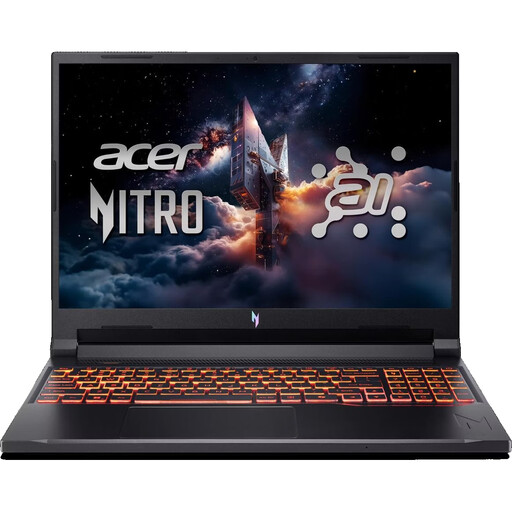
For sprite work with multiple applications running, this variant is listed with 32 GB RAM and an RTX 5070.
16 inches, 1920 × 1200 pixels, 180 Hz, 32 GB DDR5, 1 TB SSD and Windows 11 Home.
 No image available
For animation on the built-in display, the resolution listed for this variant is a useful point of comparison.
16 inches, 2560 × 1600 pixels, 16 GB RAM, RTX 5060 and 1 TB SSD.
 No image available
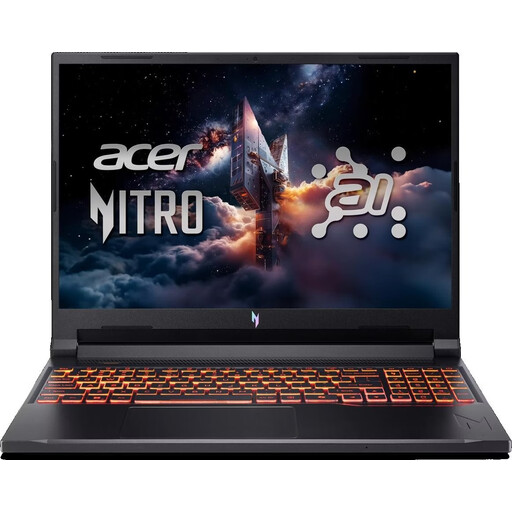
This variant is described as a gaming laptop for sprite work and additional game testing; make sure the listed keyboard layout suits you.
16 inches, 1920 × 1200 pixels, matte IPS display, 16 GB RAM and RTX 5050. Listed ports: HDMI 2.1 and USB-C.
 No image available
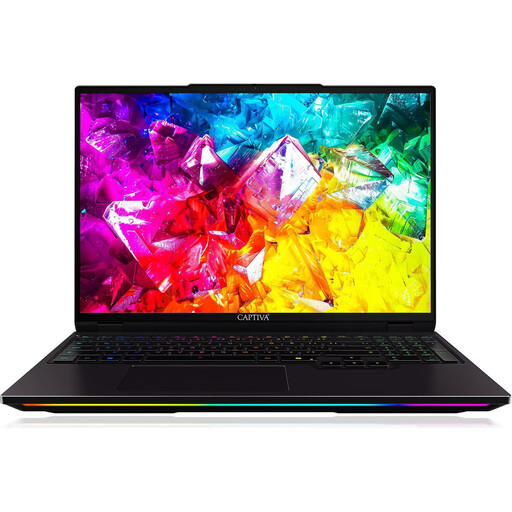
This variant is listed with 32 GB RAM for running multiple applications; its graphics specifications are aimed at additional gaming.
16 inches, 2560 × 1600 pixels, 300 Hz, IPS display, Intel Core Ultra 9 275HX, RTX 5080 with 16 GB GDDR7, 32 GB DDR5 and 1 TB SSD.
 No image available
For sprite work and game testing, the product description lists 32 GB RAM and an RTX 5070; check how the display specifications fit with your colour workflow.
16 inches, matte display, 240 Hz, 500 Nits, 100% DCI-P3 and 32 GB RAM.
Not necessarily. Aseprite describes a workflow using frames and layers, while Godot's published minimum requirements for simple projects include integrated graphics for some renderers. Check the requirements for your specific games, engine and project size separately.
First, make sure the laptop has the port you need. Aseprite documents different input methods for Windows, including Pointer and Wintab options. If you run into problems, also check the relevant setting and your tablet's drivers.
If your programmes require Windows, check the operating system licence, installation process and drivers before buying. The specific HP Victus 15-fa2750ng described comes with FreeDOS 3.0 rather than Windows pre-installed.
For a standard online distance purchase made by a consumer, there is generally a 14-day cancellation period from the date of delivery; exceptions and the relevant return conditions should be taken into account. For goods bought from a trader in the EU, faulty goods are covered by a legal guarantee of at least two years from receipt. This is separate from any voluntary manufacturer's warranty.