For mapping work in QGIS, you don’t automatically need the 32 GB of RAM and 8 GB of graphics memory recommended by the Blender Foundation for Windows. What matters is whether you also work on larger scenes in Blender. Then choose a size that suits your usable desk space: a 14-inch laptop leaves more room for your mouse and cables, while a larger display gives you more screen space for maps and tools. Remember to measure the vents and allow enough room around them, too.
Who is a gaming laptop suitable for?
Mapping with limited desk space
If you need room for a mouse and cables alongside your laptop, the size of the chassis and clear vents are important. The QGIS documentation describes the 3D map view, while Lenovo recommends using a firm, flat surface and keeping the vents clear for cooling.
3D terrain modelling
If you’re bringing terrain data into a 3D workflow, check the RAM and graphics memory against the Blender projects you have planned. The Blender Foundation recommends 32 GB of RAM and 8 GB of graphics memory for Windows; this isn’t a blanket requirement for all mapping work.
Mapping without an extra monitor
If you want to fit the map, layers and toolbars on the built-in display at the same time, weigh the physical screen area against the space the laptop takes up on your desk. Display size and resolution vary by configuration, so check that everything is easy to read at your preferred scaling.
What should you consider when choosing one?
First, decide whether you’ll mainly work in QGIS or also handle larger scenes in Blender. Then measure the usable desk space, including room for your mouse, cables and clear airflow.
| Buying consideration |
What to look for |
Who should pay particular attention? |
| Desk space and ventilation |
Compare the chassis dimensions and port positions with the space available; leave room for your mouse and cables, and keep the vents clear. |
If you need to fit a laptop, mouse and cables on a small desk, you’ll also need to keep the vents clear. Around 29% of consumers prioritise desk space and airflow when choosing. |
| Headroom for 3D work |
Decide which software you’ll use and how large your scenes will be; check the RAM and graphics memory of the complete configuration. The Blender recommendation is for Blender on Windows, not a blanket requirement for every QGIS map. |
If you’re working on larger terrain scenes in Blender, choose RAM and graphics memory to suit your project rather than relying on the GPU name alone. Around 29% of consumers put performance headroom for 3D work first. |
| Screen workspace |
Check the screen size, resolution, finish and readability at your preferred scaling. |
If you work with maps, layers and toolbars without an extra monitor, the physical screen area matters. Around 21% of consumers prioritise the workspace offered by the built-in display. |
| Configuration and setup |
Check the full model number, operating system, RAM, SSD and required ports against the specific offer. |
When buying, you’ll want to know exactly what specifications and operating system come with the version you choose. Around 21% of consumers focus on the configuration and setup required. |
Avoid common buying mistakes
-
Assuming screen size tells you how much desk space you’ll need
You’ll need room for a mouse and connected cables as well as the laptop, and the vents must remain clear.
Compare the dimensions and port positions of the exact version with the usable space on your desk.
-
Treating Blender recommendations as a requirement for every QGIS map
Viewing a map in QGIS and working on a large 3D scene in Blender are different workflows.
Decide which software you’ll use and the scale of your project first, then choose the RAM and graphics memory you need.
-
Comparing only the laptop range name
Models with similar names can differ in operating system, storage and display. For example, the Lenovo version 83F1004BGE is listed without an operating system.
Before buying, check the full model and product numbers, operating system, RAM, SSD and display.
Brands and model ranges to consider
HP
The OMEN Transcend 14 range is a compact gaming and creative option when desk space is particularly limited.
- According to HP, the OMEN Transcend 14-fb1775ng version has a 14-inch display, 32 GB of RAM, a 1 TB SSD and an RTX 5060 with 8 GB of graphics memory.
- These manufacturer specifications don’t confirm how the laptop will perform with a particular terrain scene. Check the chassis dimensions and make sure the screen will be easy to read at your desk.
Lenovo
The Legion 5 Gen 10, in version 83F1004BGE, offers a larger display than a 14-inch model.
- Lenovo lists a 15.1-inch display with 2560 × 1600 pixels, 32 GB of RAM and an RTX 5060 with 8 GB of graphics memory for this version.
- Version 83F1004BGE is sold without an operating system and has a glossy display. These features apply to this product number, not every Legion 5.
MSI
The Katana 15 HX B14WGK-058 is a 15.6-inch configuration to consider if you want a larger built-in display.
- MSI lists a Full HD display, an RTX 5070 with 8 GB of graphics memory and 16 GB of RAM for this version.
- If you want to meet the RAM recommendation for Blender on Windows from the outset, don’t judge this version by its GPU name alone.
ASUS
The ROG Zephyrus G14 range is another 14-inch option for workspaces with limited desk space.
- The ASUS ROG range includes several GA403 configurations, which you can tell apart by their full version codes.
- You can’t assume the RAM, graphics memory or suitability for Blender from the model range alone. Check the full model number.
Joybuy models for mapping work at your desk
The Joybuy models below have 15- to 16-inch displays. Compare their dimensions with your desk, and check the RAM and graphics memory against your planned workflow.
 No image available
HP OMEN 16-ap1099ng
The 16-inch display gives you built-in screen space for maps and tools; check that the chassis will fit on your desk.
Joybuy’s product details list a 2560 × 1600-pixel IPS display with anti-glare coating, 24 GB of RAM, a 1 TB SSD, GeForce RTX 5070 and Windows 11 Home. Listed dimensions: 358 × 269 mm; weight: 2,43 kg.
Its 24 GB of RAM is below the 32 GB recommended by the Blender Foundation for Windows. This recommendation isn’t a blanket requirement for all QGIS mapping work.
View at Joybuy
 No image available
MSI Cyborg 15 B2RWEKG-067
The 15.6-inch display could be useful for mapping without an extra monitor; remember to allow for the space the chassis takes up, too.
Joybuy’s product details list a 1920 × 1080-pixel display with anti-glare coating, 16 GB of RAM, a 512 GB SSD, an RTX 5050 and Windows 11 Home. Listed dimensions: 359,4 × 245,2 mm; weight: 1,95 kg.
Its 16 GB of RAM is below the 32 GB recommended by the Blender Foundation for Windows. This recommendation isn’t a blanket requirement for QGIS mapping work.
View at Joybuy
 No image available
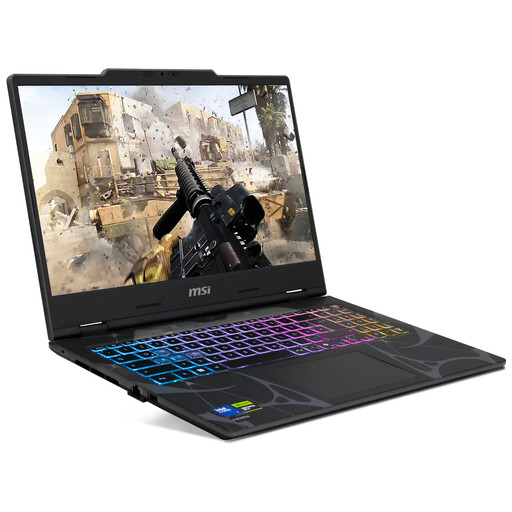
MSI Crosshair 16 Max HX E2WGXK-023
If you want more workspace on the built-in display, this 16-inch model is an option, provided its dimensions fit your desk.
Joybuy’s product details list a QHD+ OLED display with 2560 × 1600 pixels and 165 Hz, an Intel Core Ultra 9 275HX, a GeForce RTX 5070 with 12 GB, 16 GB DDR5, a 1 TB SSD and Windows 11 Home. Listed dimensions: 363 × 270 mm; weight: 2,20 kg.
Its 16 GB of RAM is below the 32 GB recommended by the Blender Foundation for Windows. This recommendation isn’t a blanket requirement for all QGIS mapping work.
View at Joybuy
 No image available
MSI Stealth A16 AI+ Mercedes-AMG Motorsport A3XWGG-052
If Blender on Windows is part of your workflow, you can compare the listed RAM and graphics memory directly with the Blender Foundation’s recommendations.
Joybuy’s product details list a 16-inch QHD+ OLED display with 2560 × 1600 pixels, 32 GB of RAM, 2 TB of storage, an RTX 5070 and Windows 11. It has 8 GB of graphics memory; the listed dimensions are 35,6 × 26 cm and the weight is 2,1 kg.
The Blender Foundation recommends 32 GB of RAM and 8 GB of graphics memory for Windows; this doesn’t mean the laptop is suitable for every project.
View at Joybuy
 No image available
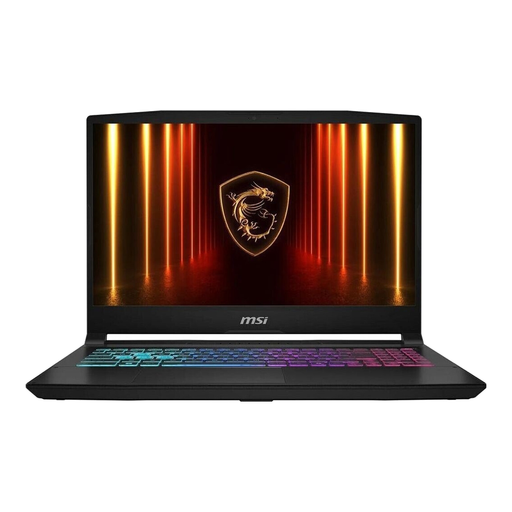
MSI Katana 15 HX B14WFK-487
The 15.6-inch display gives you a built-in screen for mapping work; check the chassis dimensions and make sure the screen will be easy to read at your desk.
Joybuy’s product details list a matte Full HD IPS-level display, an Intel Core i7, 16 GB of RAM, a 512 GB SSD, an RTX 5060 and Windows 11. Listed dimensions: 359 × 259 × 27 mm; weight: approximately 2,4 kg.
Its 16 GB of RAM is below the 32 GB recommended by the Blender Foundation for Windows. This isn’t a general minimum requirement for QGIS mapping work.
View at Joybuy
Frequently asked questions
Do I need 32 GB of RAM and 8 GB of graphics memory for every terrain map?
No. The Blender Foundation recommends these specifications for Blender on Windows; they aren’t general minimum requirements for every map. What matters is whether you mainly use QGIS or also work on larger scenes in Blender.
What should I consider when setting up on a small desk?
Place the laptop on a firm, flat surface and keep the vents clear. Remember to measure the space you’ll need for your mouse and connected cables, too. Lenovo recommends following the ventilation guidance for the specific device.
What do warranty, statutory rights and the right to cancel mean when buying online?
For a standard online purchase by a consumer in Germany, there is generally a 14-day cancellation period; statutory exceptions apply. Your statutory rights against the seller if goods are faulty are separate from a manufacturer’s warranty, which has its own terms. According to the Verbraucherzentrale, if a fault occurs within the first two years, the statutory limitation period for claims can be extended from two to three years if you choose a repair instead of a replacement. The circumstances of each case determine whether this applies.
How should I dispose of an old laptop in Germany?
Don’t put it in your household rubbish. The Umweltbundesamt says you can return it free of charge at a recycling centre or to a retailer; check the specific terms with the collection point you plan to use.


