GIS map makers
If you’re creating a terrain map or hillshade from elevation data, choose your specifications to suit the raster project you’ll be working on. The QGIS documentation explains terrain analysis using digital elevation models.


Choose a laptop to suit your workflow: a terrain map made from elevation data has different requirements from a designed Blender scene or a real-time scene in Unreal Engine. Compare RAM and graphics memory separately against your software’s recommendations, then check the exact configuration for its display, ports and upgrade options. A gaming label alone doesn’t guarantee that a laptop is suitable.
If you’re creating a terrain map or hillshade from elevation data, choose your specifications to suit the raster project you’ll be working on. The QGIS documentation explains terrain analysis using digital elevation models.
If you’re developing terrain into a 3D scene, check RAM and graphics memory separately. QGIS documents how to export a 3D scene for further work, for example in Blender; Blender also has its own hardware recommendations.
If you’re creating an interactive terrain scene in Unreal Engine, refer to the requirements for that engine rather than general gaming specifications. Epic Games has its own hardware recommendations.
A good fit if: You mainly want to run raster analyses and create a map from a digital elevation model.
The trade-off: The QGIS documentation explains the workflow, but doesn’t confirm how a particular laptop will perform or how it will handle a specific dataset size.
A good fit if: You’re developing or rendering terrain as a 3D scene. QGIS documents how to export a 3D scene for further work, for example in Blender.
The trade-off: Blender recommends 32 GB RAM and 8 GB graphics memory for Windows. This recommendation doesn’t guarantee a particular render time and doesn’t apply universally to every QGIS map.
A good fit if: You’re creating an interactive scene with Unreal Engine 5 on Windows.
The trade-off: Epic Games recommends 32 GB RAM, at least 8 GB graphics memory and a DirectX 12-compatible graphics card. Certain rendering features may have additional requirements.
| What you need | What to check when buying | Who it matters most to |
|---|---|---|
| GIS projects and raster data | Decide which software, dataset size and steps you’ll be using; check the RAM and available storage on the exact configuration. | If I’m mainly analysing elevation data and creating maps, I’ll choose specifications to suit my QGIS project. An estimated 36% of consumers make GIS project performance their main consideration. |
| RAM and graphics memory for 3D | Compare both figures separately with your software’s requirements: Blender recommends 32 GB RAM and 8 GB graphics memory for Windows; Epic Games recommends 32 GB RAM and at least 8 GB graphics memory for Unreal Engine 5 on Windows. | If I’m designing terrain in Blender or building a real-time scene, I’ll check the requirements for that particular workflow. An estimated 29% of consumers prioritise 3D specifications. |
| Screen and monitor ports | Check that the screen size and resolution suit your desk; confirm that the exact model has the right video output for an external monitor. | If I want to see my map and tools clearly at my desk, I’ll compare the built-in display with my available space and monitor. An estimated 21% of consumers make the screen and workspace their main consideration. |
| Future upgrades | Check which RAM and M.2 slots are occupied or free, as well as the upgrade options listed for the exact configuration. | If my local data or projects grow over time, I’ll want to know which upgrades the exact configuration supports before I buy. An estimated 14% of consumers prioritise upgrade options. |
Blender and Epic Games list RAM and graphics memory as separate requirements. A graphics card with 8 GB graphics memory therefore doesn’t replace 32 GB of installed RAM.
Check both figures for the full configuration. Only plan an upgrade if your workflow requires it.
Raster analysis using an elevation raster and hillshading is a different workflow from a real-time scene in Unreal Engine. Recommendations for an engine don’t automatically apply to a QGIS map.
First decide whether you’re creating a raster map, a designed 3D scene or an interactive real-time scene.
Manufacturer claims such as ‘up to’ don’t describe every configuration. The Lenovo and ASUS configurations documented in this comparison each have 16 GB of installed RAM.
Compare the full model number, installed RAM, display and ports for the exact configuration.
The LOQ 15IRX10 83JE00JWGE configuration shows which details about RAM, graphics memory, SSD and ports are useful when comparing a specific model.
The TUF Gaming A16 FA608UM-RV138W illustrates the trade-offs between the built-in display, ports and exact specifications.
The Katana-15-HX-B14W product range is an example of a gaming laptop with a dedicated graphics card.
The gaming laptops below are selected with the Blender 3D workflow in mind. For each configuration, compare RAM and graphics memory separately with your software’s requirements.
 No image available
For a Blender project, you can compare the separately listed RAM and graphics memory with the software recommendations.
Display: 18-inch Mini-LED UHD+ with 240 Hz; Processor: Intel Core Ultra 9 290HX Plus; Graphics: NVIDIA GeForce RTX 5090 with 24 GB; RAM: 96 GB DDR5; SSD: 4 TB; Operating system: Windows 11 Home.
 No image available
If you’re working on a 3D scene in Blender, check the RAM and graphics memory for the exact configuration separately.
Display: 18-inch QHD+ with 240 Hz; Processor: Intel Core Ultra 9 275HX; Graphics: NVIDIA GeForce RTX 5070 Ti with 12 GB; RAM: 32 GB DDR5; SSD: 1 TB; HDMI 2.1; Windows 11 Home.
 No image available
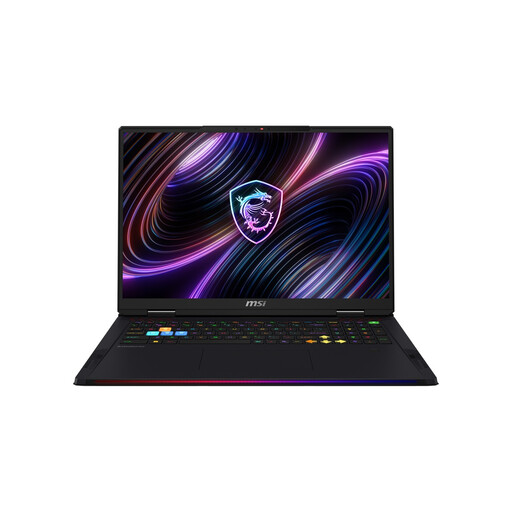
If you’re working with larger local project files, the listed SSD capacity is worth comparing; also check the requirements of your 3D software.
Display: 18-inch Mini-LED UHD+; Processor: Intel Core Ultra 9 290HX Plus; Graphics: NVIDIA GeForce RTX 5090 with 24 GB; RAM: 64 GB DDR5; SSD: 2 TB; Windows 11 Home.
 No image available
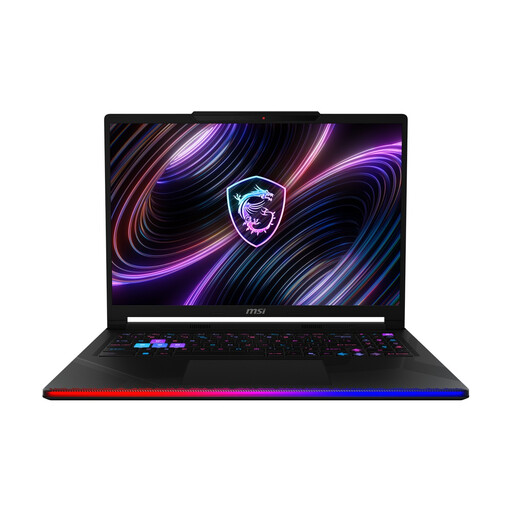
If desk space is a consideration in your home office, compare the listed 16-inch display with your workspace and check the RAM separately.
Display: 16-inch OLED WQXGA; Processor: Intel Core Ultra 9 290HX; Graphics: NVIDIA GeForce RTX 5090; RAM: 32 GB DDR5; SSD: 2 TB; Windows 11 Home.
 No image available
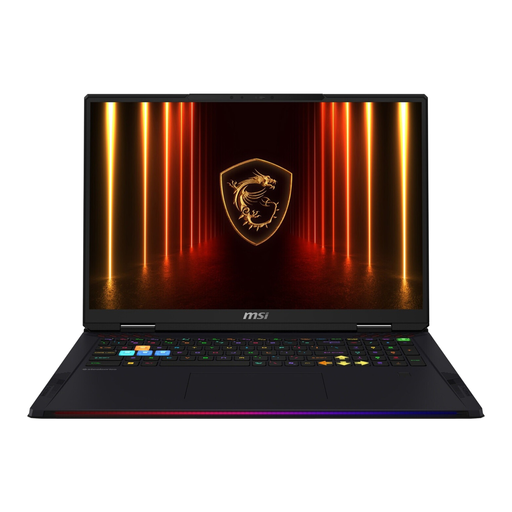
For 3D projects, compare the listed RAM and graphics memory with your software’s recommendations. SSD capacity is a separate factor to consider for local project files.
Display: 18-inch UHD+; Processor: Intel Core Ultra 9 285HX; Graphics: NVIDIA GeForce RTX 5090 with 24 GB; RAM: 64 GB; SSD: 4 TB; HDMI; Windows 11.
No. These are recommendations for specific Blender and Unreal workflows, not a general requirement for every terrain map. The QGIS documentation on raster hillshading doesn’t set a universal hardware requirement.
Yes. QGIS documents how to export its 3D view as an OBJ scene for further work, for example in Blender. Before you start, check the export and the requirements of your next Blender project.
Check that the exact configuration has the right ports for your monitor, and keep the air vents clear. The Joybuy product page for the Thunderobot Radiant S16 warns against placing the laptop on soft surfaces that could block the vents; this advice applies to the product described on that page.