UI designers with a fixed desk setup
If you usually design at a shared desk, check how you can connect your laptop, external monitor and input devices.


If you mainly work in Figma, a comfortable display, suitable monitor connections and a practical shared-desk setup matter more than an especially powerful gaming GPU. If you also use Photoshop, other demanding creative software or games, weigh the specifications of the exact model against its weight, space requirements and power consumption.
If you usually design at a shared desk, check how you can connect your laptop, external monitor and input devices.
If you regularly clear your workspace, weigh the built-in screen space against the size of the device and the effort involved in moving it.
If you use other software or play games alongside your UI tools, check that the requirements of those applications match the specifications of the exact laptop model.
A good fit if: You often take your laptop away from the shared desk and can use an external monitor for longer work sessions.
The trade-off: The more compact design takes up less desk space, but gives you less screen space to work with. Check the ports and specifications of the exact model.
A good fit if: You regularly design directly on your laptop or work without an external monitor, and have enough room on your desk.
The trade-off: A larger built-in display needs to work for you in terms of desk space and portability.
A good fit if: Your work genuinely includes demanding creative tasks or gaming alongside UI design.
The trade-off: Figma describes its basic graphics requirements as low. Using a dedicated GPU can increase battery consumption.
| Priority | What to look for when buying | Who is it important to? |
|---|---|---|
| Display for UI design | Compare the display size, native resolution and panel type of the exact model; if you choose OLED, check the care guidance too. | If I want to arrange designs and toolbars comfortably on the built-in display, I check the screen space and panel of the specific model. Around 36% of consumers would put the display first. |
| Shared-desk setup | Check that the ports’ monitor capabilities match your screen and accessories, and allow room for cables and the power supply. | If I need to connect my laptop, monitor and input devices at a shared workspace, then put them away afterwards, a practical setup matters. Around 29% of consumers would put their desk setup first. |
| Portability and space requirements | Check the dimensions and weight of the exact configuration, including the power supply, and find out whether a monitor will be available at your destination. | If I often change workspaces, I want a device that is easier to accommodate without losing sight of the screen space I need. Around 21% of consumers would prioritise portability. |
| Performance for other applications | Compare the requirements of the software you actually use with the RAM, GPU, storage and operating system of the specific model. | If demanding creative software or gaming matters alongside UI design, I want the specifications to meet those needs. Around 14% of consumers would put this additional performance first. |
You don’t need an especially powerful gaming graphics card for Figma alone: Figma describes its basic graphics requirements as low. For Photoshop 27.x on Windows, Adobe recommends at least 16 GB of RAM; also check the requirements for your specific software version and operating system.
For a separate setup with an external keyboard, the German Federal Institute for Occupational Safety and Health recommends raising the laptop so that the top of the screen can sit at eye level. To do this, the ports on your chosen model need to work with the devices you already have.
Figma describes its basic graphics requirements as low. According to Figma, a dedicated GPU can improve performance, but using one can increase battery consumption.
First, work out which other applications and games you actually use. Then compare their requirements with the display and your workspace setup.
Specifications can vary within a model range. For example, details for the Lenovo Legion Pro 5 83LT004NGE do not automatically apply to the differently named 83LU004UGE model.
Before buying, check the full model number, as well as the panel, RAM, GPU and ports of the exact configuration.
ASUS warns that displaying high-contrast content at high brightness without change for long periods can lead to image retention or burn-in.
Follow the manufacturer’s care guidance and consider whether an OLED display suits the way you work.
The ROG Zephyrus G14 GA403 range is an example of a compact 14-inch design with a built-in display.
The Legion Pro 5 83LT004NGE is a specific 16-inch example for users who want more screen space directly on their laptop.
The OMEN Transcend 14-fb1775ng is a 14-inch gaming model that could also be considered for additional creative or gaming tasks.
The Titan 18 HX AI A2XWJG-656, tested by CHIP, is a large alternative designed for gaming.
The Predator Helios Neo 16S AI OLED PHN16S-71-94CW is another 16-inch-oriented example.
The models below are 16-inch gaming laptops with built-in screen space for UI work. Their additional specifications may be relevant for other creative or gaming tasks.
 No image available
If you have demanding creative or gaming tasks alongside UI design, the product description lists 24 GB of RAM and an RTX 5070.
The 16-inch IPS display is listed at 2560 × 1600 pixels. The specifications also include a 1 TB SSD, an AMD Ryzen 9 8940HX and Windows 11 Home.
 No image available
This 16-inch model is worth considering if you’re weighing up built-in screen space against the specifications needed for additional creative or gaming applications.
The product title lists a QHD display, 16 GB of RAM, an RTX 5060, a 1 TB SSD, an AMD Ryzen 7 8745HX and Windows 11 Home.
 No image available
If additional creative or gaming tasks matter alongside UI design, the product description lists 32 GB of RAM and an RTX 5070.
The 16-inch QHD+ OLED display is listed at 240 Hz. It also comes with a 2 TB SSD and an AMD Ryzen AI 9 370.
 No image available
The 16-inch format gives you built-in screen space for working on the laptop. Whether its specifications suit other applications depends on their requirements.
Specifications include a QHD+ display with a resolution of 2560 × 1600 pixels and a 240 Hz refresh rate, 16 GB of DDR5 RAM, a 1 TB SSD and an RTX 5060.
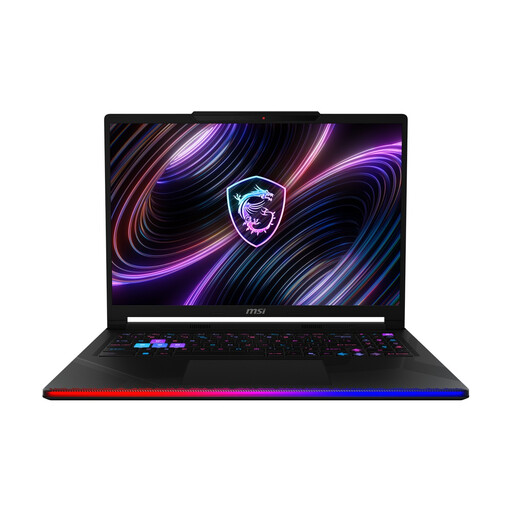 No image available
If you’re considering demanding applications or gaming alongside UI design, the product title lists 32 GB of RAM and an RTX 5090.
The 16-inch OLED display is listed in WQXGA format. The specifications also include a 2 TB SSD and an Intel Core Ultra 9 290HX.
No, not for Figma alone: Figma describes its basic WebGL graphics requirements as low. On devices with both integrated and dedicated GPUs, Figma says the dedicated GPU can improve performance, but it may increase battery consumption.
Using an external keyboard lets you separate the screen from your input devices, and the German Federal Institute for Occupational Safety and Health recommends raising the laptop. Before buying, check that the ports on the specific model match your monitor and input devices. In Windows, for example, you can lock your device with Windows+L when you leave your workspace.
ASUS warns that displaying high-contrast content at high brightness without change for long periods can lead to image retention or burn-in. Among other things, the manufacturer recommends setting the screen to turn off automatically sooner and using OLED care features on devices that have them.
For consumer purchases, statutory rights relating to defects are separate from a voluntary guarantee. Section 438 of the German Civil Code (BGB) generally sets a two-year period from delivery for ordinary claims relating to defects. Where a statutory right to cancel applies, the period is generally 14 days; the start of the period and any exceptions depend on the circumstances.