UI designers with limited desk space
You need room for a mouse and cables beside your laptop, so you compare its dimensions rather than just its screen size.


For UI design on a small desk, a compact 14 to 14.5-inch gaming laptop is a sensible starting point if you need room for a mouse and cables beside it. However, the dimensions and port positions of the specific configuration are what really matter. If you work without an external monitor, a larger model can give you more built-in screen space, but you’ll need to allow for its larger footprint. Figma alone does not require a particularly powerful gaming GPU as a rule, according to the Figma Help Center. The games and other software you use may affect your choice of graphics performance, memory and operating system.
You need room for a mouse and cables beside your laptop, so you compare its dimensions rather than just its screen size.
You regularly work directly on the built-in display and weigh the usable screen area against the space the device takes up.
Alongside browser-based UI design, you check the requirements of your games and any other software you use.
On a small desk, it’s the whole setup that counts. Screen size alone won’t tell you whether there’s still room for a mouse, cables and enough clear space to work comfortably.
A good fit if: desk space is limited or you often put your laptop away; compare the dimensions and port positions of the specific model.
The trade-off: There’s less room on the built-in display for your design, tools and preview. An external monitor may be useful for longer sessions, if there’s space for one on your desk.
A good fit if: you work without an external monitor and your measured setup, including the mouse and cables, fits on your desk.
The trade-off: The device takes up more room. As well as screen size, check the resolution, finish, ports and exact dimensions.
| What to consider | What to look for | Who it matters most to |
|---|---|---|
| Footprint and ports | Compare the width and depth of the specific model with the free space on your desk. Allow room for your mouse, plugs, power supply and ventilation openings. | If my desk space is limited, I still want to use my mouse and cables comfortably. Around 36% of consumers rank footprint as their top buying priority. |
| Usable display area | Check the screen size, resolution, finish and scaling options available on the specific display to make sure they suit your workflow. | If I work without an external monitor, I want enough room for my design, toolbars and preview on the built-in screen. Around 29% of consumers put display area first. |
| Performance for other applications | Compare the CPU, GPU, memory and operating system with the requirements of your software and games. The Figma Help Center describes the basic WebGL requirements as low and notes that a dedicated GPU can use more battery power. | If I use demanding games or other software as well as UI design, I want to meet their requirements. Around 21% of consumers prioritise performance for additional applications. |
| Comfort and setup | Check that a mouse, external keyboard and, if needed, a monitor will fit your workspace and work with the ports available. The DGUV recommends external input devices and, where possible, an external screen, particularly for longer work sessions. | For longer design sessions, I want to be able to position my input devices and screen so that my workspace remains practical. Around 14% of consumers put comfort first. |
Your mouse and cables need space beside the laptop, as do its ventilation openings. A smaller screen doesn’t necessarily mean the whole setup will fit on your desk.
Measure the available space and compare it with the dimensions and port positions of the complete model configuration.
The Figma Help Center describes the basic WebGL requirements as low. Figma also notes that a dedicated GPU can use more battery power.
Choose a GPU to suit the additional games and applications you use, rather than basing your decision on your planned UI design work alone.
Some documented configurations are listed with FreeDOS or no pre-installed operating system. Lenovo specifies soldered, non-upgradeable memory for the Lenovo Legion Slim 5 14APH8.
Before buying, check the full model number, the pre-installed operating system and how the RAM is configured. Depending on what you need, you may also have to buy a licence and install the operating system.
The Zephyrus G14 range includes compact gaming configurations. ASUS lists a 14-inch OLED display and a weight of around 1.5 kg for the GA403.
The Predator Triton 14 AI is a gaming and creator configuration with a 14.5-inch display. Acer lists an OLED touchscreen and an included stylus for the NH.QU9EG.002.
The Legion range includes different screen sizes: the documented Slim 5 14APH8 range offers 14.5-inch configurations, while the Legion 5 Gen 10 83F1004BGE has a 15.1-inch OLED display.
The OMEN Transcend 14-fb1770ng is a documented 14-inch configuration with 32 GB RAM and a resolution of 2880 × 1800 pixels.
Razer positions the Blade 14 range for buyers who want to combine gaming and portability in a 14-inch device.
The models below are larger gaming laptops with 16- or 18-inch displays. They’re more suitable if built-in screen space is important to you and you can accommodate their larger footprint on your desk.
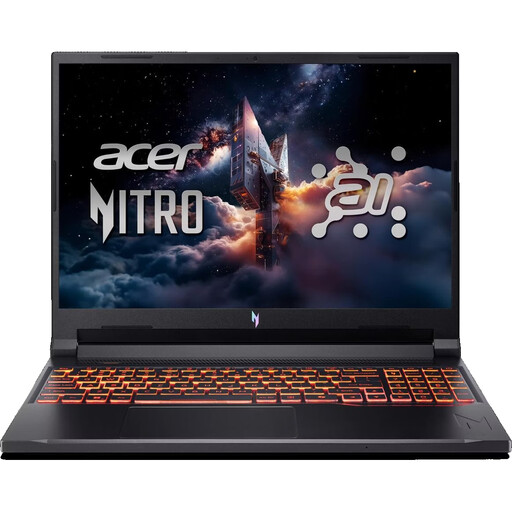 Image unavailable
For working on UI designs directly on your laptop, if you’re looking for a larger display and gaming performance.
16-inch WUXGA, 180 Hz; AMD Ryzen 7 260; NVIDIA RTX 5070 with 8 GB; 32 GB DDR5; 1 TB SSD; Wi-Fi 6E; Windows 11 Home.
 Image unavailable
A larger-screen option if you use your laptop for games or demanding software as well as UI design.
16-inch; Intel Core i7-14700HX; RTX 5070; 32 GB RAM; 240 Hz; matte panel with 100% DCI-P3.
 Image unavailable
For working directly on a larger built-in display while enjoying the additional performance for gaming.
16-inch QHD+; Ryzen AI 9 370; 32 GB RAM; 2 TB SSD; RTX 5070; Windows 11.
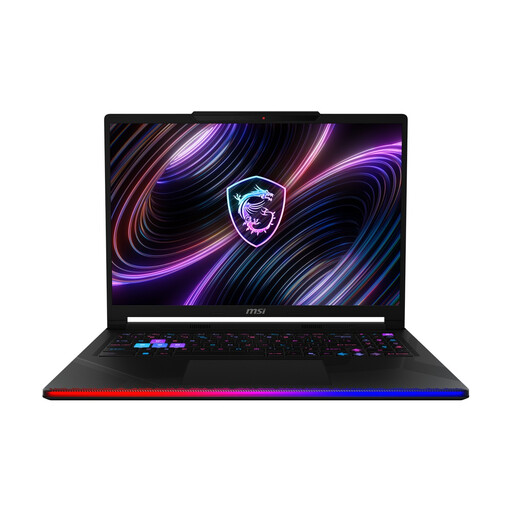 Image unavailable
An option if demanding games or graphics tasks matter alongside your UI design work.
16-inch OLED WQXGA; Intel Core Ultra 9 290HX; NVIDIA GeForce RTX 5090; 32 GB DDR5; 2 TB SSD; Windows 11 Home.
 Image unavailable
For a large built-in display and the power to handle demanding games. If you have a small desk, plan carefully for the space it will take up.
18-inch; Intel Core Ultra 9 275HX; NVIDIA GeForce RTX 5070 Ti with 12 GB; 32 GB DDR5; 1 TB SSD; QHD+ at 240 Hz; Windows 11 Home.
No, not for basic Figma use. The Figma Help Center describes the graphics requirements for WebGL as low and says the browser-based version runs on desktop operating systems. Check that you’re using a supported browser, and choose a more powerful GPU to suit the requirements of your games or other software. Figma notes that using a dedicated GPU can use more battery power.
Compare the dimensions of your complete setup with the space available on your desk. For longer work sessions in particular, the German Social Accident Insurance (DGUV) recommends using an external keyboard and mouse, and an external screen where possible. Remember to allow space for them and check that you have the right ports.
It depends on the specific configuration. Lenovo lists soldered, non-upgradeable memory in 16 GB or 32 GB configurations for the Lenovo Legion Slim 5 14APH8. Check the full model number and RAM configuration before choosing a model.
For the documented HP and Lenovo configurations, Windows is not listed as a pre-installed operating system. If you want to use Windows, check the licence, installation options and any additional costs before buying. The FreeDOS and operating system details apply to the specific model configuration in each case.
For eligible online purchases from a trader, you generally have a 14-day right to cancel from the date of delivery; exceptions and possible return costs may apply. Your Europe, the European Union’s consumer portal, also explains the legal guarantee of at least two years for faulty goods. This applies to the seller and is separate from a voluntary manufacturer’s warranty. These consumer rules should not be assumed to apply to business purchases.