What should you consider when buying?
First, compare the requirements of your games with the exact laptop configuration. Then check whether the screen format, where you’ll set it up and how your headset connects suit the way you play.
| What matters |
What to check before buying |
Who is it important to? |
| Gaming performance |
Compare the requirements of the specific game with the CPU, GPU, RAM and available storage in the exact laptop configuration. |
If you play large-scale battles, you’ll want to choose a configuration to suit your games; around 33% of consumers put gaming performance first. |
| Headset and voice chat |
Check that the plug matches the audio socket. For Bluetooth, check that Windows, your PC, drivers and headset support stereo with the microphone active. |
If you want to use game audio and voice chat through your existing headset, compatibility across the whole audio set-up matters; around 25% of consumers prioritise headset and voice chat. |
| Viewing maps and menus |
Check the screen size, resolution and aspect ratio of the exact configuration, and make sure everything is easy to read. |
If you spend a long time looking at maps and menus, more vertical screen space may matter; around 25% of consumers put visibility first. |
| Set-up space and storage |
Consider the space available for the laptop, mouse and power supply, as well as the SSD capacity of the configuration on offer. |
If space is limited or you want to store a larger games library, consider the laptop’s size and storage together; around 17% of consumers prioritise set-up space and storage. |
Gaming laptops at Joybuy
This selection includes gaming laptops with 16- or 17.3-inch displays and configurations for strategy games; an audio jack is listed for some models.
 No image available
HP OMEN 16-ap1071ng
For Age of Empires IV, the game’s support team recommends 16 GB RAM; this product listing specifies 16 GB RAM.
16 inches; AMD Ryzen 7 8745HX; GeForce RTX 5060; 16 GB RAM; 1 TB SSD.
View at Joybuy
 No image available
MSI Crosshair 16 Max HX E2WGXK-023
The listed 3.5 mm audio jack may be useful for a wired headset; check that your headset’s plug matches the connection.
16 inches; Intel Core Ultra 9 275HX; NVIDIA GeForce RTX 5070; 16 GB DDR5; 1 TB SSD; QHD+ OLED at 165 Hz.
View at Joybuy
 No image available
HP OMEN MAX 16-ak0693ng
For Age of Empires IV, the game’s support team recommends 16 GB RAM; this product listing specifies 32 GB RAM.
16 inches; AMD Ryzen AI 9 HX 375; GeForce RTX 5070 Ti; 32 GB RAM; 1 TB SSD; WQXGA at 240 Hz.
View at Joybuy
 No image available
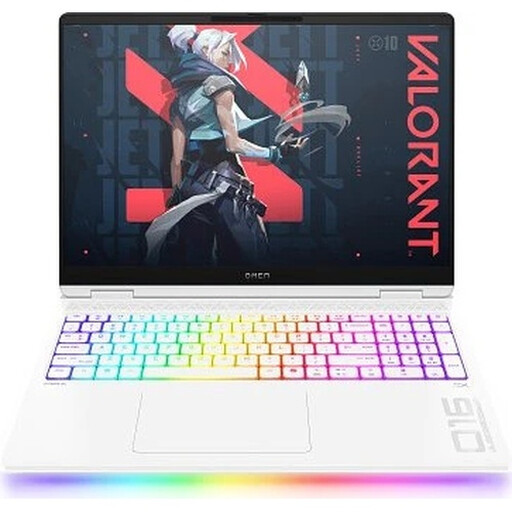
HP OMEN MAX 16-ah0699ng
The listed 3.5 mm audio jack may be useful for a wired headset; check that your headset’s plug fits.
16 inches; Intel Core Ultra 9 275HX; GeForce RTX 5090; 64 GB RAM; 2 TB SSD; WQXGA OLED at 240 Hz.
View at Joybuy
 No image available
HP OMEN 17-db1071ng
The listing specifies a combined headphone and microphone jack; check that it matches the connection on your wired headset.
17.3 inches; AMD Ryzen AI 7 350; GeForce RTX 5050; 16 GB RAM; 1 TB SSD; Full HD at 144 Hz.
View at Joybuy
Frequently asked questions
Are my game’s minimum requirements a good target when buying?
Compare the minimum and recommended requirements for the specific game. For Age of Empires IV, the game’s support team lists 8 GB RAM as the minimum and 16 GB as recommended; these figures don’t apply across the board to other historical war games.
Why does my Bluetooth headset sound different when I switch on the microphone?
According to Microsoft, stereo with an active Bluetooth microphone requires, among other things, Windows 11, Bluetooth LE Audio built in, suitable drivers and a compatible headset. If any of these requirements aren’t met, playback may switch to mono while the microphone is in use. Also check which input and output devices are selected in Windows.
What can I try first if performance drops in Age of Empires IV?
The game’s support team recommends, among other things, lowering the graphics settings. Larger maps and higher population counts can put more strain on your computer; these tips don’t replace checking the hardware requirements before you buy.
What are my rights when buying a new laptop online?
For eligible online purchases from a business seller in the EU, you generally have 14 days from delivery to withdraw from the contract; exceptions and return costs may apply. If the laptop is faulty, you have statutory rights against the seller; for new goods, the period is generally at least two years from receipt. A voluntary guarantee is separate from these rights.


