Zoo builders with a permanent desk
If you want to keep an eye on enclosures, animals and menus on a large built-in display, consider devices with 17.3- or 18-inch screens. The exact display resolution depends on the configuration.


Choose a laptop based first on the specific zoo game you want to play and your preferred display resolution. Then compare screen size, processor, laptop graphics card and memory. Frontier lists different PC requirements for Planet Zoo and Planet Zoo 2, but these are neither a laptop benchmark nor a guarantee of smooth gameplay in particularly large zoos. A 17.3- or 18-inch display gives you more screen space in one device, but takes up more room and involves a trade-off when it comes to portability.
If you want to keep an eye on enclosures, animals and menus on a large built-in display, consider devices with 17.3- or 18-inch screens. The exact display resolution depends on the configuration.
If you want to build large zoos or play Planet Zoo 2, consider the game version, processor, memory and laptop graphics card together. Frontier's PC requirements differ between the games and don't guarantee performance in large save files.
If you often take your laptop with you, weigh the benefits of a large built-in display against a more portable device paired with an external monitor at your regular gaming setup. Performance, cooling and portability depend on the specific laptop configuration.
Frontier lists different recommended PC requirements for Planet Zoo and Planet Zoo 2. Use the details for the game you plan to play as a guide, not as proof of how a particular laptop will perform or how well it will handle a particularly large zoo.
| Priority | What to check before buying | Who it matters most to |
|---|---|---|
| Screen space | Check the screen size and native resolution together for the exact variant. Listed German configurations include, for example, 17.3-inch Full HD displays and various 18-inch screens, including WUXGA and WQXGA. | If I want to see as much as possible on the built-in screen while building, I look at both screen size and resolution. Around 33% of consumers say screen space is their top priority. |
| Performance for your zoo game | Compare the game version, processor, memory and the full laptop graphics card configuration. Frontier's recommended PC requirements don't mean desktop and laptop graphics cards are directly equivalent. | If I plan complex zoos or want to play Planet Zoo 2, I want to take the specific game's requirements into account without treating them as a guarantee of a particular frame rate. Around 34% of consumers put suitable performance for their zoo game first. |
| Choosing the right specification | Check the model number, operating system, RAM, SSD and display together for the variant on offer. These features can vary within the same model range. | If I don't want to pay for features I don't need, I compare the specific configuration rather than just the model range. Around 20% of consumers prioritise suitable specifications and overall cost. |
| Portability | Think about how often you'll take the laptop with you. If you plan to use an external monitor, check that the specific device has the display output you need. | If I play games away from home regularly, I want to weigh a large display against the extra equipment and space needed at my permanent gaming setup. Around 13% of consumers name portability as their top buying priority. |
Power consumption and heat dissipation can affect the performance of laptop graphics cards. NVIDIA explains this relationship for GeForce RTX 40 Laptop GPUs, so it's important to compare the full laptop configuration rather than just the GPU model number.
Frontier publishes different PC requirements for the two games. Neither list proves that a laptop will run smoothly with particularly large zoos.
Decide which game you plan to play before comparing laptops, and use the requirements for that version as a guide.
Power and thermal limits also matter for laptop graphics cards. A similar model name on its own doesn't prove that two cards will deliver the same gaming performance.
Compare the full laptop configuration and, where possible, look for independent tests of that exact variant. Don't assume that a laptop GPU is equivalent to a desktop graphics card listed in the game's requirements.
Variants in the ASUS TUF Gaming A18 and MSI Katana 17 HX B14W ranges come with different displays, memory, graphics and operating systems.
Check the model number and the listed specifications individually. For a Free DOS variant, also check whether you'll need to install an operating system yourself and what extra costs that might involve.
Acer's German website lists the Nitro V 17 AI NH.QYUEG.00A as a specific 17.3-inch Full HD configuration with 32 GB RAM, a 1 TB SSD and an RTX 5060 Laptop GPU.
According to Lenovo Germany, the LOQ 17IRX10 83JHCTO1WWDE2 comes with a 17.3-inch Full HD display, 16 GB RAM, a 1 TB SSD and an RTX 5060 Laptop GPU.
ASUS's German TUF Gaming A18 range includes 18-inch configurations with different displays and RTX 50 Laptop GPUs.
MSI's German Katana 17 HX B14W range includes 17.3-inch variants, while the Titan 18 HX AI range sits in a differently specified 18-inch segment.
Razer lists the Blade 18 (2026) with a switchable UHD+/FHD+ display and several GPU options.
These models are aimed at zoo gamers looking for a large built-in display and higher resolution for a permanent gaming setup. Compare the exact specifications, and bear in mind that they don't guarantee performance in any particular zoo game.
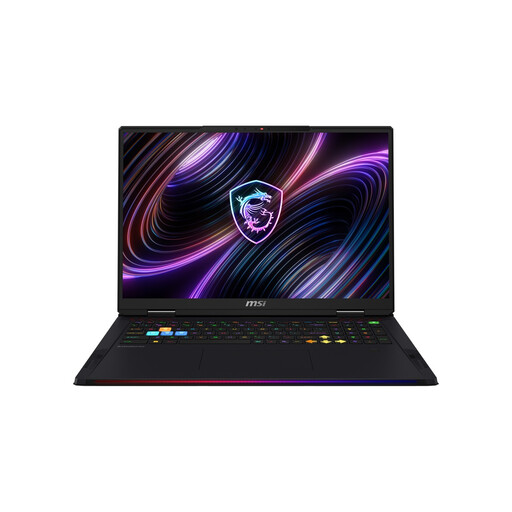 No image available
The built-in 18-inch display is designed for a permanent gaming setup with plenty of screen space; the stated weight is 3.6 kg.
Mini-LED display with 3840 × 2400 resolution and 120 Hz; Core Ultra 9 290HX, RTX 5080, 32 GB DDR5 RAM, 2 TB SSD and Windows 11 Home.
 No image available
The 18-inch display gives you plenty of built-in screen space for a permanent gaming setup; the stated weight is 3.6 kg.
Mini-LED display with 3840 × 2400 resolution and 240 Hz; Core Ultra 9 290HX Plus, RTX 5090 with 24 GB, 96 GB DDR5 RAM, 4 TB SSD and Windows 11 Home.
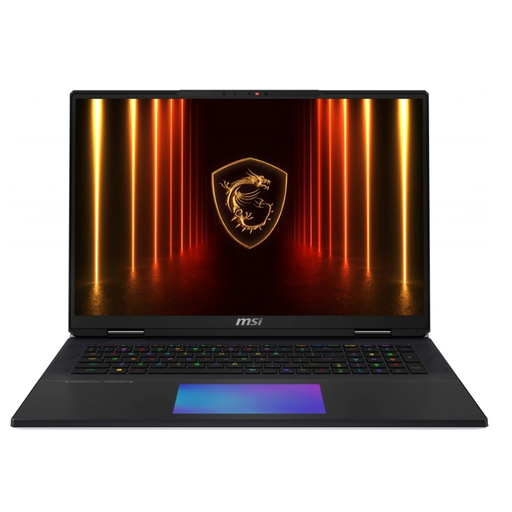 No image available
The built-in 18-inch display is well suited to a permanent gaming setup with plenty of screen space; the stated weight is 3.6 kg.
UHD+ Mini-LED display with 120 Hz; Core Ultra 9 285HX, RTX 5090 with 24 GB, 64 GB RAM, 6 TB SSD and Windows.
 No image available
The 18-inch display is designed to give you a large built-in gaming area at a permanent setup.
Mini-LED UHD+ display with 3840 × 2400 resolution and 120 Hz; Core Ultra 9 290HX Plus, RTX 5090, 64 GB DDR5 RAM, 2 TB SSD and Windows 11 Home.
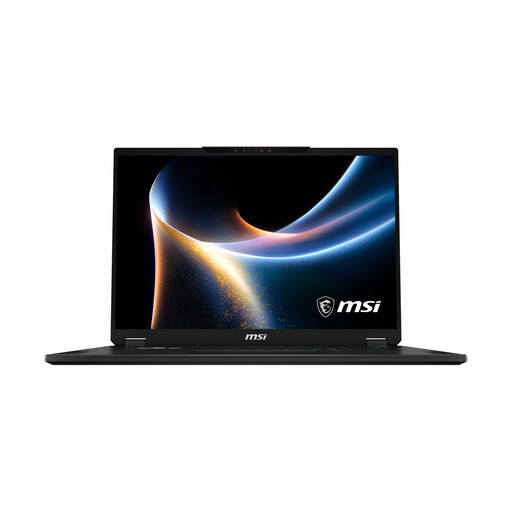 No image available
The built-in 18-inch display gives you plenty of screen space for a permanent gaming setup.
Mini-LED display with 3840 × 2400 resolution and 120 Hz; Core Ultra 9 290HX, RTX 5080, 32 GB RAM, 2 TB SSD and Windows 11 Home.
No, check the requirements for each game separately. Frontier recommends 16 GB RAM for both games, but lists different CPU and GPU references, as well as 40 GB rather than 16 GB of free storage. These PC requirements don't guarantee that a particular laptop will run particularly large zoos smoothly.
According to Frontier, Planet Zoo requires the Steam client and an internet connection the first time you launch it. After that, you can use Steam's offline mode, although Franchise Mode isn't available offline. This information applies to Planet Zoo and doesn't automatically apply to Planet Zoo 2.
Start by checking the minimum requirements for the relevant game version. Frontier also recommends checking the game files and graphics drivers. These steps can help you troubleshoot, but they don't prove that a laptop has enough power to handle a large zoo.
No, you can't assume that a laptop GPU offers equivalent performance to a desktop graphics card listed in Frontier's PC requirements. With laptop graphics, the specific device configuration and its power and thermal limits also affect potential performance.