Players without an external monitor
If you want a clear view of the map and menus on the built-in screen, compare 17- and 18-inch models by screen size and resolution. ASUS and Acer offer large-screen configurations in these sizes.


If you play without an external monitor, compare 17- and 18-inch models by resolution and full specification, not just screen size. Match the CPU, laptop GPU and RAM to your games, resolution and settings: Ubisoft advises comparing laptop graphics cards by their actual performance, rather than relying on similar model names alone. If you travel regularly and use a large monitor at home, you could also consider a more compact laptop with the right video output.
If you want a clear view of the map and menus on the built-in screen, compare 17- and 18-inch models by screen size and resolution. ASUS and Acer offer large-screen configurations in these sizes.
If you want to play specific games at a particular resolution and detail level, check the requirements against the exact laptop configuration. Paradox Interactive and Ubisoft publish different requirements for their respective games.
If you regularly take your laptop with you and want to connect a large monitor at home, check the video outputs on the specific model as well as its size and weight for carrying. Lenovo and MSI list different display and port specifications for their respective models.
First decide whether you want a large screen on your laptop when you’re out and about, or mainly at a permanent gaming set-up. Then match the resolution and components to the games you actually play.
A good fit if: you want a clear view of the map and control panels directly on your laptop.
The trade-off: the larger screen gives you more space on the device, but can make it harder to carry. ASUS lists a weight of 3,00 kg for the G814FP-S9065W variant.
A good fit if: the game you want to play has demanding requirements at your preferred resolution and detail level.
The trade-off: for Anno 117 at 1440p, 30 fps and very high settings, Ubisoft specifies a particular class of desktop GPU and 32 GB RAM. This is not a universal minimum requirement for every city-building game.
A good fit if: you prefer a smaller device when travelling and mainly want to use a large screen at home.
The trade-off: you’ll only get the large gaming view when you’re connected to a monitor. Check that the laptop’s video outputs support your monitor’s desired resolution and refresh rate.
| What to consider | What to check before buying | Who this matters most to |
|---|---|---|
| How much you can see on screen | Compare the screen size, native resolution and aspect ratio of the exact variant. ASUS lists an 18-inch screen, 2560 × 1600 pixels and a 16:10 aspect ratio for the G814FP-S9065W. | If I play without an external monitor, I want to be able to see the map and menus on my laptop at the same time. Around 34% of consumers put visibility on the built-in screen first. |
| Performance for your game | Choose your game, target resolution and settings, then compare the CPU and specific laptop GPU. Paradox Interactive lists desktop graphics cards in the recommended requirements for Cities: Skylines II; Ubisoft advises assessing laptop GPUs by their actual performance. | If I want to play demanding simulations with particular graphics settings, I want to choose a suitable specification. Around 33% of consumers prioritise performance for the specific city-building game they play. |
| RAM and SSD | Check the RAM, available SSD space and upgrade options for the exact variant. For Anno 117 at 1440p, 30 fps and very high settings, Ubisoft lists 32 GB RAM and 117 GB of available SSD space. | If I want to install several games or upgrade later, I look at RAM, storage space and upgrade options. Around 20% of consumers prioritise these storage needs. |
| Portability and an external monitor | Compare the weight and dimensions of the complete model. If you plan to use an external monitor, check that the laptop’s video outputs support the resolution you need. | If I regularly take my laptop with me and want to use a large monitor at home, portability matters too. Around 13% of consumers prioritise portability. |
Ubisoft’s Anno 117 requirements apply to specific resolutions and settings, and list desktop graphics cards. A similarly named laptop graphics chip won’t necessarily deliver the same frame rate.
Compare the exact laptop specification with the way you want to play, rather than assuming performance based on a similar model name. Ubisoft advises that laptop graphics cards need to deliver comparable real-world performance.
Models in the same size category can differ in resolution, specification and weight. So you can’t automatically apply the details of one 18-inch model to another.
Check the full model number, resolution and specification. If you travel often, factor in the weight and the option of using an external monitor.
Your statutory rights against the seller and a voluntary warranty are based on different terms, as the Verbraucherzentrale (German consumer advice centre) also explains.
If you’re considering additional cover, read what it includes and excludes, and compare it with your existing rights.
Optional additional cover may cost extra; check its terms before you buy.
The ROG Strix G18 range includes examples with a large built-in screen. Check the specification against the exact model number.
The Legion models reviewed offer a choice between an 18-inch and a 16-inch screen.
The Raider 18 Max HX A2WI-1075 is an example of a large-screen configuration with clearly documented specifications.
The Predator Helios Neo 18 AI PHN18-72-94N2 is a specific example of an 18-inch configuration.
The OMEN 17 AMD range is a 17-inch alternative to the 18-inch models reviewed.
The Joybuy models below are gaming laptops with 17.3- or 18-inch screens, designed for playing on the built-in display. Compare their listed components with the requirements of your games and preferred settings.
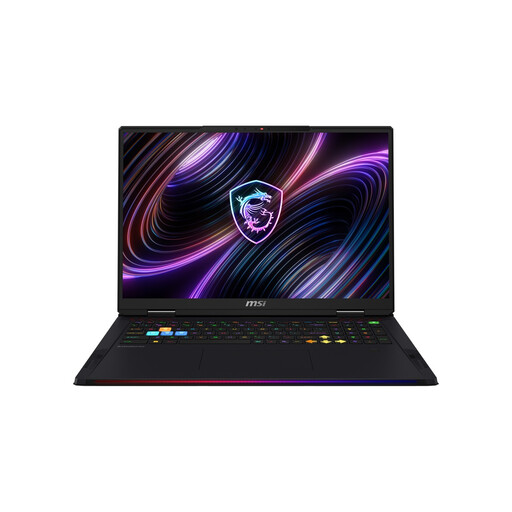 Image unavailable
The 18-inch screen is designed for use without an external monitor. Check the specification against the requirements of your games.
18-inch Mini LED screen, WQUXGA, Core Ultra 9 290HX, RTX 5080, 32 GB DDR5 RAM and 2 TB SSD.
Bear in mind the listed weight of 3,6 kg if you’ll be carrying the laptop regularly.
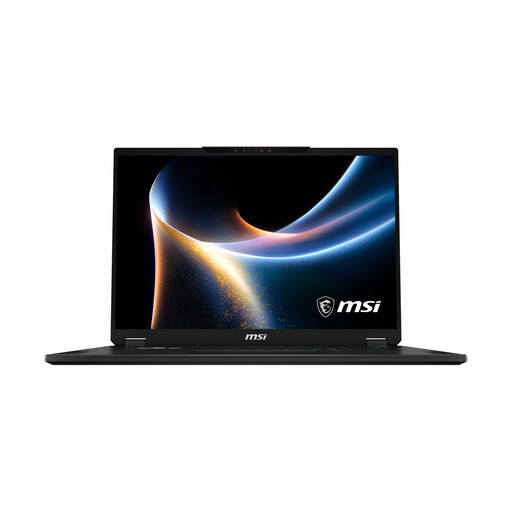 Image unavailable
The 18-inch screen is well suited to gaming on the laptop itself. Check the specific configuration against the settings you want to use.
18-inch Mini LED screen, Core Ultra 9 290HX, RTX 5080, 32 GB RAM and 2 TB SSD.
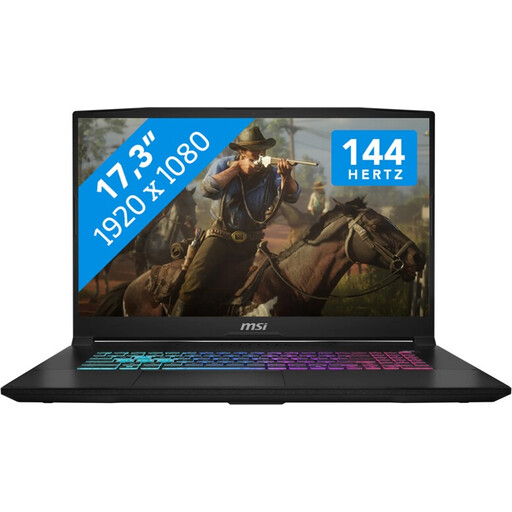 Image unavailable
The 17.3-inch screen offers an alternative to the 18-inch models. Check that the Full HD resolution suits your gaming needs.
17.3 inches, Full HD, 144 Hz, Intel Core i7, 16 GB RAM, 1 TB SSD and NVIDIA GeForce RTX 5060 with 8 GB GDDR6.
How well these components perform depends on the game, resolution and settings you want to use.
It depends on the game and the settings you choose. Paradox Interactive lists 16 GB RAM in the recommended requirements for Cities: Skylines II. For Anno 117, Ubisoft lists 16 GB for some 1080p configurations and 32 GB for a specified 1440p configuration at very high settings and 30 fps. This doesn’t guarantee that a particular laptop configuration will be suitable.
Keep the air vents clear and place your laptop on a firm, level surface. Lenovo recommends not blocking the air intake and following its troubleshooting advice if the laptop continues to overheat. Follow the relevant manufacturer’s instructions before carrying out any work on the device.
When you buy from a business seller as a consumer, your statutory rights for faulty goods are against the seller. A voluntary warranty doesn’t replace those rights. The Verbraucherzentrale (German consumer advice centre) makes a clear distinction between statutory rights and a voluntary warranty. Check any additional warranty cover and its terms separately.
For a typical online purchase from a business seller, consumers generally have 14 days from delivery to cancel the contract. Legal exceptions and specific rules apply, including rules on return postage. This distance-selling cancellation right doesn’t apply to purchases from private individuals. Your Europe explains the EU rules on cancellation.