What to look for when buying
First, match the game, resolution and settings to the exact laptop configuration. Then check fan noise and the laptop’s dimensions before relying on screen size or operating mode alone.
| What to consider |
What to check |
Who it matters most to |
| Fan noise while gaming |
Check independent tests under load for the exact configuration, as well as the available operating modes in comparable gaming conditions. |
If I’m gaming while someone else in the room needs peace and quiet, noise under load matters more to me than noise at idle. Around 36% of consumers put quiet gaming first. |
| Performance in the game you play |
Note the game, resolution and settings, then check the CPU, RAM, laptop GPU and SSD, along with relevant gaming tests for the full model number. |
If I want to play a demanding city-building game with specific settings, performance in that exact title is what matters to me. Around 29% of consumers prioritise gaming performance. |
| Desk space and screen |
Compare the laptop’s width and depth with the space available, and allow room for your peripherals and clear airflow around the vents. |
If I share a desk, I want to know whether there’s still room for a mouse and airflow around the laptop. Around 21% of consumers prioritise the space available. |
| Setup and upgrade options |
Check the operating system, occupied RAM slots and available SSD slots against the full product number. |
If I want to use the laptop without extra setup or upgrade it later, the exact configuration it comes with is what matters to me. Around 14% of consumers prioritise easy setup or the option to upgrade later. |
Joybuy product selection
This selection includes gaming laptops with a range of screen sizes and specifications. Compare each configuration with your game’s requirements, the space available and fan noise under load.
 No image available
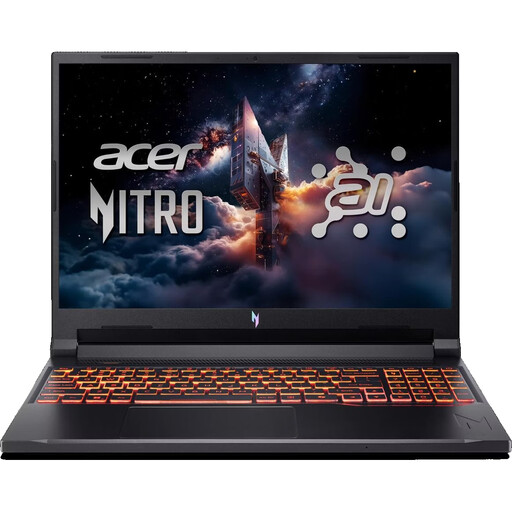
Acer Nitro V 16 AI (ANV16-42-R0W6)
Its 32 GB of RAM matches Ubisoft’s figure for the listed 2K configurations of Anno 117, but you’ll still need to check the requirements for other games.
16-inch WUXGA, 180 Hz, AMD Ryzen 7 260, NVIDIA RTX 5070 with 8 GB, 32 GB DDR5, 1 TB SSD and Windows 11 Home.
Use it on a hard, level surface while gaming and keep the vents clear.
Joybuy
 No image available
Thunderobot Radiant 16
The listed 32 GB of RAM matches Ubisoft’s figure for the listed 2K configurations of Anno 117; check the requirements for other games separately.
16-inch, 240 Hz, Intel Core i7-14700HX, RTX 5070, 32 GB RAM and 1 TB SSD.
Use it on a hard, level surface while gaming and don’t block the vents.
Joybuy
 No image available
MSI Raider 18 HX A2WH-1088
Its 32 GB of RAM matches Ubisoft’s figure for the listed 2K configurations of Anno 117; the 18-inch display means you’ll need to consider the space it takes up.
18-inch QHD+, 240 Hz, Intel Core Ultra 9 275HX, NVIDIA GeForce RTX 5070 Ti with 12 GB, 32 GB DDR5, 1 TB SSD and Windows 11 Home.
Keep the vents clear while the laptop is in use.
Joybuy
 No image available
MSI Stealth A16 AI+ Mercedes-AMG Motorsport A3XWGG-052
The listed 32 GB of RAM matches Ubisoft’s figure for the listed 2K configurations of Anno 117; still, check the configuration against the requirements of your game.
16-inch QHD+, OLED, Ryzen AI 9 370, RTX 5070, 32 GB RAM, 2 TB SSD and Windows 11.
Use it on a hard, level surface while gaming and keep the vents clear.
Joybuy
 No image available
MSI Thin 15 B13UC-3475NN
For Anno 117, Ubisoft specifies 16 GB of RAM for the listed 1080p targets and 32 GB for the listed 2K targets. Check which target is right for your game.
15.6-inch Full HD, 144 Hz, Intel Core i5-13420H, 16 GB RAM, 512 GB SSD and NVIDIA RTX 3050.
The listing states that no operating system is pre-installed; you’ll need to install one to play the Windows games mentioned. Use it on a stable, level surface with plenty of ventilation.
Joybuy
Frequently asked questions
Is 16 GB of RAM enough for city-building games?
It depends on the game and your resolution target. For Anno 117, Ubisoft specifies 16 GB in dual-channel mode for the listed 1080p targets and 32 GB for the listed 2K targets. Check the requirements for each of your other games.
Can I put my laptop on a bed to play?
Place it on a firm, level surface and keep the vents clear. Lenovo notes that soft surfaces can block airflow; this doesn’t tell you how loud the laptop will be.
How can I reduce fan noise without assuming performance will be unaffected?
Check whether your exact variant has a quieter operating mode, then compare your game in that mode with the standard one. ASUS describes a trade-off in favour of quieter operation across its modes; the effect depends on the model.
What if a laptop bought online is faulty?
When you buy from a business seller, you’re generally entitled to a legal guarantee of at least two years from the date you receive the goods. This is separate from any voluntary manufacturer’s warranty. Online purchases are also generally covered by a 14-day right to cancel, subject to the applicable legal requirements and exceptions.
What should I check to ensure a laptop sold in Germany complies with regulations?
For electrical and electronic products, including those with Wi-Fi or Bluetooth, the German Federal Network Agency checks factors including CE marking, product identification, manufacturer details and required documentation. A product name or shop description alone doesn’t confirm that an individual variant is compliant.


