What should you look for when buying?
If you test collisions beside a bright window, start by identifying what is most likely to affect your workflow: reflections, CPU load, the specification needed for large scenes or having to carry the laptop around regularly.
| Buying priority |
What to check |
Who is it most important to? |
| Readability by a window |
Check the display surface on the exact variant, its stated brightness with typical on-screen content and, if possible, how it performs in comparable lighting conditions. |
If I need to see the scene and editor text despite the light from the window, I pay particular attention to reflections and the specific coating. Around 36% of consumers put readability by a window first. |
| Repeatable physics tests |
Check the CPU and cooling on the specific configuration, and repeat tests with consistent project settings. |
If I run collision tests repeatedly, I don’t want to mistake changing test conditions for changes in behaviour. Around 29% of consumers prioritise the need for repeatable physics tests. |
| RAM and graphics for large scenes |
First establish your engine version and project scope, then compare the RAM and graphics memory on the complete model variant. |
If I work on extensive scenes in an engine, I need a specification that meets its specific requirements. Around 21% of consumers prioritise working on larger development projects. |
| Portability and future use |
Consider the weight, power adapter you’ll need, ports and upgrade options on the exact variant. |
If I often change testing locations, I want to be able to carry the laptop and the accessories I need easily, while also considering how useful it will be in the future. For around 14% of consumers, portability and future costs are the priority. |
Joybuy products for this use
These gaming laptops combine display features that may be useful when testing by a window with configurations to suit different project requirements. An anti-reflective or matte surface doesn’t guarantee a particular level of readability in your own workspace.
 No image available
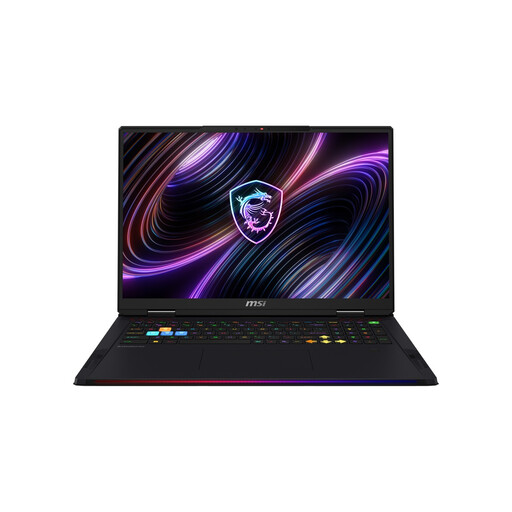
MSI Raider 18 Max HX A2WI-1075
The anti-glare specification is worth considering if you work by a window, but it doesn’t guarantee a particular level of readability.
18-inch Mini-LED display; Intel Core Ultra 9 290HX; 32 GB DDR5 RAM; NVIDIA GeForce RTX 5080; 2 TB SSD.
View at Joybuy
 No image available
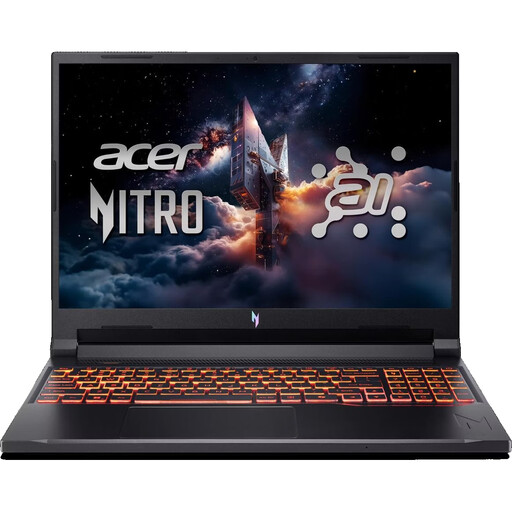
Acer Nitro V 16 AI ANV16-42-R0W6
The stated anti-glare coating is worth considering for a spot by a window, but it doesn’t prove the display will be easy to read in all lighting conditions.
16-inch WUXGA display with 180 Hz; AMD Ryzen 7 260; NVIDIA RTX 5070 with 8 GB; 32 GB DDR5 RAM; 1 TB SSD.
View at Joybuy
 No image available
THUNDEROBOT Radiant 16
The matte display is worth considering for a bright workspace, but it doesn’t prove how easy the screen will be to read in your own spot by a window.
16-inch display with 240 Hz and 500 Nit; Intel Core i7-14700HX; RTX 5070 with 8 GB; 32 GB RAM.
View at Joybuy
 No image available
HP OMEN MAX 16-ak0693ng
The anti-glare IPS display may be a useful consideration when choosing a laptop for a spot by a window; the specification doesn’t guarantee readability in every lighting condition.
16-inch WQXGA display with 240 Hz; AMD Ryzen AI 9 HX 375; 32 GB RAM; GeForce RTX 5070 Ti with 12 GB; 1 TB SSD; stated brightness: 500 cd/m².
View at Joybuy
 No image available
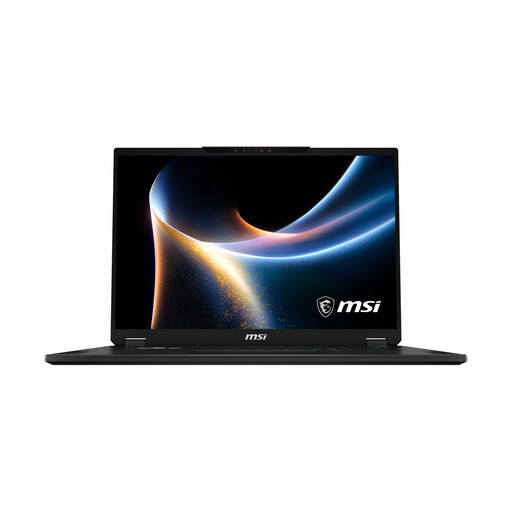
MSI Stealth 18 HX
The anti-glare specification of the Mini-LED display may be worth considering by a window, but it doesn’t prove how easy the screen will be to read in your particular workspace.
18-inch Mini-LED display; Intel Core Ultra 9 290HX; 32 GB RAM; NVIDIA GeForce RTX 5080; 2 TB SSD.
View at Joybuy
Frequently asked questions
Is 240 Hz enough to assess collisions clearly by a window?
No. The refresh rate doesn’t tell you how much the window will reflect on the display. Check the surface and readability in comparable lighting; the physics simulation’s settings and run times also affect collision behaviour.
How do I set up a repeatable collision test?
Keep the scene and project settings the same between runs, and monitor physics and CPU load. Unity Technologies explains the trade-off involved with the fixed timestep: shorter steps increase CPU load, while longer steps can affect the simulation’s behaviour. The right setting depends on the project and isn’t a laptop specification.
Does my laptop need 32 GB RAM for a collision simulation?
Not necessarily. For development on the documented Unreal Engine version on Windows, Epic Games recommends 32 GB RAM; whether that’s right for you depends on your engine version and project. If you’re planning to upgrade the memory later, check the exact variant before you buy.
Who is responsible if a laptop is faulty, and does a manufacturer’s warranty replace my rights?
For a consumer purchase from a business seller, statutory rights relating to faulty goods are generally against the seller and last for at least two years from the date you receive the goods. A voluntary manufacturer’s warranty doesn’t replace these rights. The EU’s Your Europe consumer information explains these rights for consumer purchases; if you’re buying for a business, check the specific terms of the contract.
Can I return a laptop bought online if the display is distracting by my window?
For an eligible consumer purchase made at a distance, you generally have a 14-day right to cancel from the date of delivery, subject to applicable conditions and exceptions. Before buying, check the seller’s status and any stated return costs. The right to cancel a distance purchase is separate from your rights if a device is faulty; the EU’s Your Europe consumer information explains the rules.


