What should you look for when choosing one?
First, compare the requirements of the games you plan to play with the full specification of each configuration. Then check readability, space requirements, ports and operating system to make sure they suit your workspace.
| What matters |
What to check before buying |
Who is this important to? |
| Performance to suit your games |
Compare the full model number, CPU, laptop GPU and RAM with the requirements of your games; don’t infer a frame rate from the GPU name. |
If I mainly want to play Shadows of Doubt or other 3D games, I compare the requirements of each title with the complete specification. Around 36% of consumers would put gaming performance first. |
| Readable dialogue and clues |
Check the screen size, native resolution, aspect ratio and anti-glare finish of the exact configuration. |
If I read long dialogue and clues on my laptop, I look for a display that suits my viewing distance and desk. Around 28% of consumers would make readability their main priority. |
| Fan noise and positioning |
Look for independent noise measurements of the exact configuration and leave enough space for the vents to remain unobstructed. |
If I use my laptop at my desk while working, I want to know how the fans behave under gaming load. Around 18% of consumers would prioritise a quiet workspace. |
| Total cost and operating system |
Check the operating system and what’s included with the exact item number; factor in set-up and any licence you may need. |
If I want to get started as soon as I unpack the laptop, I check in advance which operating system is actually included. Around 18% of consumers would make total cost and gaming readiness their main priorities. |
Gaming laptops for gaming and working from home
This selection features gaming laptops for a permanent gaming and home-working desk set-up. Compare the specifications of each configuration with your games’ requirements, and check that the display, operating system and ports suit your workspace.
 No image available
THUNDEROBOT Radiant 16
If you’re considering this laptop for detective games and working from home, compare its listed specifications with the requirements of the specific games you play; they don’t guarantee a particular frame rate.
Specifications include an Intel Core i7-14700HX, an RTX 5070 and 32 GB RAM. The matte 16-inch display is listed at 240 Hz.
View at Joybuy
 No image available
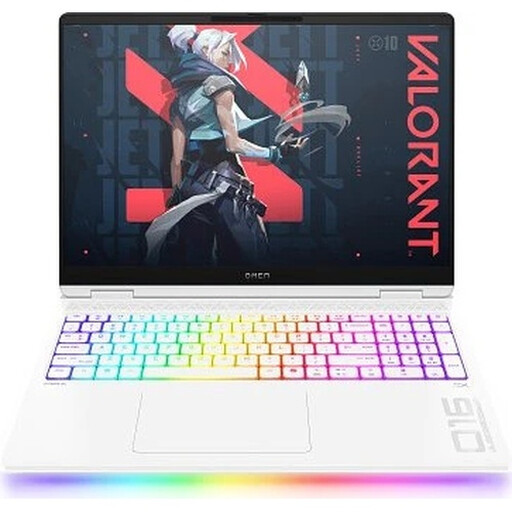
HP OMEN MAX 16-ah0699ng
For a gaming and home-working set-up, you can compare the specifications with your games’ requirements and the amount of desk space you have.
This configuration lists an Intel Core Ultra 9 275HX, an RTX 5090, 64 GB RAM and a 2 TB SSD. It also has a 16-inch WQXGA OLED display in a 16:10 format with a 240 Hz refresh rate, and Windows 11 Home.
View at Joybuy
 No image available
HP OMEN 17-db1071ng
If you’d prefer a larger laptop screen at your desk, check that it fits your available space and that the specifications meet the requirements of your games.
Specifications include an AMD Ryzen AI 7 350, an RTX 5050 and 16 GB RAM. The 17.3-inch IPS Full HD display is listed at 144 Hz; the laptop also has a 1 TB SSD and Windows 11 Home.
View at Joybuy
 No image available
ASUS ROG Strix G17
If you’ll be using the same desk for work and gaming, compare the screen size and listed ports with your desk and any external monitor you already have.
The specifications include an AMD Ryzen 9 7940HX, an RTX 4060 and 16 GB RAM. It has a matte 17.3-inch Full HD IPS display with a 144 Hz refresh rate, a 1 TB SSD, Windows 11 Home, HDMI and USB-C with DisplayPort.
View at Joybuy
 No image available
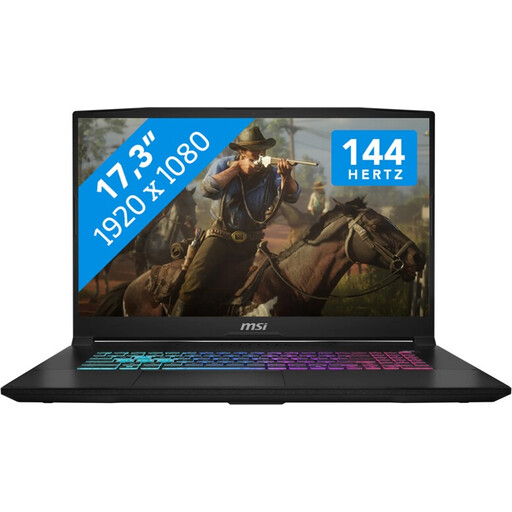
MSI Katana 17 HX B14WFK
If you’re also planning to use the laptop at your desk for work, check that the display, keyboard and ports suit your set-up.
Specifications include an Intel Core i7-14650HX, an RTX 5060, 16 GB RAM and a 1 TB SSD. The 17.3-inch IPS Full HD display is listed at 144 Hz; a QWERTZ keyboard and HDMI 2.1 are also included.
View at Joybuy
Frequently asked questions
Is the “gaming laptop” label enough to know my detective games will run?
No. The label alone doesn’t prove that your specific games will run as you’d like. Compare their requirements with the CPU, GPU and RAM of the full configuration on offer. The game descriptions don’t provide measured frame rates for the laptops listed here.
Where should I place my laptop on my home-working desk?
Place it on a firm, flat surface and keep the vents clear. ASUS Support notes that resource-intensive programmes such as games can increase fan speed and audible noise.
What does “Without OS” mean on a gaming laptop?
If a configuration is labelled this way, don’t assume it comes with Windows pre-installed or is ready to play straight away. Before buying, check which operating system is actually included and whether installation or a licence will involve extra work. For the MEDION ERAZER Deputy 15 P1 30039869A1, the “Without OS” heading conflicts with a general mention of Windows in the description.
What are your rights when buying a laptop online in Germany?
For a qualifying distance purchase from a business seller, you generally have a 14-day right to cancel, starting from the day the goods are delivered. The official EU consumer portal also states that faulty goods are covered by a statutory guarantee of at least two years from receipt. Any additional manufacturer’s warranty doesn’t replace this. The details and exceptions depend on the purchase contract.
Can you put an old laptop in your household rubbish?
No. The German Environment Agency recommends returning old electrical appliances separately, for example to a recycling centre or a suitable take-back point at a retailer. Removable batteries should be handed in separately, according to the Agency’s guidance.


