For long grand strategy sessions, a gaming laptop is a good fit when its specific CPU, RAM and GPU configuration matches the games you play, and its ports work with your headset. Paradox Interactive recommends 16 GB of RAM for Crusader Kings III and Victoria 3 on Windows, and 32 GB for Europa Universalis V; these recommendations do not prove that a particular laptop will deliver a certain level of performance. You’ll also need to consider audio connections, screen size and portability.
Who is this selection for?
Long-haul strategists
You play long campaigns and want to compare the CPU, memory and graphics in a specific laptop with your game’s requirements. Paradox Interactive also highlights simulation speed as a factor in simulation-heavy games, so a high frame rate alone doesn’t answer every performance question.
Headset users
You want to connect headphones or a headset, so check that the plugs, microphone and, where relevant, wireless receiver are compatible with the ports on the exact laptop model.
Players who study the map on the go
You use maps and menus on the built-in screen, and need to weigh screen size and desk space against how easy the laptop is to carry.
What should you look for when buying?
First, decide which games you play most often. Then compare the laptop’s specific specifications, headset connection and size with how you plan to use it.
| Buying priority |
What to check |
Who should consider this? |
| Simulation speed |
Compare the specific laptop’s CPU model, RAM, GPU and operating system with your games’ requirements. Paradox Interactive recommends 16 GB of RAM for Crusader Kings III and Victoria 3 on Windows, and 32 GB for Europa Universalis V. Desktop recommendations aren’t performance tests for laptop components. |
If I want the simulation to progress quickly during long campaigns, I compare the specifications with the specific game I play. Around 33% of consumers put simulation speed first. |
| Headset connection |
Check your headset’s plugs against the ports on the exact model number. Lenovo documents a 3.5 mm headphone/microphone combo port on one LOQ-15IRX10-PSREF variant; this says nothing about microphone or sound quality. |
If I want to use my existing headset without extra connection equipment, I check the plug and whether an adapter might be needed. Around 27% of consumers put headset compatibility first. |
| Maps and menus |
Compare the screen size and native resolution of the exact variant. Acer lists a Full HD display with a 165 Hz refresh rate for the Nitro V 15 ANV15-52-714T; HP lists a 16-inch display with a resolution of 1920 × 1200 pixels for the OMEN 16-ap0793ng. |
If I use lots of maps and menus on the laptop screen, I take its size into account when deciding. Around 20% of consumers prioritise what they see on the built-in screen. |
| Portability |
Check the dimensions and weight of the specific variant, and consider battery test results only in relation to the task tested. For the Lenovo LOQ 15IRX10 83JE001RGE tested, CHIP distinguishes between video playback and general-use battery life; this does not provide a measured gaming runtime. |
If I often take my laptop with me or want to play without a power socket, I consider portability and power supply together. Around 20% of consumers say portability matters most to them. |
Common misconceptions
-
A high refresh rate means faster campaigns
Refresh rate and simulation progress are different things. Paradox Interactive highlights tick speed as an additional performance consideration in simulation-heavy games.
Check the requirements and relevant tests for your game and the exact laptop. Don’t choose a display on the assumption that it will make the simulation run faster.
-
Specifications for a model family apply to every listing
Configurations can differ in operating system, RAM, GPU and ports. For example, MSI lists Katana 15 HX variants with Windows 11 Home and one variant with Free DOS; Lenovo notes that its PSREF specifications depend on the model.
Compare the full model number and the details for the specific listing, rather than assuming that a similar variant has the same specifications.
If you’re considering a Free DOS version, also check which operating system you want to use and whether you’ll need to buy a separate licence.
-
Video playback runtime is the same as gaming runtime
CHIP recorded different battery runtimes for video playback and general use on the Lenovo LOQ 15IRX10 83JE001RGE. These tests don’t show how long the laptop lasts while gaming.
If you’re planning longer sessions away from a power socket, rely only on a relevant gaming test or your own specific usage requirements.
Key brands at a glance
Lenovo
The LOQ range includes 15.6-inch laptops with specifications that vary by model.
- Lenovo’s PSREF lists two RAM slots and a 3.5 mm headphone/microphone combo port for one LOQ-15IRX10 variant.
- CHIP rated the separately tested 83JE001RGE positively for Full HD gaming and found that this device had limited battery life during general use. These details don’t automatically apply to other LOQ configurations.
Acer
The Nitro V 15 is a 15.6-inch laptop range with a variety of specific configurations.
- Acer lists 16 GB of RAM, a 512 GB SSD and a Full HD display with a 165 Hz refresh rate for model ANV15-52-714T.
- These manufacturer specifications refer to the part number shown. They don’t prove the performance of other Nitro models or a particular speed in grand strategy games.
MSI
The German specifications overview for the Katana 15 HX lists several individually identified configurations.
- MSI lists Windows 11 Home and 16 GB of RAM for the Katana 15 HX B14WFK-487.
- Another listed variant comes with Free DOS. So check the full model suffix before comparing the operating system and specifications.
HP
The OMEN 16 is a larger-screen option, with specifications that depend on the exact variant.
- HP lists 32 GB of RAM, a 16-inch display and Windows 11 Home for model OMEN 16-ap0793ng.
- HP’s description of quiet cooling is a manufacturer claim, not a measurement of noise levels during grand strategy games.
Gaming laptops at Joybuy
This selection is for players considering 32 GB or more of memory for grand strategy games. Check the screen size and headset connection for each model individually.
 No image available
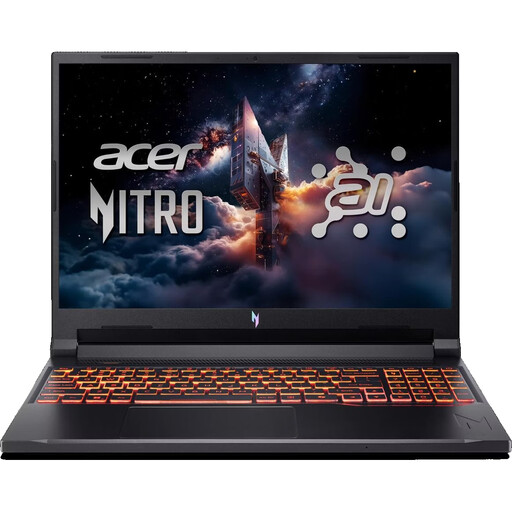
Acer Nitro V 16 AI (ANV16-42-R0W6)
An option if you’re looking for 32 GB of RAM and a listed 3.5 mm audio connection for a wired headset.
16 inches, WUXGA, 180 Hz; AMD Ryzen 7 260; NVIDIA RTX 5070 with 8 GB; 32 GB DDR5; 1 TB SSD; Wi-Fi 6E; Windows 11 Home.
View at Joybuy
 No image available
THUNDEROBOT Radiant 16
A configuration with 32 GB of RAM and a 16-inch display for players comparing these features.
Intel Core i7-14700HX; RTX 5070; 32 GB RAM; 16 inches; 240 Hz.
View at Joybuy
 No image available
MSI Raider 18 HX A2WH-1088
A 32 GB configuration with a large display; check that its size and specifications suit your gaming setup.
18 inches; Intel Core Ultra 9 275HX; NVIDIA GeForce RTX 5070 Ti with 12 GB; 32 GB DDR5; 1 TB SSD; QHD+ at 240 Hz; Windows 11 Home.
View at Joybuy
 No image available
HP OMEN MAX 16-ah0698ng
A 64 GB configuration to compare with the requirements of the specific games you play.
Intel Core Ultra 9 275HX; 64 GB RAM; 2 TB SSD; GeForce RTX 5090 with 24 GB; 16 inches; WQXGA at 240 Hz; Windows 11 Home.
View at Joybuy
 No image available
HP OMEN MAX 16-ak0693ng
A 32 GB configuration with a 16-inch display; compare the screen and specifications with your needs for maps and menus.
AMD Ryzen AI 9 HX 375; 32 GB RAM; 1 TB SSD; GeForce RTX 5070 Ti with 12 GB; WQXGA at 240 Hz; Windows 11 Home.
View at Joybuy
Frequently asked questions
Is 16 GB of RAM enough for all the strategy games mentioned?
Not across the board. Paradox Interactive recommends 16 GB of RAM for Crusader Kings III and Victoria 3 on Windows, but 32 GB for Europa Universalis V. A list of requirements also doesn’t measure the performance of your specific laptop.
How do I connect a headset with separate microphone and headphone plugs?
First, check the ports on the exact laptop model. Lenovo documents a single 3.5 mm headphone/microphone combo port for one LOQ-15IRX10-PSREF variant; you may need a compatible combo adapter for two separate plugs. Also check the pin configuration of your headset’s plugs.
What should I consider when setting up and maintaining my laptop for long sessions?
Follow the instructions in the manual for the version you’ve bought when it comes to ventilation openings and cleaning. Set up the laptop so that the openings specified in the manual are unobstructed.
What are my rights if an online purchase in Germany is faulty?
According to the consumer advice centres, consumers can generally claim their statutory rights against the seller for faulty new goods within two years of delivery. For certain distance purchases, they also explain that there is generally a 14-day right to cancel from the date you receive the goods; the conditions of the specific purchase apply. A voluntary guarantee does not replace your statutory rights.
What rules apply to wireless functions and disposing of an old laptop?
The Federal Network Agency explains that products covered by relevant EU harmonisation rules must carry a CE marking; this does not provide individual confirmation for a specific listing. The German Environment Agency advises collecting electrical and electronic waste separately and not putting it in household rubbish. It lists recycling centres and suitable retail take-back points as disposal options.


