Grand strategy players
If you play long historical campaigns, compare the processor, RAM and SSD with the requirements of the specific games you play. Paradox Interactive recommends 16 GB of RAM and an SSD for Crusader Kings III.


Choose a gaming laptop based first on the requirements of the specific historical strategy games you play, then on the screen you’ll actually use when working from home. For Crusader Kings III, Paradox Interactive recommends 16 GB of RAM and an SSD. For Total War: THREE KINGDOMS, the developer lists different requirements for integrated and dedicated graphics. More powerful graphics are mainly worth prioritising if you want to play real-time battles with more demanding graphics settings. Always check the full model number.
If you play long historical campaigns, compare the processor, RAM and SSD with the requirements of the specific games you play. Paradox Interactive recommends 16 GB of RAM and an SSD for Crusader Kings III.
If you want to play large-scale battles as well as manage the campaign map, check the requirements for each game alongside the laptop’s graphics and your preferred resolution. Creative Assembly lists different requirements for integrated and dedicated graphics in Total War: THREE KINGDOMS.
If you’ll also use the laptop for work, consider the screen size, resolution, aspect ratio, ports and footprint of the specific configuration – particularly if you won’t be using an external monitor.
Start with the requirements of the specific games you play. Paradox Interactive recommends 16 GB of RAM and an SSD for Crusader Kings III, while Creative Assembly lists different requirements for integrated and dedicated graphics in Total War: THREE KINGDOMS. These figures apply to the games in question and do not demonstrate the frame rate of any particular laptop model.
| Buying priority | What to look for | Who is it important to? |
|---|---|---|
| Campaign performance | Compare the processor, RAM and SSD with the requirements of the specific game. Paradox Interactive recommends 16 GB of RAM and an SSD for Crusader Kings III. | If long campaigns are my priority, I want to choose a specification that suits the game I play. Around 29% of consumers put campaign performance first. |
| Screen and workspace | Compare the screen size, resolution, aspect ratio and ports of the full configuration, and consider whether you’ll use an external monitor. | If I use the built-in screen for maps and menus as well as work, I pay attention to its format and the space it takes up. Around 24% of consumers prioritise the screen and workspace. |
| Graphics for battles | Check the game requirements, laptop GPU and preferred resolution together. You’ll need tests of the exact configuration to find out its frame rate. | If the visuals in real-time battles matter most to me, I compare the graphics requirements with the specifications of the laptop in question. Around 18% of consumers put battle graphics first. |
| Noise and setup | Consider the footprint, ports and ventilation openings. For noise levels, look for measurements of the exact model variant in the performance mode you plan to use. | If I play and work in the same room, I want to know how loud the device is likely to be in the way I plan to use it. Around 17% of consumers prioritise a quiet workspace. |
| Budget and additional costs | Compare the full model number and specifications. Distinguish optional extended warranties from your statutory rights. | If I need to keep track of the total cost, I want to buy specifications that suit my games rather than choosing based only on a range name. Around 12% of consumers put their budget and potential additional costs first. |
A range can include different screen, RAM and GPU configurations. Specifications for one ASUS, Lenovo or MSI variant don’t automatically apply to other models in the same range.
Before you buy, check the full model number and each specification listed in the offer.
Total War: THREE KINGDOMS lists requirements according to graphics type and visual quality. These figures do not measure the frame rate of a specific laptop.
Use the requirements for the game in question as your starting point. If you’re expecting a particular frame rate, look for tests of that exact configuration.
A description of the fans or heatsinks doesn’t tell you how loud the laptop will be when gaming in a particular performance mode.
If a quiet home office matters to you, look for noise measurements for the specific model instead of relying solely on the cooling description.
The LOQ range includes specific configurations that let you compare the processor, RAM, GPU and screen.
The TUF Gaming A16 FA608UH-RV027W is a specific 16-inch configuration you can compare for screen format and specifications.
The Nitro V 15 ANV15-52-74JQ is a specific 15.6-inch configuration you can compare for its display, RAM and laptop GPU.
With the Katana 15 HX B14W range, you’ll need the full variant name to identify the screen and graphics correctly.
The OMEN 16-am0725ng is a specific 16-inch option you can compare for RAM, SSD, display and graphics.
The following Joybuy picks offer a range of screen sizes and specifications for playing strategy games at your desk. Compare the RAM, SSD, graphics and screen with the requirements of the games you play and the space available in your home office.
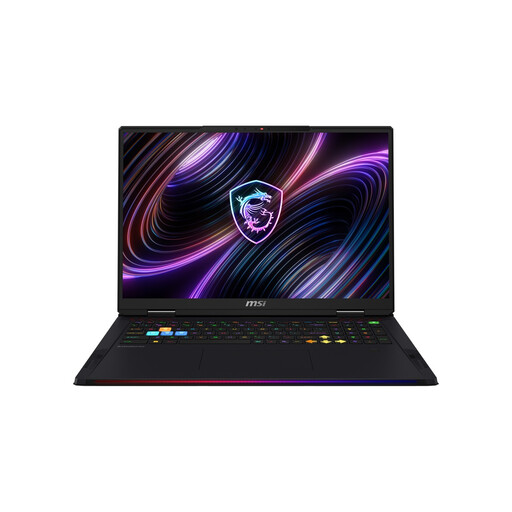 Image unavailable
The listed configuration includes 32 GB of RAM and a 2 TB SSD, ready to compare with your games’ requirements.
18-inch Mini LED display, WQUXGA, Intel Core Ultra 9 290HX, NVIDIA GeForce RTX 5080, 32 GB DDR5 RAM and 2 TB SSD.
 Image unavailable
You can compare the 16 GB of RAM and SSD with the requirements of campaign games such as Crusader Kings III. Make sure the screen size suits your desk.
14.5-inch WUXGA display (1920 × 1200), 120 Hz, IPS, AMD Ryzen AI 7 350, NVIDIA GeForce RTX 5050 8 GB GDDR7, 16 GB DDR5 and 1000 GB PCIe Gen4 SSD.
The listed keyboard layout is English International.
 Image unavailable
The listed configuration pairs 24 GB of RAM and a 1 TB SSD with a 16-inch screen. Compare the graphics with your games’ requirements.
16-inch QHD display, AMD Ryzen 9 8940HX, 24 GB of RAM, 1 TB SSD and GeForce RTX 5070.
 Image unavailable
With 16 GB of RAM and a 1 TB SSD, you can compare the specifications with the requirements of your campaign games. Also check the GPU requirements for battles.
16-inch QHD display, AMD Ryzen 7 8745HX, 16 GB of RAM, 1 TB SSD and GeForce RTX 5060.
No. For Crusader Kings III on Windows, Paradox Interactive recommends 16 GB of RAM and an SSD or NVMe drive. Check the requirements for each of your other games and the graphics settings you want to use.
Check that the screen format, ports and power adapter for the full model number suit your space and any external monitor you might use. For example, Lenovo lists a 170 W power adapter for the LOQ 15IRX10 83JE014MGE. This specification does not automatically apply to other LOQ variants.
No. According to the European Commission, purchases from a trader in the EU are generally covered by a statutory guarantee of at least two years from the date you receive the goods. A voluntary guarantee must not restrict these rights; check its additional terms separately.
For online orders, you generally have 14 days from receiving the goods to withdraw from the contract. The Verbraucherzentrale notes that you must notify the retailer of your decision to withdraw. The details and any exceptions depend on the contract.
Electrical and electronic waste must not go in household rubbish. The German Federal Ministry for the Environment lists local collection points and return options through manufacturers and, in certain circumstances, retailers. Retailers’ specific obligations depend, among other things, on the size of their sales area and whether you’re buying an equivalent new device.