Choose a gaming laptop based on the specific home design game you want to play and how you want it to look, rather than relying on its product category alone. Electronic Arts’ recommended PC requirements for The Sims 4 are not a benchmark for House Flipper 2 or inZOI, so compare each game’s requirements with the laptop’s full configuration. Also plan for the display, mouse, cables and clear airflow around your home office desk.
Who is this selection for?
Players with a particular home design game in mind
If you already know whether you’ll mainly play The Sims 4, House Flipper 2 or inZOI, you can choose your specifications to suit that game rather than a broad gaming category. Electronic Arts publishes its own PC requirements for The Sims 4, while the Steam pages for House Flipper 2 and inZOI describe separate games with their own requirements.
Players sharing a desk
If you use the same desk for work and gaming, you’ll need to fit the display, mouse and cables in while keeping the airflow clear. The Federal Institute for Occupational Safety and Health recommends arranging the screen, keyboard and desk space to support an ergonomic posture.
Designers without a second monitor
If you want to see rooms and controls clearly on the built-in display, usable screen space matters just as much as the laptop’s footprint. ASUS and Lenovo document specific gaming laptop configurations with different screen sizes.
What should you look for when buying?
First, decide which game and how much desk space matter most to you. Then compare the full specification of the exact laptop configuration against those requirements.
| What matters when buying |
What to check |
Who it matters most to |
| Performance to suit the specific game |
Choose the game version and the visual settings you want; compare the operating system, CPU, RAM, GPU and available storage of the full laptop configuration with that game’s requirements. |
If I want to play a particular home design game, I’ll first compare its requirements with the full laptop model. Around 36% of consumers put compatibility with their chosen game first. |
| A clear view on the built-in display |
Consider the screen size and resolution of the exact configuration, along with the laptop’s dimensions; if you already have a monitor, check its connection too. |
Without a second monitor, I want to see the room and controls clearly on the built-in display. Around 29% of consumers prioritise screen visibility. |
| Desk space, airflow and noise |
Check your available desk space, the laptop’s dimensions and the position of its ports; keep vents clear and look for tests of the exact configuration when assessing noise. |
If I also use my desk for work, I need room for my mouse and work essentials, as well as clear airflow. Around 21% of consumers prioritise footprint and cooling. |
| Flexible use and extra features |
Check the ports, power supply and documented RAM and SSD configuration; only plan to upgrade later if this is confirmed for the exact model. |
If I want to use the laptop with other software and my existing peripherals, I’ll check that its ports and configuration meet my needs. Around 14% of consumers put flexible use first. |
Common buying misconceptions
-
“Gaming laptop” means it’s compatible
Electronic Arts’ recommended PC specifications apply to The Sims 4; they don’t automatically show that a laptop is suitable for House Flipper 2 or inZOI.
Start by deciding which game matters most to you, then compare its requirements with the laptop’s full configuration.
-
One product range means one set of specifications
ASUS documents different TUF A16 configurations. For the OMEN 16 AMD range, HP also explicitly labels some specifications as “up to”.
Check the full model number and the specifications of the exact listing, not just the product range name.
-
Screen size is all you need to plan your desk
A shared desk also needs space for your mouse, cables and power supply, as well as clear airflow. The Federal Institute for Occupational Safety and Health treats arranging the screen, keyboard and desk space as part of setting up a workstation.
Measure the space available and plan for the laptop, input devices, cables and a suitable working position together.
Brands worth considering
ASUS
The TUF Gaming A16 range includes configurations with different laptop GPUs. The FA608UM-RV138W is one documented example, with a 16-inch display.
- For the FA608UM-RV138W, ASUS lists an RTX 5060 Laptop GPU, 16 GB RAM, a 1 TB SSD, 1,920 × 1,200 resolution, two RAM slots and two M.2 slots.
- The range name doesn’t determine the specifications; the FA608UH-RV027W is a different configuration. Manufacturer specifications aren’t an independent test of gaming performance.
Lenovo
The Legion 5 range is documented with different configurations, and one specific bundle is offered with a mouse.
- Lenovo describes the 83Q7002KGEMS bundle as a Legion 5 with Windows 11 Home, 32 GB RAM, a 1 TB SSD, RTX 5060 and a mouse.
- This bundle doesn’t represent every Legion 5 configuration. The product details don’t confirm a measured frame rate for a particular home design game or the contents of other listings.
HP
According to HP, the OMEN 16 AMD range also includes configurations with a 16-inch display.
- HP lists configurations for the range with up to 32 GB RAM, up to a 2 TB SSD and up to an RTX 5070 Laptop GPU.
- “Up to” doesn’t describe the specifications of a particular listing. HP’s cooling claims are manufacturer statements, not an independent comparison with other brands.
Gaming laptops at Joybuy
This selection includes gaming laptops with 14.5- and 16-inch displays, and a range of configurations to compare with your home design game and available desk space.
 No image available
Acer Nitro V14 AI gaming laptop, Ryzen AI 7 350, RTX 5050, 16 GB, 1 TB
The 14.5-inch format and stated dimensions may help when planning a compact desk setup; suitability still depends on the specific game.
14.5 inches, WUXGA (1,920 × 1,200), 120 Hz; Ryzen AI 7 350; RTX 5050 with 8 GB GDDR7; 16 GB DDR5; 1 TB PCIe Gen4 SSD; Windows 11 Pro. An English International keyboard is listed.
View at Joybuy
 No image available
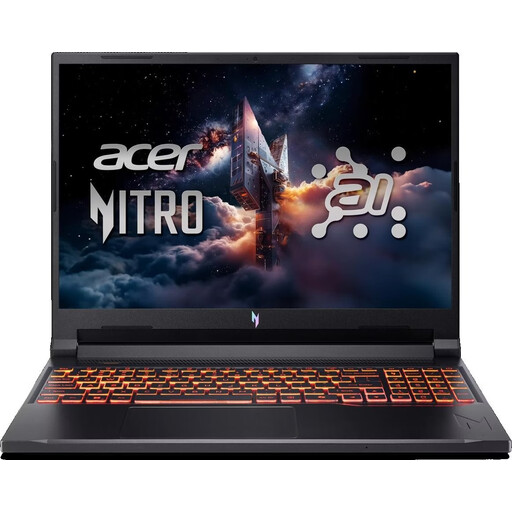
Acer Nitro V 16 AI ANV16-42-R1HB, Ryzen 7, RTX 5060, 16 GB, 1 TB
This documented 16-inch configuration gives you a specific point of comparison if you want to design on the built-in display. Check its specifications against your game’s requirements.
16 inches, WUXGA (1,920 × 1,200), 180 Hz; Ryzen 7 260; RTX 5060; 16 GB RAM; 1 TB PCIe Gen4 SSD; Windows 11 Home. The description specifies a US keyboard layout. Stated dimensions: 360 × 275.6 × 24.5 mm.
View at Joybuy
 No image available
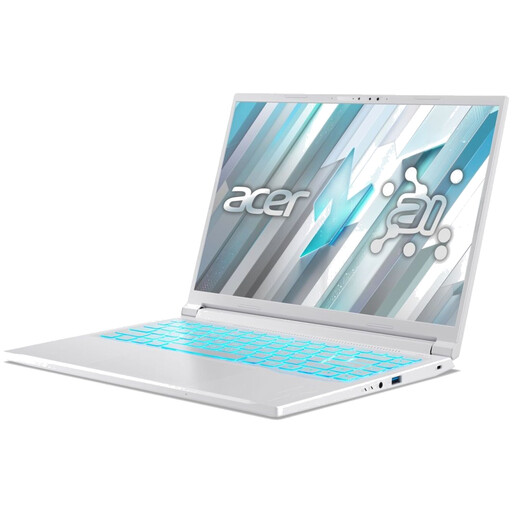
Acer Nitro V 16 AI ANV16-42-R1PE, Ryzen 5 240, RTX 5050, 16 GB, 512 GB
You can compare the 16-inch model’s dimensions with the desk space available. The listed components don’t replace checking the requirements of your chosen game.
16 inches, WUXGA, 180 Hz; Ryzen 5 240; RTX 5050 with 8 GB; 16 GB DDR5; 512 GB SSD; Windows 11 Home. The product title specifies a US keyboard. Stated dimensions: 360 × 275.6 × 24.5 mm; weight: 2.44 kg.
View at Joybuy
 No image available
Acer Nitro V14 AI gaming laptop, Ryzen AI 5 340, RTX 5050, 16 GB, 1 TB
The stated dimensions and 14.5-inch display may be useful when planning a shared desk. Compare the processor and graphics of this exact configuration with your game.
14.5 inches, WUXGA (1,920 × 1,200), 120 Hz; Ryzen AI 5 340; RTX 5050 with 8 GB GDDR7; 16 GB DDR5; 1 TB PCIe Gen4 SSD; Windows 11 Pro. An English International keyboard is listed. Dimensions: 325.7 × 236.8 × 21.9 mm; weight: 1.60 kg.
View at Joybuy
 No image available
HP OMEN 16-ap1099ng, Ryzen 9 8940HX, RTX 5070, 24 GB, 1 TB
This 16-inch configuration gives you specific details to compare with more demanding games and when planning your desk setup; it doesn’t guarantee a particular frame rate in any game.
16 inches, WQXGA (2,560 × 1,600), 240 Hz; Ryzen 9 8940HX; RTX 5070; 24 GB RAM; 1 TB SSD; Windows 11 Home. Stated dimensions: 358 × 269 × 25 mm; weight: 2.43 kg.
View at Joybuy
Frequently asked questions
Are the recommended Sims 4 requirements suitable for other home design games too?
No. Electronic Arts gives these recommendations for The Sims 4; House Flipper 2 and inZOI are separate games. Check their requirements individually and compare them with the laptop’s full configuration.
How should I position my laptop on the desk when gaming?
Keep the vents clear and watch out for dust build-up. Lenovo notes that gaming generates heat and blocked airflow can affect cooling; follow the guidance for your specific model when cleaning or opening the device.
What should I consider if I also work at a screen in the same spot?
Check that the screen, keyboard, desk space and seating position work together for your needs. The Federal Institute for Occupational Safety and Health covers the ergonomic setup of flexible workstations; this doesn’t mean every private buyer has to purchase specific equipment.
What rights do I have when buying a laptop online in Germany?
When you buy as a consumer from a business seller, you generally have a statutory guarantee of at least two years from the date you receive the goods; this is separate from a voluntary manufacturer’s warranty. Online purchases usually come with a 14-day right to cancel, starting from the day you receive the goods. Exceptions and the terms of the specific contract should be taken into account.
How much storage should I allow for The Sims 4?
Electronic Arts recommends at least 50 GB of free hard drive space, plus at least 1 GB of additional space for custom content and saved games. Make sure you have enough free storage for the games you choose and any extra content.


