
Lieferung heute & morgen

Qualitätsgarantie

Willkommens-Angebote freischalten: KOSTENLOSE Lieferung | Bis zu 80 % RABATT | Kostenlose 30-Tage-JoyPlus-Testphase
App herunterladen
A powerful laptop alone does not make a well-planned workspace. For gaming, content creation, AI applications and home working, display quality, ergonomics, storage and practical accessories all matter too. At the same time, attention-grabbing product claims can obscure important details.
Typical purchasing challenges arise from three common pitfalls:
For demanding games, 3D applications and AI workloads, you should not focus solely on the model name. The following are relevant:
An 18-inch gaming laptop with powerful hardware is generally designed less for portability and more for use in a fixed location. The MSI Titan 18 HX, for example, weighs 3.6 kg and comes with a 400-W power supply. This is less important for a permanent desk setup than for regular train journeys or carrying it to university.
A Mini-LED gaming laptop can be appealing for high-contrast content and HDR applications. Nevertheless, you should consider the technical specifications together:
With a foldable desk, you should establish the available wall or table space, mounting method and maximum load before buying. The SoBuy desk measures approximately 64 × 82 × 58 cm, has three storage compartments and can support up to 35 kg. This is suitable for a laptop setup, but you should also account for a monitor arm, speakers and accessories.
For an A6 hardcover notebook or A6 softcover notebook, paper weight, page count and fastening mechanism are key considerations. The LAMY B2 has 192 pages of 90 g/m² paper, thread stitching, a pen loop, an elastic band and two ribbon markers. The LAMY B4 Softcover A6 also has 192 pages of 90 g/m² paper, along with a rear pocket and two ribbon markers.
A laptop backpack should not simply be lightweight. Check its dimensions, padded compartments and stated capacity. The NINETYGO Tiny Backpack weighs 194 g and offers 12 litres of capacity; according to the product description, it is designed to hold items including an iPad, books and everyday essentials. For a heavy 18-inch laptop, check the actual internal dimensions before buying.
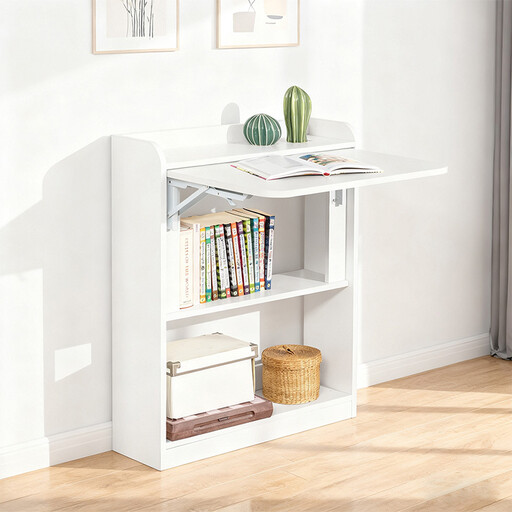
Why this product suits this profile: This compact desk is designed for people who need a dedicated workspace at home and want to clear it away again after use.
The dimensions and load capacity of up to 35 kg are specified. This makes it possible to check in advance whether there is enough room for your laptop, monitor and accessories.
Foldable desktop, three storage compartments and rounded edges; mounting accessories and instructions are included.
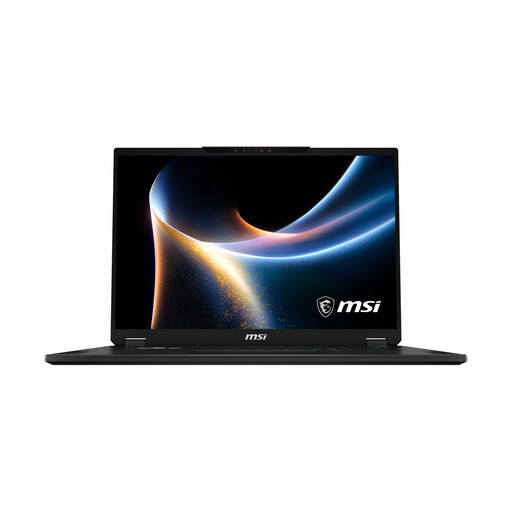
Why this product suits this profile: This device combines an 18-inch Mini-LED display with an RTX 5080, 32 GB DDR5 RAM and a 2 TB SSD for gaming and demanding creative software.
The product specifications state 150 W TGP, 120 Hz, 3,840 × 2,400 pixels and 100% DCI-P3. These details make it easier to assess the laptop against broad performance claims.
RTX 5080 with 16 GB GDDR7, expandable RAM up to 128 GB and a weight of 2.89 kg.
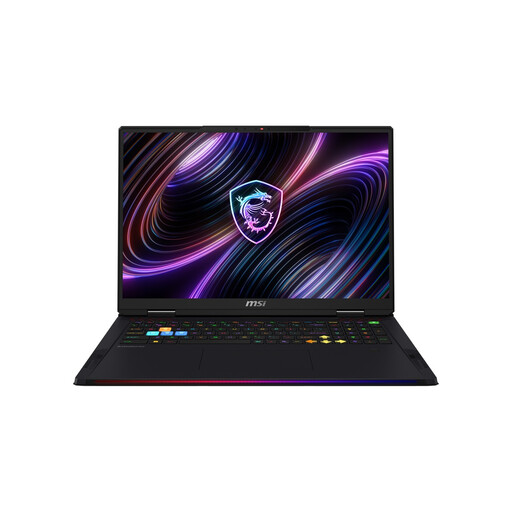
Why this product suits this profile: For local AI applications, large projects and multitasking, this MSI gaming laptop model offers 64 GB DDR5 RAM, a 2 TB SSD and an RTX 5090 with 24 GB GDDR7.
Alongside the GPU, the specifications list 175 W TGP, 120 Hz, 100% DCI-P3 and RAM expandability up to 128 GB. This provides a clear and verifiable basis for your choice.
24-core processor, 64 GB DDR5, 2 TB SSD and two Thunderbolt 5 ports; the device weighs 3.6 kg.
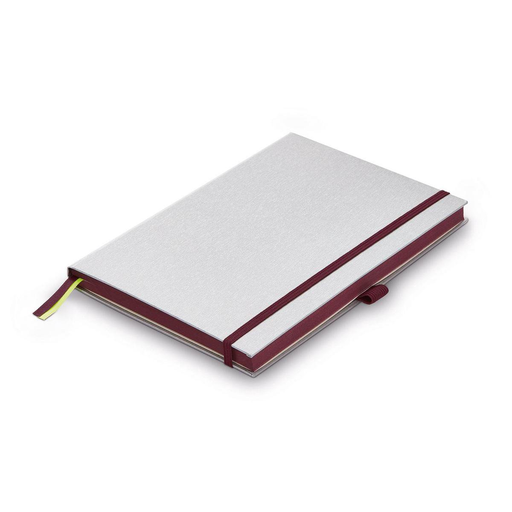
Why this product suits this profile: The compact A6 format is ideal for meeting notes, sketches and short to-do lists away from your desk.
The details covering 192 pages, 90 g/m², acid-free paper and thread stitching make the choice of materials easy to verify. The hardcover protects the contents during transport.
A6 format, pen loop, elastic band, two ribbon markers and an expandable rear pocket with eight removable sheets.
For everyday repairs to a laptop, camera or smartphone, a precision screwdriver set can be useful. The Fanttik E1 Max contains 50 bits in twelve types, magnetic storage and a USB-C charging port. When working on electronics, always switch the device off and disconnect it from the power supply. For delicate screws, start with the low torque setting of 0.05 Nm.
If you prefer a flexible A6 softcover notebook rather than a hardcover, the LAMY B4 Softcover A6 offers 192 pages of 90 g/m² paper, Lamy ruling, a pen loop, two ribbon markers and a rear pocket. The blue version is also available. For carrying smaller items, a lightweight laptop backpack such as the NINETYGO Tiny Backpack complements a mobile home office; with 18-inch devices, however, compatibility must be checked separately.
We have put together a complete, regularly updated list of products that fully meet these strict selection criteria and the safety regulations applicable in the EU.
For current games and typical office applications, 32 GB is a sensible starting point that is easy to assess. Content creators, AI users and people who keep many programmes open at the same time can benefit from 64 GB or more. The key question is whether the RAM can be upgraded later.
Electricity costs depend on usage, the performance profile and your local electricity price. As a guide: energy consumption in kilowatt-hours = power in watts × operating time in hours ÷ 1,000. A 400-W power supply indicates the maximum output of the power supply, not necessarily continuous consumption. In office use, actual power draw is often lower than under gaming or rendering loads.
Its service life depends on cooling, care, software requirements and upgradeability. Keeping ventilation openings clear, using the supplied power supply and installing regular driver updates all help ensure proper operation. Before buying, you should therefore check not only the processor and GPU, but also RAM slots, SSD upgrade options, warranty terms and how portable you need the laptop to be.