Icon designers with limited desk space
If you want to keep a mouse or drawing tablet beside your laptop, the chassis width and depth, as well as the port layout, all matter. MSI lists a footprint of 314.7 × 233.5 mm for the Cyborg-14-A13V series.


If you need to leave room for a mouse or drawing tablet beside your laptop, start by checking the dimensions of a compact model’s chassis, not just its screen size. If you work without a second monitor and need more room for previews and tools, a larger display may be a better choice, provided you have enough desk space. Choose the GPU performance and graphics memory you need based on the specific 2D or 3D software you use.
If you want to keep a mouse or drawing tablet beside your laptop, the chassis width and depth, as well as the port layout, all matter. MSI lists a footprint of 314.7 × 233.5 mm for the Cyborg-14-A13V series.
If you work on designs, previews and tool windows on your laptop, weigh the usable screen space against the room the chassis takes up.
For modelling or rendering, consider the requirements of the software you actually use, along with the RAM and graphics configuration of the specific model.
On a small desk, the available footprint comes first. Then consider how much workspace you need on the built-in display.
A good fit if: you want to keep a mouse or drawing tablet beside the laptop and mostly design 2D icons.
The trade-off: the smaller footprint leaves less room on the built-in display for previews and tools.
A good fit if: you work without a second monitor and want to see previews and tool windows at the same time.
The trade-off: measure the footprint of the specific model, including space for your mouse and cables, before opting for more screen space.
| What matters | What to check before buying | Who it matters most to |
|---|---|---|
| Footprint and input devices | Compare the chassis width and depth, as well as the port layout, with the desk space available. | If I need room for a mouse or drawing tablet beside my laptop, footprint comes first. Around 40% of consumers share this concern. |
| Working display | Check the screen resolution and panel specifications for the exact configuration, and weigh them against the available desk space. | If I work on previews and tools without a second monitor, I want to be able to see both clearly on the built-in display. Around 30% of consumers prioritise screen space for this reason. |
| Performance for your workflow | First decide which software you’ll use, then compare its requirements with the configuration’s RAM, GPU and graphics memory. | If I create icons as part of a 3D workflow, I choose the specifications to suit the requirements of that software. Around 20% of consumers say 3D performance is their main concern. |
| Upgradability and usability | Check the RAM type and memory slots for the full model configuration. | If I want to be able to upgrade my laptop later, I need to know whether its RAM is slotted or soldered. Around 10% of consumers prioritise upgradability and long-term usability. |
The screen size won’t tell you whether the laptop, mouse, drawing tablet and cables will fit on your available desk space.
Measure the space you have and compare it with the width, depth and port layout of the exact model configuration.
Requirements vary depending on the software and how you work. Adobe recommends 16 GB of RAM or more for Photoshop version 27.x and later on Windows; Blender recommends 32 GB of RAM and 8 GB of VRAM for Windows. These recommendations apply to the respective programmes, not to 2D icon design across the board.
Check the requirements for the software and version you actually plan to use. Adobe and the Blender Foundation publish the specifications for their respective programmes.
RAM type and fan noise can vary between configurations. Notebookcheck reports that the tested ASUS ROG Zephyrus G14 GU405AR has soldered RAM and loud fans under full GPU load. This finding does not apply to every G14 model.
Compare the full model number and check the RAM type and reviews for the exact configuration.
The TUF Gaming A14 and ROG Zephyrus G14 ranges include compact gaming configurations.
The Cyborg-14-A13V series is a compact gaming option with specifications that vary by model.
The Predator Triton 14 AI PT14-52T is a compact option for anyone considering a touchscreen for creative work.
The Legion Slim 5 Gen 8 with its 14.5-inch display is another compact gaming option.
This selection features gaming laptops with larger built-in displays for designing icons without a second monitor. Allow for more desk space and check before buying that the specific chassis will fit alongside your mouse and cables.
 No image available
An option if you can make use of a larger built-in display and have enough room for it on your desk.
16 inches, 240 Hz, Intel Core i7-14700HX, RTX 5070, 32 GB RAM and 8 GB GDDR7.
 No image available
An option if you’re considering a gaming laptop with dedicated graphics for creative applications and have enough desk space.
Ryzen AI 7 350, 16 GB RAM, 1 TB SSD and GeForce RTX 5050.
 No image available
An option if you want more screen space for working without a second monitor and have room for a larger chassis on your desk.
17.3 inches, FHD, 144 Hz, AMD Ryzen 9 7940HX, GeForce RTX 4060 with 8 GB graphics memory, 16 GB RAM and 1 TB SSD.
 No image available
An option if you can make use of a particularly large built-in display and have enough desk space for it.
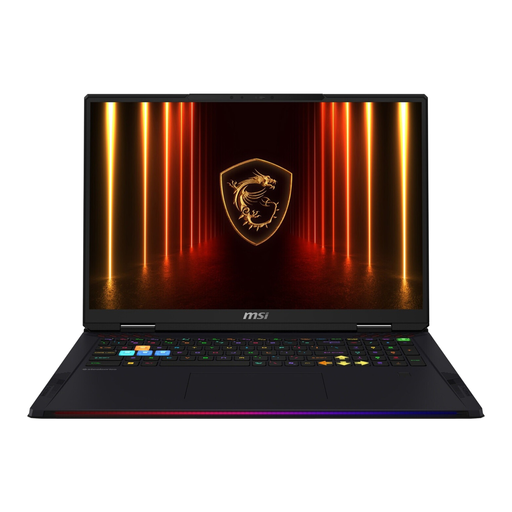
18 inches, UHD+, Intel Core Ultra 9 285HX, 64 GB RAM, 4 TB SSD and RTX 5090.
 No image available
An option if you want a larger display for previews and tools and can allow for the extra space it takes up.
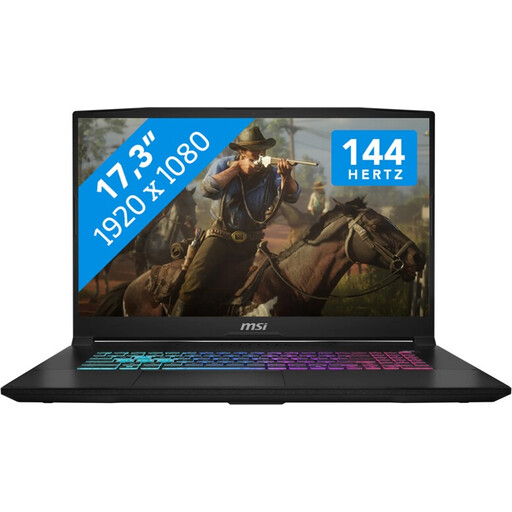
17.3 inches, FHD, 144 Hz, Intel Core i7, 16 GB RAM, 1 TB SSD and GeForce RTX 5060 with 8 GB GDDR6.
Not just because of the task itself. Start by checking the software you use: Adobe recommends 16 GB of RAM or more for Photoshop version 27.x and later on Windows. The Blender Foundation’s higher recommendations are relevant if you actually use Blender.
Measure the available space, including room for a mouse or drawing tablet, and check which side the ports are on. If you want to connect an external monitor, check the ports on the exact model; MSI lists HDMI and USB-C with DisplayPort among the connections on the Cyborg-14-A13V series.
Before buying, check whether the RAM is slotted or soldered. MSI lists two DDR5 slots for the Cyborg-14-A13V series, while the RAM in the GU405AR tested by Notebookcheck is soldered. The Blender Foundation also recommends using drivers from your graphics card manufacturer.
In the EU, purchases of goods from traders are generally covered by a legal guarantee of at least two years from the date you receive them. For online distance purchases, you generally have 14 days from delivery to cancel; exceptions and rules on return costs apply. Your Europe explains these EU rules. A voluntary manufacturer’s warranty does not replace your statutory rights.
For electronic products requiring CE marking, the German Federal Network Agency says that providing the required accompanying documentation and safety information in German is part of a trader’s obligations; a CE mark is not an independent quality rating. According to the German Environment Agency, discarded electrical equipment must not be put in household waste.