If you mainly build on the built-in screen, compare the screen size and resolution first: a larger display and more pixels are two different things. For example, manufacturers list an 18-inch display with 2560 × 1600 pixels for the Acer Predator Helios Neo 18 NH.QR5EG.001, and a 17.3-inch Full HD display for the HP OMEN 17-db1773ng. Then compare the full specification with the game you want to play and your preferred graphics settings. Also consider desk space, ventilation and portability.
Who should consider this buying decision?
Building settlements on your laptop screen
If you want to keep an eye on maps, buildings and controls on the built-in screen, compare screen size and resolution together. They describe different things: the diagonal measures the physical screen size, while the resolution is the number of pixels.
Players with specific graphics preferences
Match the specification to the city-building game you actually play, your target resolution and your preferred graphics settings. A GPU name alone won’t tell you what frame rate a particular laptop will achieve in a particular game.
Players who move their gaming setup
If you regularly move your laptop or take it with you, weigh the benefits of a larger screen against the space it takes up and how easy it is to carry. For a permanent gaming setup, an external monitor could also be an option; check the ports on the specific devices first.
What should you look for when buying?
| Criteria |
What to look for |
Who is this most important to? |
| Visibility and readability |
Compare screen size and resolution together. Also check the screen finish and how easy maps and menus are to read at your intended scaling setting. |
If I want to see maps and controls clearly on the laptop itself, I compare the screen area with the resolution. Around 36% of consumers put visibility and readability first. |
| Performance in your chosen game |
Compare the full CPU, GPU, graphics memory and RAM specifications with your game’s requirements and your preferred resolution. |
If a particular game and my chosen graphics settings matter to me, I want to assess the complete configuration rather than just a GPU name. Around 29% of consumers prioritise performance for their chosen game. |
| Space, portability and ventilation |
Check the dimensions of the specific model, measure your available space and make sure the ventilation openings will stay clear. If you carry it regularly, consider whether its size and weight suit your everyday needs. |
If I regularly move or take my laptop with me, it needs to fit the available space and be easy to transport. Around 21% of consumers prioritise space and portability. |
| Total cost and terms of purchase |
Compare the exact model number and what’s included. If your setup will include an external monitor, factor in the monitor and the connections you’ll need. |
If I’m planning a complete gaming setup, I want to consider the equipment I’ll need alongside the terms of purchase. Around 14% of consumers prioritise total cost and purchase terms. |
Buying decisions to check carefully
-
Comparing screen size in inches alone
A 17.3-inch Full HD screen and a 16-inch screen with 2560 × 1600 pixels differ in both physical size and pixel count.
Check how easy maps and menus are to read at the scaling setting you want to use while gaming, and measure the space available for your laptop.
-
Assuming the GPU name tells you how well a game will run
Manufacturers’ component specifications aren’t performance test results for the game you play. You can’t work out a specific frame rate from those details alone.
Compare the full configuration with the game you want to play. For a clearer idea of performance, look for tests of the same laptop variant running that game at your preferred resolution.
-
Confusing a product range with a specific variant
Screen and specification can vary within the same model range. ASUS lists numerous complete model codes for the ROG Strix G17; the PHN18-71 name alone also doesn’t identify the exact specification.
Before you buy, note the complete model or item number and check the screen, GPU, RAM and what’s included against the specific offer.
-
Overlooking the monitor and returns policy when planning your setup
A laptop used with an external screen also needs a monitor and a suitable permanent gaming setup.
Check the ports on the specific devices and read the returns policy before buying online. Statutory rights and voluntary offers from retailers are not the same thing.
An external monitor adds another device to your setup and needs its own space.
Brands and product ranges to consider
Acer
The Predator Helios Neo 18 is an option to consider if you’re comparing laptops with a large built-in screen.
- According to Acer, the NH.QR5EG.001 variant has an 18-inch display with 2560 × 1600 pixels, 32 GB RAM and an RTX 4070 with 8 GB.
- These specifications apply to the variant listed and don’t automatically apply to other PHN18-71 models.
HP
The OMEN 17 range includes 17.3-inch variants, but it’s worth comparing the specification of each one carefully.
- HP lists Full HD, 16 GB RAM and an RTX 5070 with 8 GB for the OMEN 17-db1773ng.
- Other OMEN 17 variants may have different specifications, and manufacturer details aren’t a substitute for independent gaming tests.
Lenovo
The Legion Pro 5 Gen 10 offers a 16-inch option with a higher resolution than the Full HD examples listed here.
- Lenovo lists a glossy OLED display with 2560 × 1600 pixels, 16 GB RAM and an RTX 5060 with 8 GB for configuration 83F2CTO1WWDE1.
- Check that the glossy screen finish and exact specification suit your gaming setup and how you plan to use the laptop.
MSI
The Katana 17 B13V range includes variants with a large Full HD screen.
- MSI lists a 17.3-inch Full HD display with a 144 Hz refresh rate for the B13V variants featured.
- GPU options vary, so check the complete model number. Range-level specifications don’t prove how a particular game will perform.
ASUS
The ROG Strix G17 is a product range with several G713 variants.
- ASUS lists several complete model codes across the G713PV and G713PI ranges.
- The range name alone isn’t enough to determine whether two offers are for identical devices.
Large-screen gaming laptops at Joybuy
The Joybuy options below are gaming laptops with large built-in screens. Compare the full specification with the game you actually want to play.
 No image available
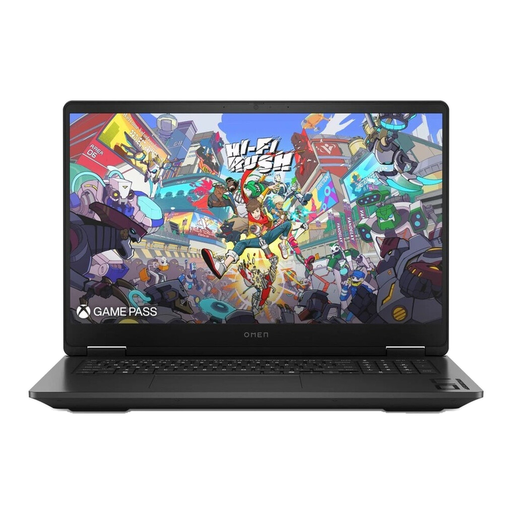
HP OMEN 17-db1077ng, 17.3 inches, QHD
This could be worth considering if you want a large built-in screen and its specific specification suits your game.
The product name lists an AMD Ryzen AI 7 350, 24 GB RAM, 1 TB SSD and GeForce RTX 5070. The screen is listed as QHD.
View at Joybuy
 No image available
MSI Titan 18 HX Dragon Edition Draco Epic A2WJ-1218
This could be worth considering if you prefer an 18-inch screen and the specification meets your game’s requirements.
The product name lists an Intel Core Ultra 9 290HX Plus, GeForce RTX 5090 with 24 GB, 96 GB DDR5 and 4 TB SSD. The screen is listed as UHD+ with Mini-LED and a 240 Hz refresh rate.
View at Joybuy
 No image available
MSI Raider 18 HX A2WH-1088
This could be worth considering if you’re looking for a large built-in screen and want to check the listed configuration against your game.
The product name lists an Intel Core Ultra 9 275HX, GeForce RTX 5070 Ti with 12 GB, 32 GB DDR5 and 1 TB SSD. The 18-inch screen is listed as QHD+ with a 240 Hz refresh rate.
View at Joybuy
 No image available
HP OMEN 17-db1071ng, 17.3 inches, Full HD
This could be worth considering if a large Full HD screen matters to you and the specific specification suits your game.
The product name lists an AMD Ryzen AI 7, 16 GB RAM, 1 TB SSD and a Full HD screen with a 144 Hz refresh rate.
For longer gaming sessions, place the laptop on a hard, flat surface to keep the ventilation openings clear.
View at Joybuy
 No image available
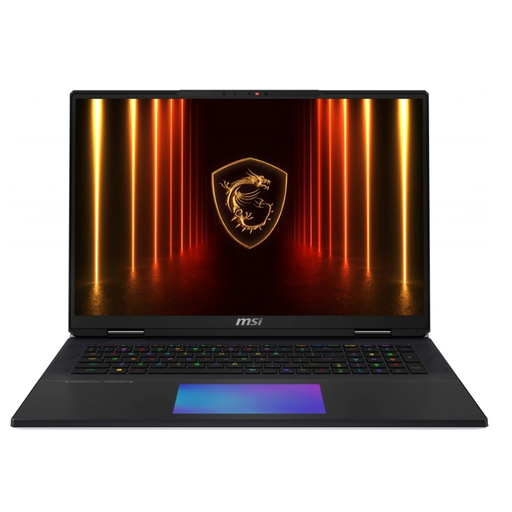
MSI Titan 18 HX AI A2XWJG-656
This could be worth considering if you’re looking for an 18-inch laptop and want to compare its specification with your game.
The product name lists an Intel Core Ultra 9 285HX, 64 GB RAM, 6 TB SSD and GeForce RTX 5090. The listed weight is 3.6 kg.
Keep the ventilation openings clear while the laptop is in use.
View at Joybuy
Frequently asked questions
Do I need a particular laptop model for medieval city-building games?
No. What matters is the game you actually want to play. Manor Lords is one example of a medieval city-building game, but it isn’t a set requirement; compare the full specification of the specific laptop with the requirements of your chosen game.
Can I connect a monitor instead of choosing a laptop with a larger screen?
Yes, as long as the laptop and monitor have compatible ports. HP lists an HDMI output for connecting a second monitor on the OMEN 17-db1771ng; don’t assume this also applies to other model numbers without checking.
Where should I place a gaming laptop for longer sessions?
HP recommends placing its laptops on a firm, flat surface and keeping the ventilation openings clear. A soft surface, such as a bed or sofa cushion, may obstruct airflow.
What statutory rights apply if my laptop is faulty?
According to Your Europe, when you buy from a trader in the EU, you have a legal guarantee of at least two years from the date you receive the goods. This is separate from any additional manufacturer’s guarantee; if there’s a fault, the seller is generally your point of contact.
Can I cancel an online laptop purchase?
In Germany, when you buy from a trader at a distance, you generally have a 14-day right to cancel, starting from delivery of the goods. Check the returns terms before ordering; this right doesn’t apply to purchases from private individuals.


