Choose your laptop based on the software you use and the scale of your Quest map, not just its gaming credentials. For larger projects in Blender and Unreal Engine, the Blender Foundation and Epic Games each recommend 32 GB of RAM and 8 GB of graphics memory. Unity notes that memory requirements depend on project size. If you mainly work on the built-in display, resolution, screen finish and desk footprint matter too. Whichever model you choose, check the operating system, ports and ventilation.
Who this selection is for
Creators of larger 3D Quest worlds
If you work on more complex scenes in Blender or Unreal Engine, check that the RAM, graphics memory and operating system match the requirements of the software you use. The Blender Foundation and Epic Games each recommend 32 GB of RAM and 8 GB of graphics memory for their respective applications.
Quest map makers without a second monitor
If you need to fit the map, tools and preview on your laptop at the same time, compare the resolution, screen size and finish of the specific model. Lenovo Germany, for example, lists different display configurations for the LOQ 83JE014MGE and Legion 83F1004BGE.
Map developers sharing a workspace
Allow space for your mouse, cables and power adapter, and keep the ventilation openings clear. ASUS warns that dust or blocked vents can affect cooling.
What to consider when buying
First, check which software you actually use and the scale of your projects. The Blender Foundation and Epic Games each recommend 32 GB of RAM and 8 GB of graphics memory for their applications. Unity recommends at least 8 GB of RAM for the Editor and notes that more complex projects may need more.
| Consideration |
What to check before buying |
Who should pay particular attention |
| Performance for your software and project size |
Identify your software and version; check the RAM, graphics memory, graphics API and operating system of the complete configuration. |
When I work on larger 3D scenes, the right specifications for my software matter more than a general gaming label. Around 36% of consumers also make project performance their top buying priority. |
| Room for your map and tools |
Compare the resolution, screen size and finish; factor in any external monitor you already own. |
If I want to see my map and tool windows at the same time on the built-in display, the exact display configuration matters. Around 29% of consumers put usable screen space first. |
| Desk space, ventilation and noise |
Check the laptop’s dimensions and port positions against your workspace; for noise, look for tests of the exact configuration under a comparable workload. |
If I share my desk or need a quiet working environment, there must be room for the whole setup and the vents must stay clear. Around 21% of consumers prioritise desk space or operating noise. |
| Specifications and set-up |
Check the model number, operating system, RAM and SSD of the specific configuration. |
If I want to use the laptop without extra set-up, I pay particular attention to the included operating system and storage. Around 14% of consumers make these specification details their top buying priority. |
Common buying mistakes
-
Assuming 3D software recommendations are essential for every map project
Requirements vary depending on the application and project size. Unity specifically notes that larger projects may need more memory.
Decide which application, version and type of project you’ll use before assessing the RAM and graphics memory of a specific configuration.
-
Assuming the operating system and memory from the model range name
Models in the same range can differ in their operating system and RAM. Lenovo lists the Legion 83F1004BGE without an operating system and the LOQ 83JE014MGE with Windows 11 Home.
Check the full product number against the specifications explicitly listed for that configuration.
-
Judging ventilation and noise by marketing claims alone
Blocked vents can affect cooling, but that doesn’t tell you how loud the laptop will be under the demands of your own projects.
Allow room for clear airflow, and look for a suitable test of the exact configuration under load if noise is a deciding factor.
Brands to consider
Lenovo
The documented LOQ 83JE014MGE and Legion 83F1004BGE configurations are useful for comparing specific display and operating system options.
- Lenovo Germany lists 32 GB of RAM and a 1 TB SSD for both configurations.
- The LOQ has a 15.6-inch matte display with a resolution of 2560 × 1440 pixels and Windows 11 Home. The Legion has a glossy 15.1-inch OLED display with a resolution of 2560 × 1600 pixels and no operating system included.
MSI
The Katana 15 HX range is worth considering when comparing configurations, as the display, graphics card and operating system can vary by model.
- MSI Germany lists an RTX 5060 Laptop GPU with 8 GB of graphics memory and a Full HD display for the Katana 15 HX B14WFK-487.
- This specific configuration has 16 GB of RAM; specifications for a different Katana model don’t apply to it.
HP
The OMEN 16-ap0793ng is a documented configuration to consider when comparing screen size and project resources.
- HP lists Windows 11 Home, 32 GB of RAM, a 1 TB SSD and an RTX 5070 with 8 GB of graphics memory for this configuration.
- These specifications apply to model 16-ap0793ng, not the entire OMEN range.
ASUS
The TUF Gaming A14 is a more compact 14-inch range, offering an alternative to laptops with a larger built-in display.
- ASUS describes the A14 range as a 14-inch design.
- According to ASUS, specifications vary by SKU. The global model description doesn’t confirm an identical German retail configuration or noise measurements.
Joybuy products
This Joybuy selection features gaming laptops with documented configurations for larger 3D projects and map work on the built-in display.
 No image available
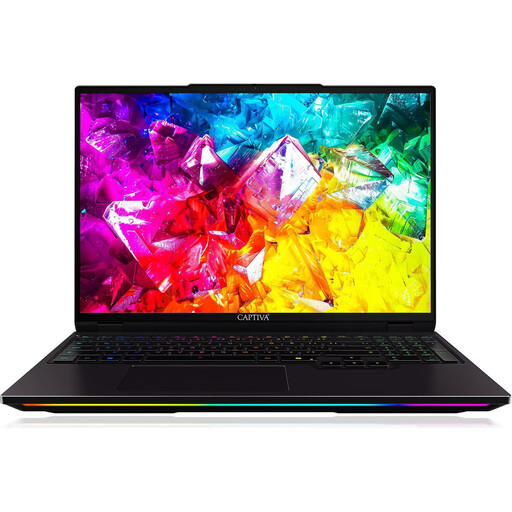
Captiva I92-069 Ultimate Gaming Laptop
This configuration is suited to larger 3D projects and map work on the built-in display.
16-inch WQXGA IPS display with a 300 Hz refresh rate and matte finish; Intel Core Ultra 9 275HX; NVIDIA GeForce RTX 5080 with 16 GB GDDR7; 32 GB DDR5; 1 TB SSD; Windows 11 Home.
View at Joybuy
 No image available
THUNDEROBOT Radiant 16 Gaming Laptop
The listed configuration combines 32 GB of RAM with a matte display for working on maps on your laptop.
16-inch QHD+ display with a 240 Hz refresh rate and matte finish; Intel Core i7-14700HX; RTX 5070 with 8 GB GDDR7; 32 GB RAM; 100% DCI-P3.
View at Joybuy
 No image available
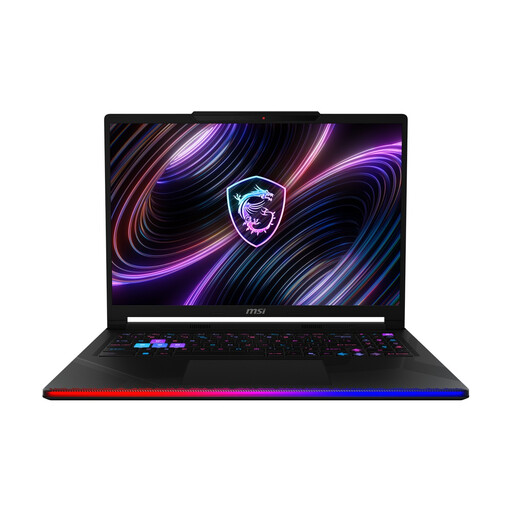
MSI Raider 16 Max HX B2WJ-071
The 16-inch OLED display gives you a built-in workspace for your map and tool windows.
16-inch OLED WQXGA display; Intel Core Ultra 9 290HX; NVIDIA GeForce RTX 5090; 32 GB DDR5 RAM; 2 TB SSD; Windows 11 Home.
View at Joybuy
 No image available
MSI Titan 18 HX Dragon Edition Draco Epic A2WJ-1218
This configuration is designed for larger 3D projects and working on a large built-in display, so it needs plenty of desk space.
18-inch UHD+ Mini LED display with a 240 Hz refresh rate; Intel Core Ultra 9 290HX Plus; NVIDIA GeForce RTX 5090 with 24 GB; 96 GB DDR5; 4 TB SSD; Windows 11 Home. Listed at 3.6 kg and 404 × 307.5 × 24 mm.
View at Joybuy
 No image available
MSI Crosshair 16 Max HX E2WGXK-023
The 16-inch OLED display is useful for working on maps on the built-in screen; make sure the RAM suits the software you use.
16-inch QHD+ OLED display with a 165 Hz refresh rate; Intel Core Ultra 9 275HX; NVIDIA GeForce RTX 5070 with 12 GB; 16 GB DDR5; 1 TB SSD; Windows 11 Home. Its 16 GB of RAM is below the 32 GB recommended by the Blender Foundation and Epic Games for Blender and Unreal Engine respectively.
View at Joybuy
Frequently asked questions
Do I need 32 GB of RAM and 8 GB of graphics memory for every Quest map?
No, not as a general rule. The Blender Foundation and Epic Games recommend these specifications for their respective applications. Unity recommends at least 8 GB of RAM for the Editor and notes that larger projects may need more. Choose based on your software and project size.
What does “without an operating system” mean when buying?
The Lenovo Legion 83F1004BGE configuration is sold without an operating system. If you want to use Windows, check before buying what set-up is required and whether you’ll need a licence. Other configurations may already include Windows.
What should I bear in mind when setting up and cleaning my laptop in the home office?
Keep the ventilation openings clear and clean the device according to the relevant instructions. ASUS warns that dust and blocked vents can affect cooling. Switch off the laptop and unplug the power adapter before cleaning it.
What are my rights in Germany if my laptop is faulty?
Your statutory rights against the seller are separate from any voluntary warranty. If there’s a fault, the first step may be to ask for a repair or replacement; the Verbraucherzentrale explains the seller’s obligations. Any additional manufacturer’s warranty is subject to its own terms and conditions.
Can I return a laptop bought online without giving a reason?
When you buy online from a business seller, you generally have a 14-day right to cancel without giving a reason. The European Commission notes that exceptions may apply and you may have to pay return postage. This online cancellation right doesn’t apply to purchases from private individuals.


