If you play without an external monitor, first compare the screen size and native resolution of the specific laptop configuration. If you play at a fixed desk, a suitable video output may let you use a separate monitor. Choose RAM, processor and graphics memory to suit the game and the maps you plan to play: the developers of Transport Fever 2 recommend 16 GB RAM, while the Railway Empire 2 developers’ FAQ lists 16 GB RAM and 8 GB graphics memory, among other requirements. These recommendations do not guarantee a particular level of performance from a laptop.
Who is this buying decision relevant to?
Players without an external monitor
If you want to keep an eye on routes, cities and menus directly on your laptop, check the display on the complete model configuration rather than relying on the series name alone. MSI lists an 18-inch display with a resolution of 2560 × 1600 pixels for the Raider 18 HX A2WH-1088; HP specifies a 17.3-inch display with a resolution of 1920 × 1080 pixels for the OMEN 17-db1773ng.
Players with large maps
If you plan extensive networks in Transport Fever 2 or play Railway Empire 2, you can compare RAM, processor and graphics memory against the published game requirements. Urban Games also points out that larger maps in Transport Fever 2 use more RAM and usually require more processor power too.
Desk-based players with a monitor
If you mainly play in one place, check the video output on the exact laptop configuration and make sure it matches your monitor. For the Raider 18 HX A2WH-1088, MSI documents HDMI 2.1 and DisplayPort 2.1 via Thunderbolt 5.
What matters when buying?
Large built-in display
A good fit if: you mainly want to view maps and menus directly on your laptop and don’t want to set up a separate monitor.
The trade-off: A larger screen doesn’t automatically mean higher resolution or better gaming performance; MSI lists the Raider 18 HX A2WH-1088 as weighing 3.6 kg with battery.
Laptop with an external monitor
A good fit if: you mainly play at a desk and want to use a larger screen there.
The trade-off: The monitor and, where needed, its cables take up extra space; when you’re out and about, you’ll be using the built-in display. Check the ports, output resolution and refresh rate of the specific laptop configuration.
| Priority |
What to check when buying |
Who it matters most to |
| Clear view on the built-in screen |
Compare the screen size and native resolution of the specific configuration. MSI lists an 18-inch screen with a resolution of 2560 × 1600 pixels for the Raider 18 HX A2WH-1088; HP lists a 17.3-inch screen with a resolution of 1920 × 1080 pixels for the OMEN 17-db1773ng. |
If I want to see maps and menus clearly without an external monitor, I compare the actual display configuration. Around 36% of consumers say a clear view on the built-in screen is their top priority. |
| Headroom for games and large maps |
Check the recommendations for the specific game and the maps you plan to play. Both Transport Fever 2 and Railway Empire 2 recommend 16 GB RAM; the Railway Empire 2 developers’ FAQ also lists 8 GB graphics memory. |
If I’m planning to play large maps or specific railway games, I compare RAM, processor and graphics memory with their requirements. Around 29% of consumers prioritise this kind of headroom for games and maps. |
| Specs that suit the game |
Compare the full model number and specifications. MSI lists 32 GB RAM and an RTX 5070 Ti with 12 GB for the Raider 18 HX A2WH-1088; HP lists 16 GB RAM and an RTX 5070 with 8 GB for the OMEN 17-db1773ng. |
If I don’t want to choose specifications my game doesn’t need, I check the individual components rather than just the GPU class. Around 21% of consumers focus mainly on this comparison. |
| External monitor and portability |
Check the video outputs and supported monitor output for the exact configuration. For the Raider 18 HX A2WH-1088, MSI lists HDMI 2.1, DisplayPort 2.1 via Thunderbolt 5 and a weight of 3.6 kg with battery. |
If I want to connect a large external screen or regularly move my laptop, I consider the ports and portability together. Around 14% of consumers prioritise this. |
Gaming laptop buying pitfalls
-
18 inches doesn’t automatically mean the same image sharpness
The documented 18-inch configurations differ in pixel resolution. Even within the same product range, specific models may have different displays.
Check the screen size and native resolution against the full model number, not just the series name.
-
Minimum requirements don’t guarantee performance on large maps
Transport Fever 2 distinguishes between minimum and recommended requirements. According to the game’s wiki, larger maps need more RAM and, in most cases, more processor power too.
Base your choice on the specific game and the maps you plan to play. System requirements don’t guarantee a particular frame rate.
-
Series specifications don’t necessarily apply to every configuration
ASUS describes a 2.5K display for some models in the ROG Strix G18 range, while the specific G814PP-S8026 configuration is listed with WUXGA.
Before buying, compare the full model number, display and memory for the same configuration.
Brands and specific model ranges
MSI
The Raider 18 HX A2WH-1088 combines an 18-inch QHD+ display with documented outputs for external monitors. For this configuration, MSI lists 32 GB RAM and an RTX 5070 Ti with 12 GB graphics memory.
- For connecting external displays, MSI specifies HDMI 2.1 and DisplayPort 2.1 via Thunderbolt 5.
- MSI lists the laptop as weighing 3.6 kg with battery; bear its weight and power supply in mind when travelling with it.
Acer
The Predator Helios Neo 18 AI NH.QVLEG.001 is a specific 18-inch configuration with a WQXGA Mini LED display. For this model, Acer lists 32 GB RAM and an RTX 5070 Ti with 12 GB graphics memory.
- The display and memory specifications apply to the exact NH.QVLEG.001 model.
- Don’t assume features of the product family apply to other models without checking.
ASUS
The ROG Strix G18 comes in several 18-inch configurations. For the G814PP-S8026, ASUS lists a WUXGA display, 16 GB RAM, an RTX 5070 and a 1 TB SSD.
- This specific configuration offers a clearly defined combination of display, memory and storage.
- Other G18 configurations may have a different resolution; the series description is no substitute for checking the model number.
HP
The OMEN 17-db1773ng is a specific 17.3-inch Full HD configuration. HP lists 16 GB RAM, a 1 TB SSD and an RTX 5070 with 8 GB graphics memory.
- The full model number helps you match the display and graphics card specifications to this configuration.
- The Full HD resolution is not the same as the higher-resolution displays found on other OMEN configurations.
Medion
The ERAZER Defender 17 P10 is a 17.3-inch Full HD laptop in the documented configuration. Medion lists 32 GB RAM, an RTX 5070 and a 1 TB SSD.
- These specifications apply to the Defender 17 P10 configuration described.
- A large screen alone doesn’t tell you anything about higher pixel resolution or gaming performance.
Joybuy laptops with large displays
The following Joybuy picks focus on gaming laptops with large built-in displays for railway management games.
 No image available
MSI Titan 18 HX Dragon Edition Draco Epic A2WJ-1218
The 18-inch display is useful if you play directly on the laptop; make sure its high-end specifications match your actual gaming requirements.
Intel Core Ultra 9 290HX Plus, RTX 5090 with 24 GB, 96 GB DDR5, 4 TB SSD and UHD+ Mini LED display with 240 Hz.
View at Joybuy
 No image available
MSI Raider 18 HX A2WH-1088
This 18-inch configuration is for anyone who wants to view maps and menus on the built-in screen; check the resolution of the exact model.
Intel Core Ultra 9 275HX, RTX 5070 Ti with 12 GB, 32 GB DDR5, 1 TB SSD and QHD+ display with 240 Hz.
View at Joybuy
 No image available
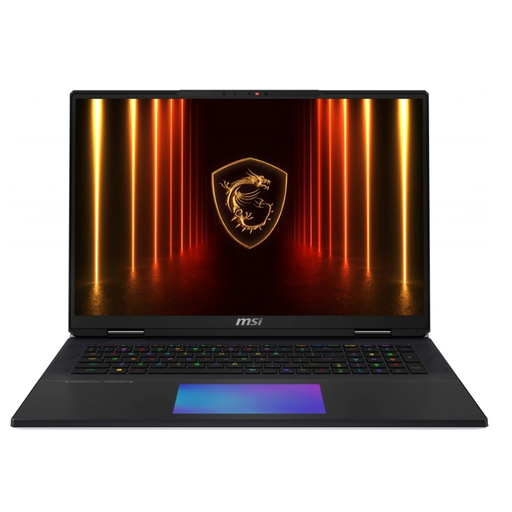
MSI Titan 18 HX AI A2XWJG-656
The 18-inch format gives you a large built-in screen; whether the specifications suit your game depends on its requirements and your settings.
Intel Core Ultra 9 285HX, RTX 5090 with 24 GB, 64 GB RAM, 6 TB SSD and UHD+ Mini LED display.
View at Joybuy
 No image available
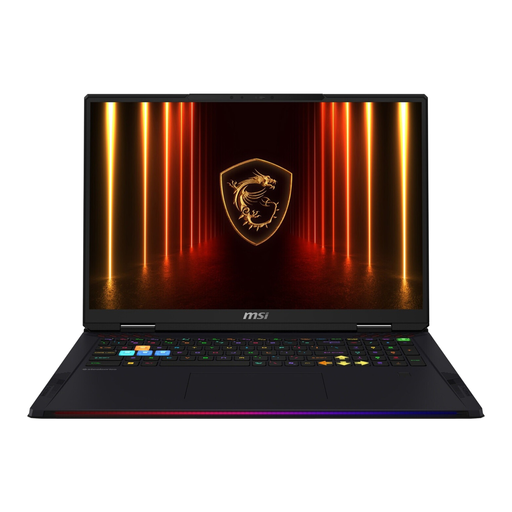
MSI Raider 18 HX AI A2XWJG-074
If you play directly on your laptop, the 18-inch display is an important point of comparison; check the exact configuration before choosing.
Intel Core Ultra 9 285HX, RTX 5090 with 24 GB, 64 GB RAM, 4 TB SSD and UHD+ display.
View at Joybuy
 No image available
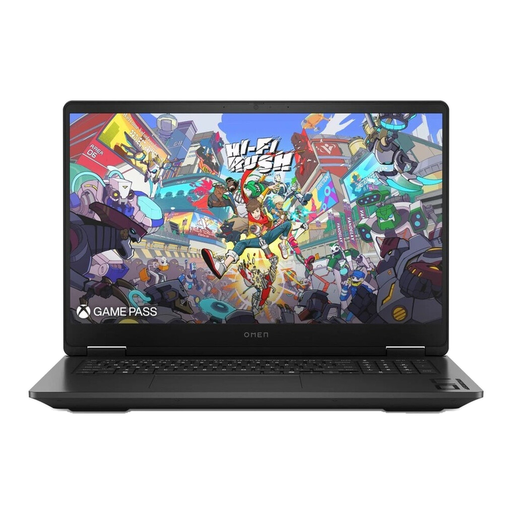
HP OMEN 17-db1077ng
This 17.3-inch configuration is an alternative if you’re looking for a large built-in screen; check the resolution of this specific model.
AMD Ryzen AI 7 350, RTX 5070 with 8 GB, 24 GB RAM, 1 TB SSD and QHD display.
View at Joybuy
Frequently asked questions
Is 16 GB RAM enough for the railway games mentioned?
16 GB RAM matches the published recommendations for Transport Fever 2 and Railway Empire 2. The Transport Fever 2 wiki also lists at least 16 GB for experimental map sizes; this doesn’t guarantee performance with every mod collection or frame rate.
What should I check before connecting a large external monitor?
Check that the video output on the exact laptop configuration matches the monitor’s inputs and the resolution and refresh rate you want. For the Raider 18 HX A2WH-1088, MSI documents HDMI 2.1 and DisplayPort 2.1 via Thunderbolt 5; these specifications don’t automatically apply to other laptops.
What can I try if I have display problems in Transport Fever 2?
For a black screen, the official Transport Fever 2 wiki suggests pressing Alt+Enter to switch to windowed mode, then checking the display settings. This won’t necessarily resolve every cause of the problem.
What rights do I have when buying a laptop online in Germany?
For qualifying distance sales, you generally have a 14-day right to cancel. This is separate from your statutory rights if the product is faulty: the European Union’s consumer information states that you’re entitled to a minimum two-year guarantee from the date you receive the goods. A voluntary manufacturer’s warranty is separate.


