Which buying priorities should you weigh up?
Decide on the game, edition and visual experience you want first. Then compare the exact display and component configuration. If you’ll be carrying your laptop around regularly, check its weight and dimensions too.
| Buying priority |
What to check when buying |
Who is this important to? |
| Screen size and resolution |
Compare the diagonal size and native resolution of the complete model variant; don’t assume that the range’s general specifications match the features of a specific laptop. |
If I mainly build worlds in one place, the size of the built-in display matters most to me. Around 31% of consumers put screen size first. |
| Suitability for the game |
Decide on the game, edition, target resolution and add-ons, then compare the publisher’s requirements with the CPU, RAM and GPU in the specific configuration. |
I want the specifications to suit the game I actually play and its settings. Around 25% of consumers prioritise their game’s requirements. |
| Graphics mode you want |
For Minecraft Bedrock with ray tracing, check Microsoft’s requirements individually, including a GPU capable of DirectX hardware ray tracing and 64-bit Windows. |
If I specifically want to use a particular graphics mode, I check its requirements before choosing a GPU. Around 19% of consumers make their preferred graphics mode their main priority. |
| Specifications to suit your needs |
Check the complete model number and the components in the laptop on offer, rather than applying specifications from different variants in the same product family. |
I want to choose a configuration that meets my game’s requirements and avoid paying for performance I don’t need. Around 13% of consumers focus above all on getting the right specifications. |
| Portability and screen size |
Compare the diagonal size with the published dimensions and weight of the specific model; screen size alone doesn’t tell you how easy a laptop is to carry. |
If I play in different places, I need to weigh up a larger display against a laptop I can take with me. Around 12% of consumers put portability first. |
Joybuy laptops for a larger playing area
The Joybuy models below are gaming laptops with 18-inch displays, designed for playing directly on the laptop. The same screen size doesn’t mean the same resolution or specifications, so compare these details with your game’s requirements.
 No image available
MSI Titan 18 HX Dragon Edition Draco Epic A2WJ-1218
An 18-inch model to consider if a large built-in display and UHD+ resolution suit the way you plan to play.
UHD+ at 3840 × 2400 pixels; RTX 5090 with 24 GB; 96 GB DDR5; 4 TB SSD; 240 Hz Mini LED display; Intel Core Ultra 9 290HX Plus; Windows 11 Home. Compare the configuration with your game’s requirements and the resolution you want.
View at Joybuy
 No image available
MSI Raider 18 HX A2WH-1088
This 18-inch model is worth considering if you want to compare large displays with QHD+ resolution.
QHD+ at 240 Hz; RTX 5070 Ti with 12 GB; 32 GB DDR5; 1 TB SSD; Intel Core Ultra 9 275HX; Windows 11 Home. These specifications describe the configuration, not a guaranteed frame rate in a particular game.
View at Joybuy
 No image available
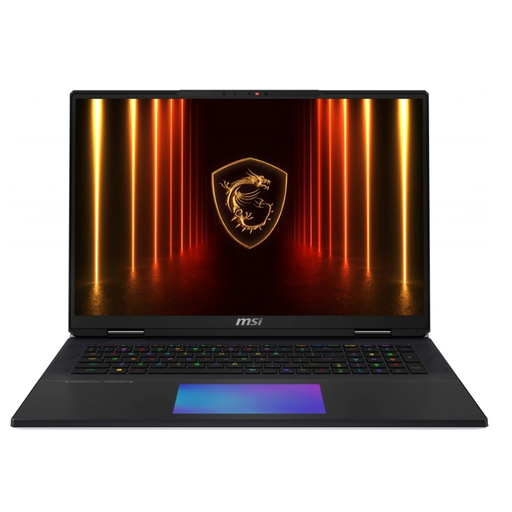
MSI Titan 18 HX AI A2XWJG-656
An 18-inch model to compare if you’re looking for a large built-in playing area and want the specifications to suit your game.
Intel Core Ultra 9 285HX; 64 GB RAM; 6 TB SSD; RTX 5090 with 24 GB; UHD+ Mini LED display. Check the full display specifications for this model and your game’s requirements before choosing a resolution.
View at Joybuy
 No image available
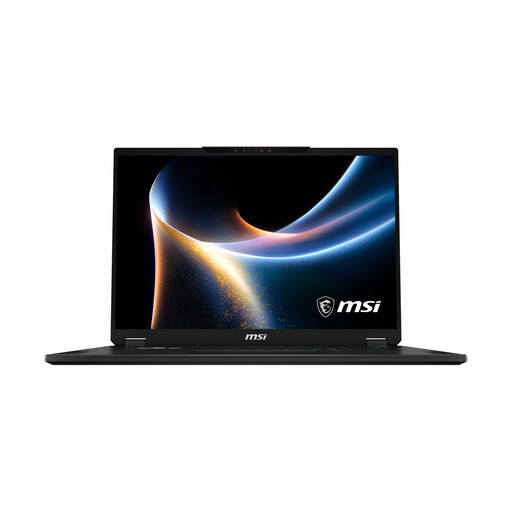
MSI Stealth 18 HX
This 18-inch model is an option to compare if you want a high native resolution on your laptop.
Mini LED display at 3840 × 2400 pixels; RTX 5080 with 16 GB; Intel Core Ultra 9 290HX; 32 GB RAM; 2 TB SSD; Windows 11 Home. Display resolution alone doesn’t tell you what frame rate a particular game will achieve.
View at Joybuy
 No image available
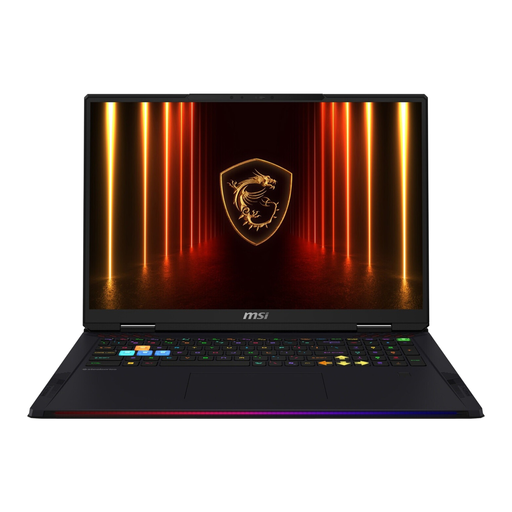
MSI Raider 18 HX AI A2XWJG-074
Compare this 18-inch model with other options if UHD+ resolution suits the way you plan to use it.
UHD+; RTX 5090; Intel Core Ultra 9 285HX; 64 GB RAM; 4 TB SSD. Before choosing, check the full display specifications and make sure the configuration meets your game’s requirements.
View at Joybuy
Frequently asked questions
Are the published Minecraft Java recommendations enough for a large world at a higher resolution?
No, they don’t guarantee performance at higher resolutions. Mojang specifically describes its recommended target as 1080p at 60 FPS with the “Fancy” setting; it doesn’t guarantee a particular frame rate at higher resolutions or with additional add-ons.
What do I need to set up for Minecraft Bedrock with ray tracing?
If you’re planning to use this specific mode, Microsoft lists requirements including 64-bit Windows, a GPU capable of DirectX hardware ray tracing and Minecraft version 1.16.200 or later. This guidance doesn’t automatically apply to Minecraft Java.
What should I bear in mind before long gaming and building sessions?
Keep the ventilation openings clear, following the relevant manufacturer’s guidance, and use the power supply specified for your particular laptop. Check the device-specific care and power supply instructions before use.
What are my rights when buying a laptop online in Germany?
For eligible distance sales, you generally have a statutory right to cancel; exceptions and conditions may apply. For faulty goods or items that don’t match their description, the European Union provides for a minimum two-year legal guarantee from the seller. This is separate from any voluntary manufacturer’s warranty.
How should I dispose of an old laptop?
Old laptops should be collected and disposed of separately as electrical waste. Germany’s Federal Ministry for the Environment explains that online retailers must also provide take-back options; check the details of returning your laptop with the retailer.


