Gamers short on desk space
If you need room for a mouse, cables and power adapter as well as your laptop, compare the dimensions of the specific model with the free space on your desk.


Choose a laptop based on the space its chassis, mouse, power adapter and cables will take up on your desk, then check the requirements of the specific games you play. Compact 14- to 14.5-inch models are worth comparing; a larger screen may also work if there’s still enough room for your accessories. You don’t need an especially powerful graphics card simply because you play strategy games.
If you need room for a mouse, cables and power adapter as well as your laptop, compare the dimensions of the specific model with the free space on your desk.
If you spend a long time looking at game maps and menus, weigh screen readability against the space the device takes up.
Choose the specifications to suit the games you actually play, and check the requirements against the full laptop configuration.
First, measure the free space on your desk, including room for your mouse and cables. Then consider how your games look on screen and check the specifications against the requirements of the specific titles you play.
| What matters | What to check before buying | Who is this important to? |
|---|---|---|
| Desk space | Compare the available desk width and depth with the dimensions of the exact model variant, and check where its ports are positioned. | If I need to fit my mouse, power adapter and cables alongside my laptop, I measure the available space first. Around 36% of consumers prioritise the space a device takes up. |
| Suitability for games | Compare the requirements of each game you want to play with the processor, memory and graphics in the full model configuration. | I choose specifications to suit the games I actually play rather than automatically going for the most powerful graphics card. Around 29% of consumers focus primarily on how well a device suits their games. |
| Readability | Consider the screen size, resolution and available scaling options together. | If I spend a long time reading maps and menus, I check the text size and how everything looks on screen, while keeping the desk space I need in mind. Around 21% of consumers put readability first. |
| Exact model variant | Check the full model name, along with the processor, RAM and GPU specifications for the specific version on sale. | I want to make sure the stated specifications apply to the exact variant I’ve chosen. Around 14% of consumers pay particular attention to clearly identifying the configuration. |
The screen size doesn’t tell you how much desk space the chassis, mouse and connected cables will take up.
Measure the space you have and compare it with the dimensions of the exact model variant.
Processor, memory and graphics card specifications can vary between versions in the same product line.
Check the full model name and the technical specifications of the specific device.
A voluntary guarantee is not the same as your statutory rights against the seller. The EU’s guidance on buying goods states that statutory consumer rights are protected for a minimum of two years.
Check who the seller is, and read the guarantee terms as well as the information about your statutory rights.
The Nitro V 14 and Nitro V 14 AI are compact gaming laptop lines with configurations worth comparing.
OMEN Transcend 14 is a compact gaming laptop line, so it’s important to check the exact version when comparing models.
The Stealth 14 AI Studio range includes 14-inch models for gaming and other demanding uses.
The ROG Zephyrus G14 is a compact gaming laptop line, and ASUS says specifications may vary by SKU.
The Legion Slim 5 Gen 8, with its 14.5-inch screen, is another range to consider when comparing screen size and space requirements.
These compact laptops are worth comparing for their footprint and screen features. For each model, check the requirements of your games and the graphics specifications of the exact version; not every device is described as a gaming laptop.
 No image available
A compact laptop to consider when comparing desk space: check the graphics against the requirements of the specific games you play.
2.8K OLED screen with 120 Hz; Intel Core Ultra 7 355; 16 GB RAM; 1 TB SSD.
 No image available
This gaming configuration is worth comparing for a compact setup; check its specifications against the requirements of your games.
14.5-inch WUXGA IPS, 120 Hz; Ryzen AI 7 350; 16 GB DDR5; RTX 5050 with 8 GB GDDR7; 1,000 GB SSD.
 No image available
Compare this compact gaming version with the requirements of the games you play, and note the difference between it and the Ryzen AI 7 version.
14.5-inch WUXGA IPS, 120 Hz; Ryzen AI 5 340; 16 GB DDR5; RTX 5050 with 8 GB GDDR7; 1,000 GB SSD.
 No image available
A compact laptop to compare for its footprint and screen; check the integrated graphics against the requirements of your games.
14-inch 3K OLED screen with 120 Hz; Intel Core Ultra 7 356H; 16 GB RAM; 1 TB SSD.
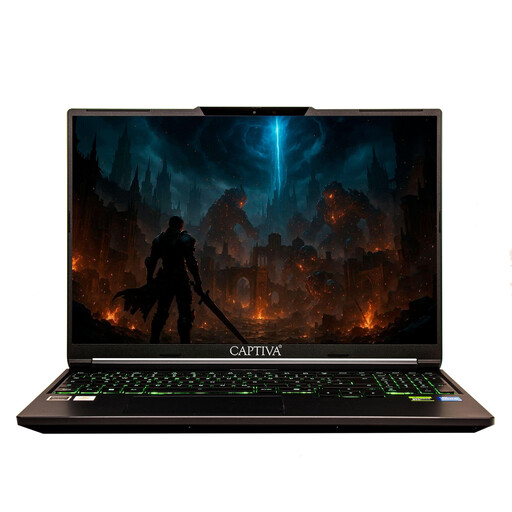 No image available
A compact laptop to consider when comparing desk space: before choosing, check whether the integrated graphics can handle your games at the settings you want.
14-inch FHD IPS screen; Ryzen 7 255; 16 GB RAM; 500 GB SSD.
No, not simply because of the genre. Compare the requirements of each specific game with the full laptop configuration and the visual settings you want. The published minimum requirements for Civilization VI don’t tell you how other games will perform.
Measure the available space and allow room for your mouse, power adapter and connected cables. Check the dimensions and port positions of the specific model; screen size doesn’t tell you how much desk space it needs.
Keep the ventilation openings clear and don’t place the laptop on soft surfaces that could block them. Check the instructions for the exact version for guidance on positioning, cleaning and upgrade options.
For online orders, consumers generally have 14 days from receiving the goods to notify the seller that they wish to cancel, as explained by the Verbraucherzentrale. This is separate from what happens if goods are faulty: the EU’s guidance on buying goods states that statutory consumer rights are protected for a minimum of two years. A voluntary manufacturer’s guarantee doesn’t replace these rights.
The Bundesnetzagentur recommends checking, among other things, the labels, manufacturer details and German-language instructions and safety warnings on electrical and wireless products. Online retailers that are required to do so must also take back old electrical equipment; check with the retailer which return option applies to your device.