Choose a gaming laptop based first on the requirements of the particular strategy game you want to play and whether it’s compatible with your headset – the ‘gaming’ label doesn’t guarantee either. For long sessions, you’ll also want a clear, easy-to-read display and reliable information about fan noise and portability. The official requirements for Civilization VII and XCOM 2 differ; manufacturer specifications and individual reviews don’t prove how every configuration will perform (Civilization Support; 2K Support; CHIP).
Who this guide is for
Strategy gamers with a headset already
If you want to keep using your headset, check the ports on the exact laptop configuration against your headphone plug. For Bluetooth voice chat, you’ll also need to check that both the PC and headset support it, and that you have the right drivers and a compatible version of Windows (Microsoft Support; ASUS Germany).
Players of more demanding campaigns
Compare the requirements of the specific games you want to play with the laptop’s full specification, rather than assuming all turn-based games are alike. Civilization Support and 2K Support publish different requirements for Civilization VII and XCOM 2.
Players who enjoy long sessions in different locations
Look for a screen that makes maps and menus easy to read, as well as information about battery life and fan noise. CHIP’s review of the Lenovo LOQ 15IRX10 shows that battery life varies depending on how you use it. Its results apply to the configuration tested and aren’t an estimate of battery life while gaming.
What to look for when buying
First, check the most demanding game you plan to play and your headset against the specific laptop configuration. Then consider the display, fan noise and portability to work out the right compromises for long sessions.
| What matters when buying |
What to check |
Who it matters most to |
| Headset and voice chat |
For a wired connection, check that the plug and socket match on the exact configuration. For Bluetooth voice chat, Microsoft Support lists LE Audio, a compatible version of Windows and the right drivers among the requirements for stereo sound when using a microphone. |
If I want to keep using my existing headset, I’ll check the ports first, and voice chat support too if it’s Bluetooth. Around 27% of consumers put headset compatibility first. |
| Performance for the game you want to play |
Compare the official requirements of the most demanding game you plan to play with the processor, graphics, RAM, operating system and storage of the exact configuration. Civilization Support and 2K Support list different requirements for Civilization VII and XCOM 2. |
If I mainly want to play a particular strategy game, I’ll compare its requirements with the laptop rather than pay for top-end performance I don’t need. Around 27% of consumers put the right performance for their game first. |
| Clear maps and menus |
Check the screen size, native resolution and aspect ratio of the exact configuration, and compare them with the desk or travel space you’ll use. ASUS Germany and MSI Germany provide these specifications for their respective models. |
For long sessions, I want to be able to see maps and menus clearly on the built-in screen, without overlooking the space I have available. Around 20% of consumers prioritise a clear view of the screen. |
| Fan noise |
Look for independent measurements of the exact configuration under load. Lenovo Support also recommends using a hard, flat surface and keeping the vents clear. |
If I play in the same place for a long time, I want to know in advance how noisy the fans get under load. Around 13% of consumers put noise levels first. |
| Portability and battery use |
Allow for the weight of the laptop and the power supply you’ll need. When checking battery-life tests, note how the device was used and how it was tested. CHIP’s review of the Lenovo LOQ 15IRX10 applies to that specific configuration. |
If I play in different locations, I want to know what I’ll need to carry, including the power supply, and how the battery life was measured. Around 13% of consumers prioritise portability. |
Common buying misconceptions
-
Bluetooth automatically means stereo sound for voice chat
For stereo sound while using the microphone, your PC, headset, drivers and version of Windows all need to be compatible. A Bluetooth label alone doesn’t confirm this (Microsoft Support).
Check that both devices support the feature and meet the system requirements. For wired headphones, check that the plug and socket match instead.
Depending on the ports available, you may need a different headset or a suitable connection adapter.
-
Every gaming laptop is suitable for every strategy game
The official requirements for Civilization VII and XCOM 2 differ. So the category label alone can’t tell you whether a particular configuration will suit your game and preferred settings (Civilization Support; 2K Support).
Decide which demanding game you’re most likely to play and what settings you want, then compare its requirements with the exact configuration.
-
Video playback battery life is the same as gaming battery life
CHIP recorded different battery-life results for the Lenovo LOQ 15IRX10 it tested, depending on how it was used. Video playback time therefore doesn’t tell you how long the battery will last while gaming.
Check how the test was carried out and whether you’ll have access to a power socket where you plan to use the laptop.
If you play in different locations, you may need to carry the power supply with you.
Key brands at a glance
ASUS
For the TUF Gaming A16 FA608UH-RV027W, ASUS Germany lists a 16:10 display and a 3.5 mm combo audio jack – details that may be useful when checking compatibility with your headphones and comparing screens.
- The port and display specifications can help you compare a specific configuration with your needs.
- Manufacturer information about the battery and cooling isn’t the same as independently measured gaming battery life or fan noise.
Lenovo
CHIP has published an independent review of the LOQ 15IRX10 83JE001RGE; the results apply to the device tested.
- CHIP gives the tested configuration a positive assessment for Full HD performance.
- The review notes short battery life and limitations at higher resolutions. Its findings don’t apply to every LOQ configuration.
MSI
For the Katana 15 HX B14WFK-487, MSI Germany lists a 15.6-inch Full HD display, 16 GB RAM and an RTX 5060 Laptop GPU, among other specifications.
- The official specifications let you compare the configuration with the requirements of a particular game.
- Manufacturer specifications don’t tell you how noisy the laptop is while gaming or whether it’s compatible with a particular headset.
HP
For the Victus 15-fb3770ng, HP lists 16 GB RAM and a 15.6-inch Full HD display, among other specifications.
- The model specifications give you specific details to compare with your display and gaming requirements.
- Manufacturer claims about smooth gameplay aren’t an independent performance test for turn-based strategy games.
Gaming laptops on Joybuy
The Joybuy options below are gaming laptops with stated display and graphics specifications. Compare the exact configuration with your game’s requirements, and check headset compatibility separately.
 No image available
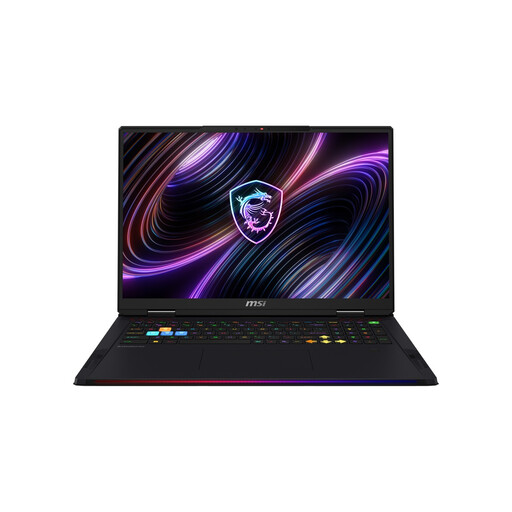
MSI Raider 18 Max HX A2WI-1075
Compare the specific configuration with the requirements of your most demanding game. Individual components alone don’t guarantee a particular level of performance in any given title.
18-inch Mini-LED WQUXGA display; Intel Core Ultra 9 290HX; NVIDIA GeForce RTX 5080; 32 GB RAM; 2 TB SSD; Windows 11 Home.
View on Joybuy
 No image available
HP OMEN 16-ap1099ng
If you’re considering a 16-inch display, compare its resolution and components with the requirements of your game.
16-inch QHD display; AMD Ryzen 9 8940HX; 24 GB RAM; 1 TB SSD; NVIDIA GeForce RTX 5070; Windows 11 Home.
View on Joybuy
 No image available
HP OMEN 16-ap1071ng
The display specifications can help you compare screen options, but you’ll still need to check the requirements of the specific game you want to play.
16-inch QHD display; AMD Ryzen 7 8745HX; 16 GB RAM; 1 TB SSD; NVIDIA GeForce RTX 5060; Windows 11 Home.
View on Joybuy
 No image available
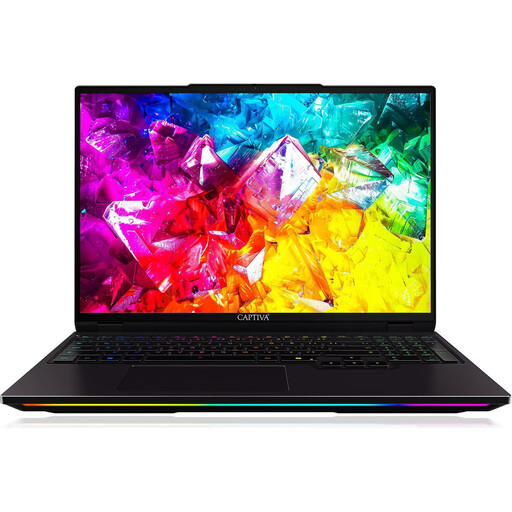
Captiva I92-069
If you’re considering a high refresh rate, check whether it’ll make a difference for the games and settings you use.
16-inch WQXGA IPS display with 300 Hz; Intel Core Ultra 9 275HX; NVIDIA GeForce RTX 5080 with 16 GB GDDR7; 32 GB DDR5; 1 TB SSD; Windows 11 Home.
View on Joybuy
 No image available
MSI Stealth A16 AI+ Mercedes-AMG Motorsport A3XWGG-052
If you’ll be using it in different locations, take its weight and battery into account too. These details alone don’t indicate how long it will last while gaming.
16-inch QHD+ display; Ryzen AI 9 370; 32 GB RAM; 2 TB SSD; RTX 5070; Windows 11.
View on Joybuy
Frequently asked questions
Do I need the same graphics card for every turn-based strategy game?
No. Compare the official minimum and recommended requirements for each game you actually want to play. The published requirements for XCOM 2 and Civilization VII differ (2K Support; Civilization Support).
Why does my Bluetooth headset sound different when I turn on the microphone?
According to Microsoft Support, stereo sound while using the microphone requires LE Audio support on both the PC and headset, as well as a compatible version of Windows and the right drivers. Check the specifications of both devices – Bluetooth alone doesn’t guarantee this feature.
How should I set up my laptop for longer gaming sessions?
Place it on a hard, flat surface and keep the vents clear. Lenovo Support’s general guidance notes that soft or uneven surfaces can block ventilation. You should also follow the instructions for your specific model.
What are my rights when buying online from a trader?
For distance purchases, you generally have 14 days from delivery to cancel your order, subject to the relevant exceptions. Under EU law, new goods that are faulty are covered by a legal guarantee of at least two years. This is separate from any additional manufacturer’s warranty (Your Europe, European Union).


