What should you look for when buying?
First, compare your games’ requirements with the laptop’s exact specification. Then check that its noise levels, price and features suit your workspace.
| What matters to you |
What to check before buying |
Who is this especially important for? |
| Game requirements and graphics |
Compare the latest requirements for the games you play with the CPU, laptop GPU, graphics memory, RAM and target resolution. Where possible, look for tests of the exact model using comparable settings. |
If you want to play specific survival games with your preferred settings, make sure the laptop matches those requirements. Around 33% of consumers prioritise suitable gaming performance. |
| Fan noise and placement |
Look for noise measurements taken under a comparable gaming load, and check that the vents will remain unobstructed on a hard, flat surface. |
If you work and play at the same desk, you’ll want to avoid distracting noise and make sure the laptop’s placement doesn’t restrict airflow. This is a priority for around 27% of consumers. |
| Price and exact specification |
Compare the full model number, operating system, RAM and SSD, as well as any documented upgrade options for the specific model. |
If you only want to pay for features you’ll actually use, comparing the exact models is essential. Around 27% of consumers prioritise price and a suitable specification. |
| Working in the same space |
Check the screen size and ports for your monitor, and measure the space available on your desk. Only compare battery test results when the stated usage matches your own. |
If you’ll be working on your laptop as well as gaming, consider the screen and ports without overlooking how much desk space you have. For around 13% of consumers, using the same space for work and gaming is their main concern. |
Gaming laptops at Joybuy
These are gaming laptops designed for desk use. Compare the specification of each model with your games’ requirements and the space available in your home office.
 No image available
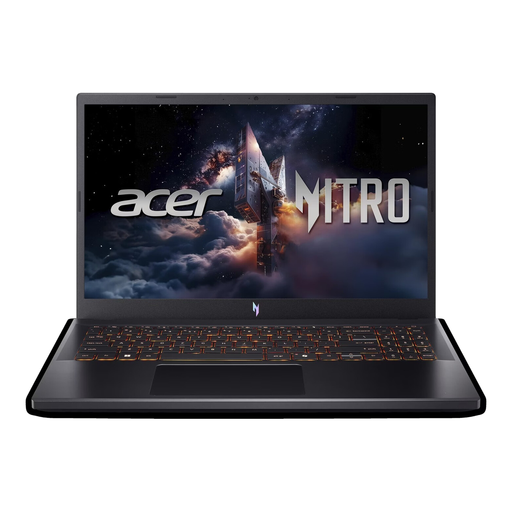
Acer Nitro V 15 ANV15-52-592S
For comparing a Full HD gaming configuration with a 15.6-inch display.
Intel Core i5-13420H, NVIDIA RTX 5050 with 8 GB, 16 GB DDR4 RAM and a 512 GB SSD.
Full HD at 165 Hz; Thunderbolt 4 and Windows 11 Home.
Joybuy
 No image available
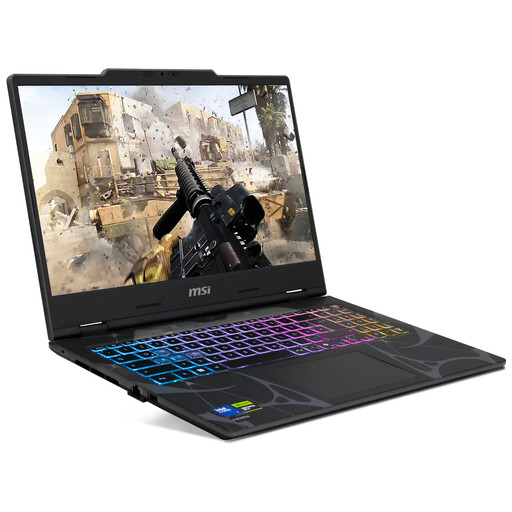
MSI Cyborg 15 B2RWEKG-067
A Full HD configuration to compare with the requirements of the games you play.
Intel Core 7 240H, NVIDIA RTX 5050, 16 GB DDR5 RAM and a 512 GB SSD.
15.6-inch Full HD display with a 144 Hz refresh rate, Windows 11 Home and QWERTZ keyboard.
Joybuy
 No image available
THUNDEROBOT Radiant 16
For comparing a 16-inch configuration with a specified RTX 5070 graphics card.
Intel Core i7-14700HX, RTX 5070 with 8 GB GDDR7 and 32 GB RAM.
16-inch display with a 240 Hz refresh rate; the product specifications state a GPU power rating of 115 W. HDMI, USB-C and Mini DisplayPort are listed.
Joybuy
 No image available
HP OMEN MAX 16-ah0698ng
A generously specified configuration. Compare its resolution and graphics card with the requirements of your games.
Intel Core Ultra 9 275HX, GeForce RTX 5090 with 24 GB, 64 GB RAM and a 2 TB SSD.
16-inch WQXGA OLED display with a 240 Hz refresh rate and Windows 11 Home; HDMI 2.1 and two Thunderbolt 4 ports.
Joybuy
 No image available
HP OMEN MAX 16-ak0693ng
For comparing a WQXGA configuration with a specified RTX 5070 Ti graphics card.
AMD Ryzen AI 9 HX 375, GeForce RTX 5070 Ti with 12 GB, 32 GB RAM and a 1 TB SSD.
16-inch WQXGA display with a 240 Hz refresh rate, Windows 11 Home and Wi-Fi 7.
Joybuy
Frequently asked questions
What technical requirements does a laptop need to meet for my survival games?
Compare the latest requirements for each game you plan to play with the CPU, GPU, RAM, operating system and storage in the laptop’s full specification. “Survival game” doesn’t refer to a single set of minimum requirements. Keen Games publishes the latest system requirements for Enshrouded, but these don’t guarantee a particular level of performance on any specific laptop.
How should I position my laptop on my home office desk?
Lenovo recommends placing the laptop on a hard, flat surface to avoid unnecessarily restricting airflow. Also check the guidance for your specific model and keep the vents clear. Gaming can put more strain on the CPU and GPU, which may make the fans more noticeable.
What’s the difference between returns and faults?
When you buy online from a trader, you generally have a 14-day right to cancel, although exceptions apply and the exact date the period starts should be checked. Separately, you have statutory rights if goods are faulty: the European Union’s consumer information states a minimum period of two years from receipt of the goods. A voluntary manufacturer’s warranty does not replace these rights against the seller.
What conformity information should I check for a laptop with Wi-Fi or Bluetooth?
When carrying out market surveillance, the German Federal Network Agency checks, among other things, the CE marking, product and manufacturer details, a German-language manual with the required information, and the declaration of conformity. This relates to checking the product itself and is not a special authorisation for gaming or working from home.


