Mapping by a bright window
If you draw and check elevation maps on the built-in screen, the finish and usable brightness of the specific display matter. Lenovo PSREF lists a matt IPS display for the Legion Pro 5 16ADR10, model 83LT004NGE.


If you mainly work with 2D elevation models and hillshading, start by checking the specific display in bright conditions and the requirements of your mapping software. A particularly powerful gaming graphics card isn’t automatically essential. Graphics and memory become more important for interactive 3D terrain or additional work in a 3D application. For every configuration, compare the matt or glossy finish separately from the stated display brightness: QGIS describes different 2D and 3D workflows, while Lenovo’s specifications show that even models with 500 cd/m² can have different display finishes.
If you draw and check elevation maps on the built-in screen, the finish and usable brightness of the specific display matter. Lenovo PSREF lists a matt IPS display for the Legion Pro 5 16ADR10, model 83LT004NGE.
For interactive terrain views or further work in a 3D application, check the required system and graphics memory alongside the display, based on the software you use. QGIS includes a dedicated 3D map view.
If you don’t always work at the same desk, consider the screen size, device weight, power adapter and ports you need in relation to how you travel and the workspaces available. Lenovo PSREF provides these details for model 83LT004NGE, for example, but they don’t automatically apply to other configurations.
First, decide whether you’ll mainly work with 2D elevation maps, explore 3D terrain or use a game engine. You can then weigh up the display, memory and portability based on how you actually work.
| Consideration | What to check | Who is it important to? |
|---|---|---|
| Screen visibility by a window | The display finish and standard brightness rating for the exact configuration; distinguish these from HDR peak brightness. | When I check maps in daylight, I want to limit reflections and make out the terrain features. That’s why around 39% of consumers put screen visibility first. |
| Performance for terrain work | Check the software and version you use, the size of your datasets, and the system and graphics memory you actually need. | For interactive 3D scenes, I want to move around or edit the terrain without assuming that different programmes have the same requirements. Around 31% of consumers prioritise 3D performance for this kind of work. |
| Working in different locations | Check the dimensions, weight and power adapter, as well as the specific ports you need. | When I work in different locations, I want to balance screen space and features with the effort of carrying my laptop. Around 15% of consumers say portability is their main concern. |
| Cost and memory requirements | Plan your workflow, then check the RAM and SSD configuration and any available slots on the exact model. | If my projects might grow over time, I want to start with a configuration that suits how I use it. Around 15% of consumers prioritise cost and the potential to expand the storage. |
QGIS describes both hillshading from an elevation model and a dedicated 3D map view. The recommendations of 32 GB RAM and at least 8 GB of graphics memory in the Unreal Engine documentation relate to the Windows workflow described there; they are not general minimum requirements for QGIS.
HDR peak brightness and the brightness across a larger area of the screen are different measurements. The finish also affects how much light is reflected by the display.
For the exact configuration, check whether the finish is matt or glossy and what standard display brightness is stated. Take the position of your workspace into account, too.
QGIS describes both hillshading from an elevation model and a separate 3D map view. The requirements therefore depend on the tasks and applications you actually use.
Before buying, decide whether you’ll mainly do 2D analysis, interactive 3D navigation or work with a game engine, then compare the requirements of the relevant software.
Configurations in the same range can have different display finishes, which matter when working by a bright window. Lenovo lists a matt display for the Legion Pro 5 83LT004NGE, while the Legion Pro 7i 83F500K4GE is listed with a glossy OLED display.
Check the full model number and the display description for the specific listing against the manufacturer’s specifications.
Specific Legion configurations show why the full model number and display variant matter when comparing laptops.
The OMEN range includes gaming laptops. Check the exact specifications and display details of each configuration to make sure it suits your workflow.
The Vector 16 HX AI range is another performance-focused laptop line to consider for interactive 3D work.
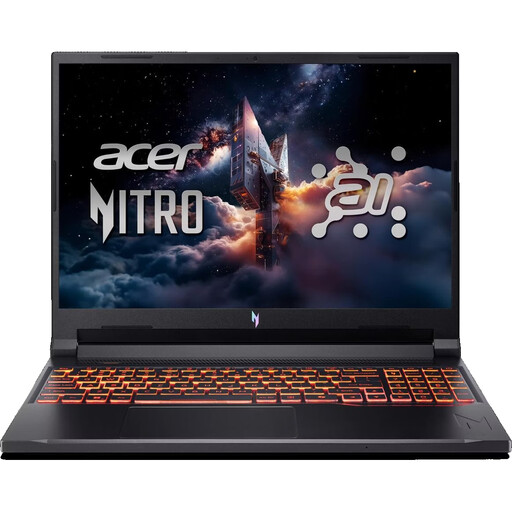
This selection features gaming laptops for interactive 3D terrain work. Check the display finish, memory and ports against your needs and the specifications of the exact configuration.
 No image available
The listed anti-glare IPS finish may be useful in a workspace with incoming daylight; compare the display details with the position of your window.
14.5-inch WUXGA display (1920 × 1200) with 120 Hz; AMD Ryzen AI 7 350; NVIDIA GeForce RTX 5050 with 8 GB GDDR7; 16 GB DDR5; 1,000 GB PCIe Gen4 SSD; stated weight: 1.60 kg.
The listing specifies an English international keyboard.
 No image available
The listed anti-glare IPS finish is worth checking for a bright workspace; make sure the configuration suits your interactive 3D requirements.
16-inch WUXGA display with 180 Hz; AMD Ryzen 7 260; NVIDIA RTX 5070 with 8 GB; 32 GB DDR5; 1 TB SSD. HDMI 2.1 and DisplayPort are listed as ports.
 No image available
The listing specifies an 18-inch display for maps and tools. If you often change workspaces, consider the desk space it needs and its stated weight.
QHD+ IPS display with 240 Hz; Intel Core Ultra 9 275HX; NVIDIA GeForce RTX 5070 Ti with 12 GB; 32 GB DDR5; 1 TB SSD; stated weight: 3.6 kg.
Keep the vents clear during use; a 400 W power adapter is specified.
 No image available
The listed anti-glare IPS finish and brightness are useful points of comparison for a spot by a bright window; check the specifications of the configuration on offer.
16-inch WQXGA display with 240 Hz and 500 cd/m²; AMD Ryzen AI 9 HX 375; 32 GB RAM; 1 TB SSD; GeForce RTX 5070 Ti with 12 GB; stated weight: 2.66 kg.
Keep the vents clear during use.
 No image available
The listing specifies a 16-inch display and a dedicated graphics card. Check the display features for your workspace by the window, as well as the requirements of your 3D application.
QHD+ display with 240 Hz; AMD Ryzen 7 7745HX; NVIDIA GeForce RTX 5060; 16 GB DDR5; 1 TB SSD. The listed ports are two USB-C ports, HDMI and Mini DisplayPort.
Use the laptop on a hard, flat surface to keep the vents clear.
No, not simply because the map contains elevation data: QGIS also describes hillshading from an elevation model. For interactive 3D scenes or work with an additional game engine, check the requirements of the specific application.
Check the finish of the specific display and its stated standard brightness; don’t assume an HDR peak brightness figure means the same thing. HP’s guide to display brightness distinguishes between peak and sustained brightness, while actual visibility depends on your workspace and the configuration.
Not necessarily: Lenovo describes the Legion Pro 5 83LT004NGE as having a matt IPS display and the Legion Pro 7i 83F500K4GE as having a glossy OLED display. Check the full model number and display description rather than assuming the details of one configuration apply to the whole range.
No, Epic Games’ recommendations relate to the Windows workflow described for Unreal Engine. For QGIS, refer to the requirements for the specific tasks, datasets and version you use.