What should you look for?
First, match the game and your preferred graphics settings to the exact specification. Then check the fan behaviour, the space available and what’s actually included in the box.
| What matters when buying |
What to check |
Who is it important to? |
| Game compatibility |
Compare the game version and its requirements with the CPU, laptop GPU, RAM and operating system of the complete configuration. |
If I want to play a particular theme park game with my preferred graphics settings, I check the whole configuration rather than just the graphics card name. Around 29% of consumers put game compatibility first. |
| Fan noise |
Look for measurements of the specific model under comparable workloads, and consider the fan profiles and unobstructed vents. |
If I’m gaming in a bedroom, I don’t want to disturb the other person unnecessarily, but I also need to be comfortable with the performance of the profile I choose. Around 29% of consumers prioritise consideration for their housemates. |
| Space and readability |
Compare the dimensions of the exact model with the available desk space, allowing room for the mouse, cables and ventilation. |
At a shared desk, I need room for my laptop and mouse, and I want to be able to make out park details on the built-in display. Around 24% of consumers focus first on desk space and readability. |
| Specification and what’s included |
Check the operating system, storage and any peripherals you need for the exact model. |
If I don’t want to pay for features or equipment I won’t use, I first check what’s included in the specific offer. Around 18% of consumers put the right level of equipment first. |
Gaming laptops at Joybuy
This selection includes compact gaming laptops and models with mid-sized screens for building theme parks at a shared desk.
 No image available
Acer Nitro V14 AI, Ryzen AI 7 350
The 14.5-inch format is a good option if space is limited at your shared desk.
14.5-inch WUXGA (1920 × 1200), IPS, 120 Hz; AMD Ryzen AI 7 350; NVIDIA GeForce RTX 5050 8 GB GDDR7; 16 GB DDR5; 1 TB PCIe Gen4 SSD; Windows 11 Pro; English-International Keyboard.
Use it for gaming on a hard, flat surface and keep the vents clear.
View at Joybuy
 No image available
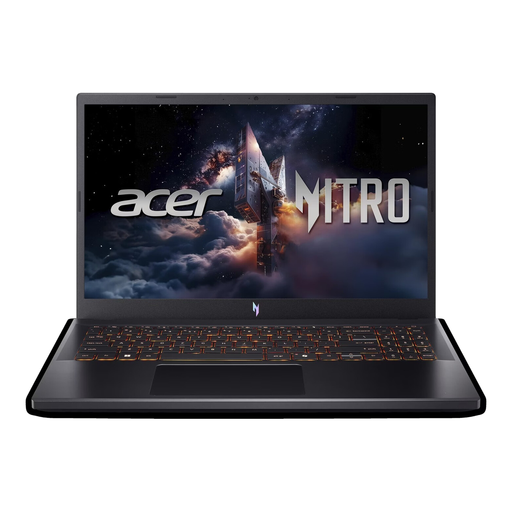
Acer Nitro V 15 (ANV15-52-592S)
The 15.6-inch display offers a mid-sized screen for building theme parks at a shared desk.
15.6-inch Full HD, IPS, 165 Hz, anti-glare; Intel Core i5-13420H; NVIDIA RTX 5070 8 GB; 16 GB DDR4; 512 GB SSD; Windows 11 Home.
Keep the vents clear and use the laptop on a hard, flat surface.
View at Joybuy
 No image available
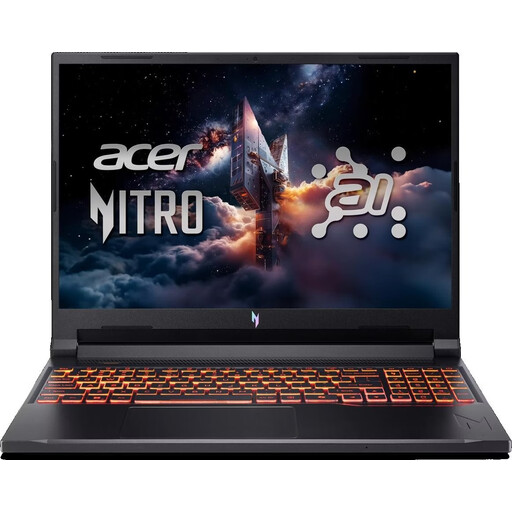
Acer Nitro V 16 AI (ANV16-42-R1PE)
The 16-inch display is a good option if you want to work on park details on the built-in screen.
16-inch WUXGA, IPS, 180 Hz, anti-glare; AMD Ryzen 5 240; NVIDIA GeForce RTX 5050 8 GB; 16 GB DDR5; 512 GB SSD; Windows 11 Home; US Keyboard.
Use it for gaming on a hard, flat surface and keep the vents clear.
View at Joybuy
 No image available
Acer Nitro V14 AI, Ryzen AI 5 340
The 14.5-inch format could be a good fit if you have less desk space to work with.
14.5-inch WUXGA (1920 × 1200), IPS, 120 Hz; AMD Ryzen AI 5 340; NVIDIA GeForce RTX 5050 8 GB GDDR7; 16 GB DDR5; 1 TB PCIe Gen4 SSD; Windows 11 Pro; English-International Keyboard.
Use it for gaming on a hard, flat surface and keep the vents clear.
View at Joybuy
 No image available
HP OMEN 16-ap1099ng
The 16-inch format offers a mid-sized display for park views and menus.
16-inch WQXGA, IPS, anti-glare, 240 Hz; AMD Ryzen 9 8940HX; NVIDIA RTX 5070; 24 GB RAM; 1 TB SSD; Windows 11 Home.
Keep the vents clear and leave plenty of space around the laptop when gaming.
View at Joybuy
Frequently asked questions
Is the graphics card name enough to tell whether a laptop is suitable for my theme park game?
No. First decide which game you want to play, such as Planet Coaster or Planet Coaster 2, then compare the requirements for that version with the CPU, exact laptop GPU, RAM and operating system of the complete configuration. Without knowing the specific game, it’s not possible to recommend a definitive minimum specification.
How should I set up and care for my laptop in a shared bedroom?
Position it so the vents remain unobstructed. Only clean accessible vents in line with your device’s instructions, and switch it off first. ASUS notes that blocked vents can affect heat dissipation.
What should I know about FreeDOS and a fault that develops later?
If you’re buying a laptop with FreeDOS, check before you buy how you’ll install an operating system that’s suitable for your game. When consumers buy a new laptop in Germany, faults are generally covered by a two-year statutory warranty against the seller; any voluntary guarantee has its own terms.
Can I cancel an online laptop purchase in Germany?
For a consumer contract made online, you generally have a 14-day right to cancel from the day you receive the goods. You must notify the retailer that you’re cancelling. Check the terms of your specific contract. The right to cancel is separate from your rights if the goods are faulty.
Which marking should I look for on a laptop sold in the EU?
According to the Bundesnetzagentur, products covered by relevant EU harmonisation legislation and placed on the EU market must carry a CE marking. This relates to the manufacturer’s conformity assessment; it isn’t an independent assessment of gaming performance or fan noise.


