A gaming laptop makes sense for UI design in Figma mainly if you also play demanding games or use other graphics-intensive software. For Figma alone, you don’t need a particularly powerful gaming graphics card, as Figma runs primarily in a browser. According to Figma, a dedicated GPU can improve performance, but it also uses more battery. So, alongside performance, check the display, fan noise, space requirements and portability of the exact configuration.
Who is a gaming laptop suitable for?
UI designers who also game
If you mainly design interfaces and prototypes, assess the display quality and comfort for everyday work separately from the gaming label. Figma runs primarily in a browser; a dedicated GPU can improve performance, but according to the Figma Help Centre, it uses more battery.
Students who also play demanding games
If you want to use the same laptop for design work and regular gaming, compare the requirements of the specific games and programmes you use with the full configuration. Remember to factor in fan noise and portability, too.
Students who work in different places
If you move between your student room and university, consider the weight, power adapter, battery life and available desk space, as well as the built-in display. MSI Germany also highlights these factors as important when carrying a laptop around as part of student life.
What should you look for when choosing one?
| Buying priority |
What to look for |
Who will find this especially important? |
| Display and workspace |
Check the resolution, screen size, reflections and independent findings on colour reproduction for the exact version. |
If I want to assess designs comfortably at my own desk, I look for a clear display and enough room for my tools. Around 28% of consumers would put display quality first. |
| Performance for games and programmes |
Compare the requirements of the games and applications you actually use with the CPU, GPU, RAM and specific GPU power limit. Adobe recommends at least 16 GB of RAM for Photoshop Desktop 27.x on Windows; this recommendation applies to Photoshop, not UI design in general. |
If I use demanding games or other design programmes alongside Figma, I compare their requirements with the full model specification. Around 22% of consumers would prioritise performance for these applications. |
| Fan noise in your room |
Check reviews of the exact configuration under an appropriate workload and operating mode. At your desk, also allow space for the laptop and peripherals, and keep the air vents clear. |
If I work or play in my student room and the noise could disturb others, I check how the laptop performs under load. Around 17% of consumers would choose a quiet room as their top priority. |
| Portability and battery use |
Consider the weight, power adapter and dimensions together. Battery tests under your own workload are more useful than a runtime figure with no context. |
If I regularly take my laptop to university, I want to carry the laptop and power adapter comfortably and work on the go. Around 17% of consumers would put portability first. |
| Use beyond your studies |
Check the RAM, SSD, upgrade options, operating system and accessories you need for your planned programmes. Consider statutory rights and any voluntary guarantee separately. |
If I’m weighing up the purchase and how I’ll use the laptop in the future, I compare the exact specification and potential upgrades rather than just the graphics chip. Around 16% of consumers would prioritise long-term usability and overall costs. |
Avoid common buying mistakes
-
Assuming a high refresh rate means good colour reproduction
Notebookcheck criticised the limited colour gamut of the MSI Cyborg 15 B2RWEKG it tested. A high refresh rate alone, then, doesn’t tell you whether a display is suitable for colour-sensitive UI work.
Check the colour gamut and independent display reviews for the exact model separately from its refresh rate.
-
Comparing only the graphics card name
According to Notebookcheck, the RTX 5050 in the MSI Cyborg 15 B2RWEKG it tested was limited to 45 W. Configurations with similar names can therefore have different specifications.
Compare the full model number and configured GPU power limit with those of the model reviewed.
-
Choosing a large display without checking space and noise
The ASUS TUF Gaming A18 FA808UM listed in Notebookcheck’s rankings weighs 2.7 kg; in its review of the FA808UM-S8060W, Notebookcheck found Turbo mode very loud.
Check the space available and how you’ll carry it, and make sure noise assessments relate to the right configuration and operating mode.
Key brands at a glance
Lenovo
The Legion range may suit students looking for one device that combines gaming performance with a display for design work.
- Notebookcheck describes the OLED display, upgradeable 32 GB of RAM and an extra M.2 slot on the Legion 5 15AGP11 with Ryzen AI 7 450 and RTX 5060 that it tested.
- The review notes loud noise under load and reflections on the glossy display. These findings apply to the model tested, not every Legion version.
ASUS
The TUF Gaming and ROG Zephyrus models reviewed come in different screen sizes and form factors, so the specific configuration matters.
- The TUF Gaming A18 FA808UM-S8060W tested has an 18-inch display. Notebookcheck highlighted the battery life of the review configuration.
- Notebookcheck reports that Turbo mode is very loud on the TUF model it tested. The RAM is soldered on the ROG Zephyrus G16 GU606AW it reviewed. These findings don’t automatically apply to other models or configurations.
MSI
The Cyborg range may appeal if you’re looking for a more compact gaming laptop, provided you carefully check the display and GPU on the exact version.
- The full model number makes it easier to compare different specifications within the range.
- Notebookcheck criticised the limited colour gamut and 45 W GPU power limit on the Cyborg 15 B2RWEKG with RTX 5050 it tested. These details apply to that model and aren’t a general judgement of the brand.
HP
OMEN includes a variety of gaming configurations. Compare the specific product code and the features that matter for your programmes.
- The full model details make it easier to compare memory, SSD and graphics.
- The manufacturer’s claims about cooling aren’t a substitute for an independent noise test. Also check the display, RAM and graphics card for the exact version.
Gaming laptops at Joybuy
These product suggestions are for students who want to combine UI design and gaming on one laptop. Compare the exact specifications with your requirements and the space available in your student room.
 No image available
HP OMEN 16-ap1099ng
An option if you’re looking for a gaming laptop for UI work and games; check that the exact specification suits the applications you use.
16 inches; QHD; AMD Ryzen 9 8940HX; 24 GB RAM; 1 TB SSD; GeForce RTX 5070; Windows 11 Home.
Joybuy
 No image available
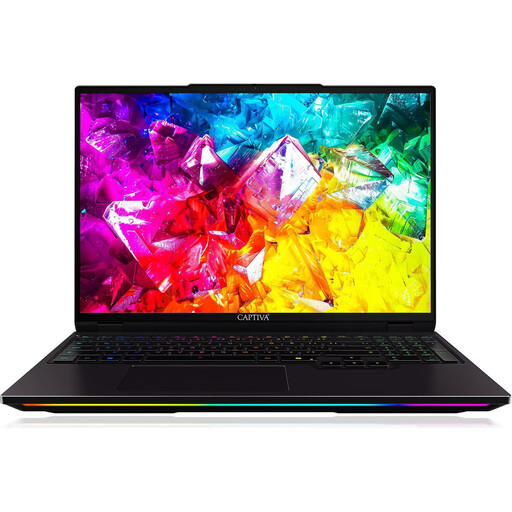
Captiva I92-069
The 16-inch display may be useful for designing on a laptop; make sure the high-end gaming specification matches your actual needs.
16 inches; WQXGA; 300 Hz; IPS; Intel Core Ultra 9 275HX; 32 GB DDR5; 1 TB SSD; NVIDIA GeForce RTX 5080 with 16 GB GDDR7; Windows 11 Home.
Joybuy
 No image available
THUNDEROBOT Radiant 16
The matte display is worth noting for UI work. Check the display quality of the exact version before relying on it for colour-critical tasks.
16 inches; 240 Hz; matte display with 100% DCI-P3 and 500 Nits; Intel Core i7-14700HX; 32 GB RAM; GeForce RTX 5070.
Joybuy
 No image available
MSI VenturePro A16 AI+ A3HWEG-003
An option for UI work and gaming on a 16-inch device; compare the specification with your programmes and preferred carrying weight.
Ryzen AI 7 350; 16 GB RAM; 1 TB SSD; GeForce RTX 5050. The product description lists a 16-inch OLED display and a weight of around 1.9 kg.
Joybuy
 No image available
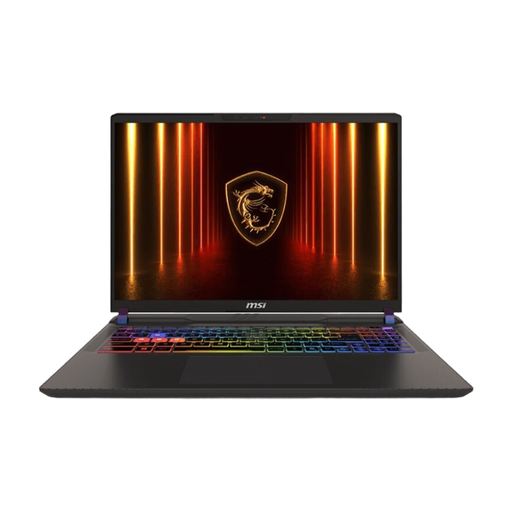
MSI Vector 16 HX AI A2XWHG-476
If you’re looking for a gaming laptop with a built-in display, compare the exact specification with your UI design and gaming requirements.
16 inches; QHD+; Intel Core Ultra 9 275HX; GeForce RTX 5070 Ti; 16 GB RAM; 1 TB SSD; Windows 11.
Joybuy
Frequently asked questions
Do I need a particularly powerful gaming graphics card just for Figma?
Not necessarily. Figma is primarily browser-based and has modest graphics requirements. On a laptop with two GPUs, the dedicated graphics card can speed up Figma, but according to the Figma Help Centre, it uses more battery. Check the requirements of any additional games and programmes separately.
What else should I check for Photoshop?
If you want to use Photoshop Desktop version 27.x or later on Windows, Adobe lists 8 GB of RAM as the minimum and recommends 16 GB or more; a compatible GPU is also required. These are Adobe’s requirements for Photoshop, not a general minimum specification for UI design.
How can I set up a gaming laptop on a small desk?
Allow space for the laptop, mouse and cables, and keep the air vents clear. If you’re considering an 18-inch model, check the overall dimensions rather than just the screen diagonal. A test of the exact version under gaming load will give you a better idea of noise levels than the name of its cooling system.
Are a guarantee and statutory rights the same thing?
No. Statutory rights are legal rights you have against the seller if goods are faulty; a guarantee is a voluntary offer with its own terms. According to the Verbraucherzentrale, if the seller remedies a fault by repairing or replacing the goods, they are responsible for the associated transport, labour and material costs.
Can I cancel an online laptop purchase in Germany?
Consumers generally have a right to cancel a distance-selling contract. The Verbraucherzentrale states that the usual cancellation period is 14 days from receiving the goods ordered; you must notify the other party to the contract. Exceptions and the circumstances of the specific purchase may apply.


