
Lieferung heute & morgen

Qualitätsgarantie

Willkommens-Angebote freischalten: KOSTENLOSE Lieferung | Bis zu 80 % RABATT | Kostenlose 30-Tage-JoyPlus-Testphase
App herunterladen
The right gaming lighting transforms a simple room into an immersive command center. However, the market is flooded with products whose marketing claims often shine brighter than the LEDs themselves. Before you invest, it's crucial to understand the most common pitfalls that lead to disappointment and unnecessary expense. This guide will help you understand technical specifications and make an informed decision.
Many buyers focus on maximum brightness or the number of colors. However, the real issues often lie in the details and only become apparent after installation.
To avoid the problems mentioned above, you should check three core aspects before buying. These define the quality and future-proofing of your gaming room decor.
A smart lighting system is only as good as its integration. Check if the product is compatible with the platforms you already use or plan to use in the future.
These abbreviations are crucial for the types of effects you can create.
Not every light is suitable for every purpose. Consider what primary function the lighting is meant to serve.
Here are some product recommendations tailored to specific needs and use cases.
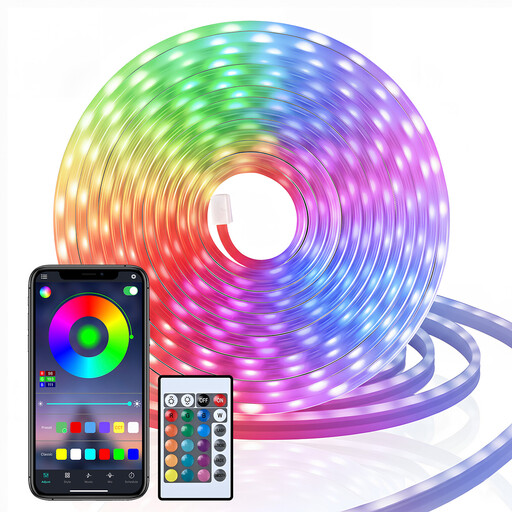
Why This Fits Their Persona: Ideal for users who want to create an impactful atmosphere on a limited budget. Control via app and remote, along with music synchronization, offers a rich feature set for getting started.
As a self-contained system with its own app and remote, it bypasses the pitfall of incompatible ecosystems. Everything needed for control is included in the box.
Flexible neon design for creative shapes and integrated music synchronization via the built-in microphone.
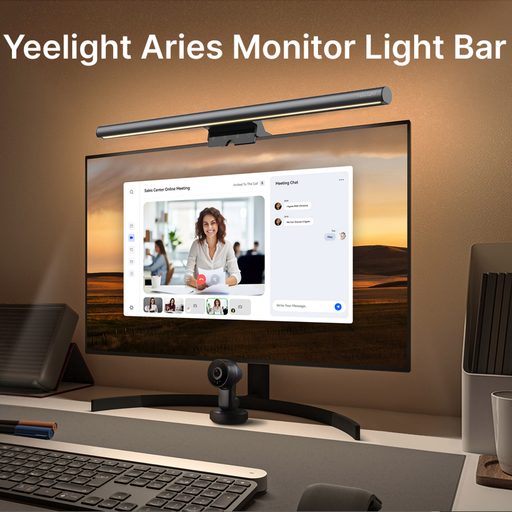
Why This Fits Their Persona: Perfect for gamers and home office users seeking functional desk lighting that is easy on the eyes while also creating an immersive atmosphere.
Solves the problem of inadequate software by integrating with the Razer Chroma and Overwolf ecosystems. The rear-facing RGB lighting syncs with in-game action.
Asymmetrical optical design prevents screen glare. Separate controls for the main light (functional) and the RGB backlight (atmospheric).
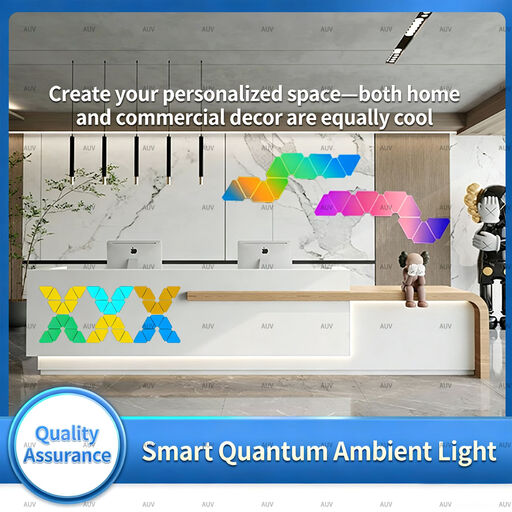
Why This Fits Their Persona: For users who want to use their walls as a canvas and create a unique, artistic lighting design. The modular construction allows for countless creative arrangements.
The app control, with over 210 scene modes and music sync, offers deep customization and avoids the pitfall of limited software. The DIY concept is at the core of the product.
Modular interlocking system for custom patterns. The RGBIC technology enables smooth color transitions and dynamic effects across the individual panels.
We have compiled a complete, up-to-date list of products that fully meet these strict selection criteria and safety regulations.
A standard RGB strip can only display a single color along its entire length at one time. RGBIC strips have integrated control chips (IC) that allow multiple colors to be displayed simultaneously on different segments of the strip. This enables complex, flowing animations and color gradients that are often desired for a dynamic gaming atmosphere.
Technically, it's often possible to run them in parallel, but synchronizing the lighting effects is usually difficult. Each manufacturer typically uses its own app and control protocol. For seamless, synchronized lighting, it is advisable to choose products from a single ecosystem (e.g., Yeelight) or look for compatibility with universal platforms like Razer Chroma RGB.
Power consumption is generally low. A 2-meter LED strip uses about 10-15 watts at full brightness. Modular wall panels require about 2 watts per panel. Even an elaborate setup with multiple light sources rarely consumes more than a conventional light bulb. Pay attention to the power consumption specifications (in watts) on the product packaging or datasheet.