Gamers with limited mouse space
If you play right next to your keyboard or other devices, check that the mouse shape, available space and, if needed, cable routing work together. A small desk doesn’t automatically mean you need a small mouse.


For management games on a small desk, first check how much room you have to move the mouse next to your keyboard and whether you can route a cable neatly. A compact wireless mouse keeps its cable off your desk, but it needs a power source and, depending on the model, a receiver. If you use commands frequently, also consider how easy the buttons are to reach and what they can actually be programmed to do. Manufacturer details on shape and features can help you narrow down your options, but you’ll still need to check whether the mouse suits your hand.
If you play right next to your keyboard or other devices, check that the mouse shape, available space and, if needed, cable routing work together. A small desk doesn’t automatically mean you need a small mouse.
If you want to assign recurring commands to your mouse buttons, make sure they’re easy to reach. A side button that’s difficult to reach is of little use if you have to adjust your grip to press it.
Grip and fit are important factors when choosing a mouse for longer gaming sessions. The dimensions and manufacturer recommendations can help you narrow down your options, but they won’t tell you on their own whether the mouse suits your hand.
First compare the space available for movement and the connection that suits you. Then check that the buttons are easy to reach for the commands you use and that the mouse fits your grip.
| Consideration | What to check when buying | Who is it most relevant to? |
|---|---|---|
| Room to move and cable routing | Compare the free space next to your keyboard with the mouse dimensions and the room available for routing a cable, if needed. | If there’s hardly any room next to my keyboard, I want to assess the space I’ll need to move the mouse and route its cable before buying. Around 40% of consumers put available movement space first. |
| Easy-to-reach extra buttons | Count only the commands you need, check that the buttons are within easy reach without changing your grip, and find out what software is required to programme them. | If I use commands frequently, I want to trigger them easily instead of awkwardly switching between my mouse and keyboard. Around 30% of consumers give command access the highest priority. |
| Fit for long gaming sessions | Take your hand size and grip style into account; check that the main buttons, scroll wheel and side buttons are easy to reach. | If I play for long periods, I want a mouse that fits my hand and grip, not just my desk. Around 20% of consumers put fit first. |
| Battery requirements and after-sales cover | Check the power source for the exact model and the battery type; distinguish your statutory rights from a voluntary manufacturer’s warranty. | If I want to avoid extra purchases later, I check whether the wireless mouse needs a replaceable battery. Around 10% of consumers prioritise battery requirements and after-sales cover. |
A compact mouse won’t necessarily solve the fit issue. Grip and reach depend on the size of your hand.
Measure the free space and try the mouse with your own grip and range of movement in mind.
These two Corsair models are different. If a model description is inconsistent, the connection type and power source may be unclear.
Before buying, check the exact model name, connection and power source against clear product details.
Razer gives the Orochi V2’s weight without a battery and bases its battery life claims on an AA lithium battery. Logitech notes that usage conditions affect the G305’s battery life.
Compare weights including the required battery, and take account of the conditions attached to each battery life claim.
The G305 is a wireless mouse with an AA battery and USB receiver; Logitech positions the G705 as a model for smaller hands.
According to Razer, the Orochi V2 offers Bluetooth and 2.4 GHz wireless connectivity, making it a compact wireless option with a choice of connections.
The KATAR PRO XT is a compact wired mouse. Corsair describes its shape as symmetrical.
The MM711 is a wired mouse with a honeycomb shell, listed by Cooler Master on a product page marked “Legacy Products”.
The Aerox 3 Wireless is a wireless option with 2.4 GHz and Bluetooth connectivity; the product name alone doesn’t tell you whether its shape suits your hand.
The Joybuy products below include wired and wireless gaming mice for your desk. Button count, connection and power source vary by model.
 No image available
The wired version is worth considering if you don’t want a replaceable battery and can route the cable neatly. Its symmetrical shape is listed at around 52–53 g without the cable.
HyperX 26K sensor, 26,000 DPI, 8,000 Hz polling rate and six buttons; you’ll need free space to route the cable.
 No image available
This wireless mouse offers several connection options and programmable buttons if you’re looking for features to suit your in-game commands.
PAW3311 sensor, six customisable buttons and three connection types: Bluetooth, 2.4 GHz and USB-C. The product description says it’s shaped for medium to large hands.
 No image available
Seven programmable buttons may be useful for recurring commands; check that their layout suits your grip.
Bluetooth 5.0, 2.4 GHz and USB-C; PAW3311 sensor, 12,000 DPI, 67 g, seven programmable buttons and a 400 mAh battery.
 No image available
The listed symmetrical shape for small to medium-sized hands may help you narrow down your options, but you should check for yourself whether it feels comfortable.
PAW3950 sensor and three connection types: Bluetooth, 2.4 GHz wireless and wired USB-C. The listing includes a magnetic charging dock.
 No image available
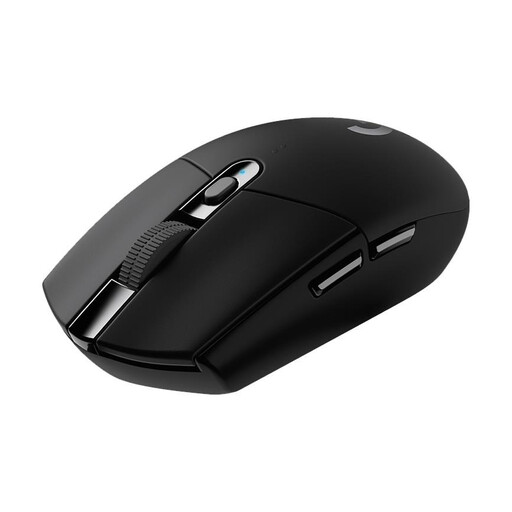
Wireless connectivity may suit you if a mouse cable gets in the way on a cramped desk. You’ll need an AA battery and a USB receiver to use it.
Six programmable buttons. An older PC-WELT review of the specific model criticised the amount of force needed to click.
No. Compare the mouse’s dimensions with the space you actually have, and check your grip and range of movement. With a wired mouse, you’ll also need to consider cable routing. A small desk doesn’t tell you what mouse size will suit your hand.
First check which commands your game lets you assign and whether the buttons are easy to reach. Razer lists Synapse and Corsair iCUE for customising the respective models. Before buying, check that the software works with your operating system and the exact model.
Take replaceable batteries to a battery collection point; don’t put them in household rubbish. An old mouse should be disposed of separately as waste electrical equipment. If possible, remove any removable battery first and dispose of it separately. The German Environment Agency provides this disposal guidance.
If you buy from a trader in the EU, consumers have at least two years of statutory rights for goods that are faulty or don’t match the contract. Your Europe distinguishes these rights from a voluntary manufacturer’s warranty; a warranty doesn’t replace your statutory rights.
EU radio equipment rules apply to devices with wireless functionality. According to the Bundesnetzagentur, the CE marking is the manufacturer’s declaration that the applicable requirements have been met; it isn’t an independent quality mark. The Bundesnetzagentur also lists accompanying documents, such as instructions in German and safety information, as points to check. This doesn’t confirm that a specific product listing is compliant.