What to consider when buying
First check that the shape and grip suit your hand, then adjust the settings and connection to fit the space you have for moving your mouse. Screen size alone isn’t a reason to choose a particular DPI value.
| What you’re looking for |
What to check |
Who it matters most to |
| Controlled movements |
Match DPI, in-game sensitivity and the space available on your mouse mat; also check how easy it is to lift and reposition the mouse. |
If I’m practising wide sweeps and small corrections, I want to be able to adjust the sensitivity to suit my movements. Around 36% of consumers prioritise controllable aiming movements. |
| A good fit for your hand and grip |
Compare the shape, how easily you can reach the buttons and the way you hold your mouse. |
If I want the mouse to feel secure in my hand during repeated movements, I compare symmetrical and ergonomic shapes. Around 29% of consumers prioritise a mouse shape that fits. |
| Freedom of movement and connection |
Consider wired or wireless use, receiver placement and charging needs; check battery life for the connection mode you’ll use. |
If a cable gets in the way when I make wide movements, I want to use a wireless mouse and plan for the receiver and charging as part of my setup. Around 21% of consumers prioritise a cable-free space to move. |
| Purchase and aftercare |
Check what’s included with the exact model and whether you might need extra accessories; check the warranty and returns terms separately. |
If I want to understand potential extra costs and what happens if something goes wrong before buying, I check the model variant and terms. Around 14% of consumers put predictable overall costs and aftercare first. |
Joybuy products for practising your movements
The Joybuy models below include wireless and wired gaming mice with a range of shapes and adjustment options. Compare the connection, fit and available movement space with your own setup.
 No image available
Razer DeathAdder V3 Pro Wireless, White
The ergonomic, right-handed shape and wireless design could suit you if you prefer a contoured grip without a mouse cable.
The product description lists a weight of 64 g, 2.4 GHz wireless, selectable DPI profiles and saved lift-off distance settings.
View at Joybuy
 No image available
Razer Viper V3 Pro Wireless, White
The symmetrical wireless design could suit you if you want to make wide movements without a cable getting in the way.
The product description lists a weight of 54 g and up to 8,000 Hz; the included HyperPolling dongle is used for this polling rate. The polling rate alone doesn’t tell you how well you’ll perform in practice.
View at Joybuy
 No image available
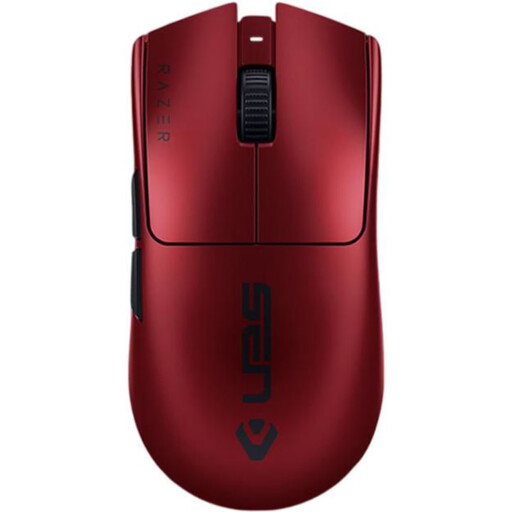
Razer Viper V3 Pro RZ01-05120400-R3M1 Wireless, Dark Red
The wireless, ambidextrous design could suit you if you’re looking for a symmetrical mouse with customisable controls.
The product description lists a weight of 54 g, six programmable buttons and adjustable DPI.
View at Joybuy
 No image available
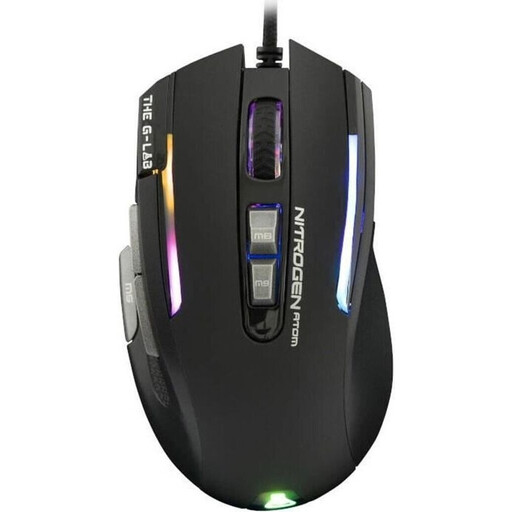
The G-Lab KULT-NITRO-ATOM, wired
This wired, right-handed design is described as suitable for a claw grip. It could be an option if a cable fits into your movement space.
The product description lists a weight of 100 g, up to 125 Hz, adjustable DPI and a 180 cm cable.
View at Joybuy
 No image available
HyperX Pulsefire Haste 2, wired, White
The symmetrical, wired design could suit you if you want to avoid charging and can accommodate the cable in your movement space.
The product description lists a weight of around 53 g and a polling rate of up to 8,000 Hz. Grip tape and extra PTFE skates are listed as included.
View at Joybuy
Frequently asked questions
Do I need a mouse with maximum DPI just because I have a large screen?
No. DPI describes how the mouse responds to physical movement; SteelSeries points out that a higher value isn’t always better. Adjust DPI and in-game sensitivity to suit your actual practice, rather than assuming your screen size requires a minimum value.
How do I set up a wireless mouse if the connection keeps dropping?
First, check which receiver is designed for your model and where it’s positioned. For the PRO X SUPERLIGHT 2, Logitech recommends keeping the mouse within 20 cm of the receiver for optimum wireless performance, and more than 2 m from sources of 2.4 GHz interference. This recommendation applies to this model.
How can I keep my mouse’s movement space clear?
Keep your mouse mat and mouse feet clean, and check whether a cable or receiver is getting in the way of your planned movements. For the PRO X SUPERLIGHT 2, Logitech describes an optional PTFE cover and grip tape; the fitting instructions apply to this model.
What’s the difference between returns and faults after buying online in Germany?
According to Verbraucherzentrale, online purchases generally come with a 14-day right to cancel. Statutory rights for faulty goods are claims against the seller; a warranty is an additional, voluntary service with its own terms and conditions.


