
Lieferung heute & morgen

Qualitätsgarantie

Willkommens-Angebote freischalten: KOSTENLOSE Lieferung | Bis zu 80 % RABATT | Kostenlose 30-Tage-JoyPlus-Testphase
App herunterladen
The search for the right gaming monitor can quickly become overwhelming. Manufacturers advertise a flood of technical specs, but not every specification is relevant to your gaming experience. This guide will help you understand the crucial features and avoid marketing traps, so you can make an informed decision for your new PC screen.
Before we dive into the important parameters, let's look at three common marketing promises that often lead to disappointment.
The "1ms Response Time" Myth: Many monitors advertise a response time of 1 millisecond. However, you should be cautious here. This is often the MPRT (Motion Picture Response Time) value, which is achieved through a technique called backlight strobing. While this can reduce motion blur, it frequently leads to lower brightness or visible flicker. A more relevant value is the GtG (Gray-to-Gray) response time, which measures the actual pixel transition. A monitor with a low GtG time offers a clearer and smear-free image without the drawbacks of MPRT.
Excessive Refresh Rates: A 240Hz monitor, or even models with 360 Hz, sound tempting, but they are only useful if your graphics card can consistently deliver high frame rates (Frames Per Second, FPS). If your PC only reaches 150 FPS in your favorite games, you won't benefit from a higher refresh rate. A monitor with 144 Hz or 180 Hz often represents a more balanced compromise between performance and cost.
Misleading HDR Specs: The term "HDR Ready" or a certification like "DisplayHDR 400" does not guarantee an impressive HDR experience. For truly visible contrast and brilliant highlights, a high peak brightness (at least 600 cd/m?, preferably 1000 cd/m?) and advanced local dimming technology are required. Alternatively, an OLED monitor naturally delivers perfect blacks and infinite contrast thanks to its self-emissive pixels.
Focus on the following three technical features in your selection process to find the right monitor for your needs.
The combination of resolution and size determines the image sharpness (pixel density, ppi).
The panel is the heart of every monitor and is the primary determinant of image quality.
Adaptive Sync synchronizes the monitor's refresh rate with the graphics card's frame rate to prevent screen tearing and stuttering.
Here are some models tailored to specific user profiles that avoid the pitfalls mentioned.
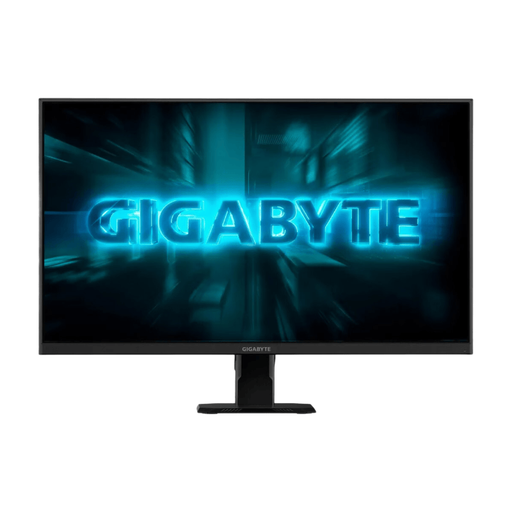
Why it's a good fit: Ideal for players seeking maximum performance in fast-paced titles like shooters or racing games without breaking the bank for a 4K graphics card. The focus is clearly on speed.
This model avoids the trap of an oversized resolution. The Full HD resolution allows even mid-range PCs to take full advantage of the 240 Hz, resulting in a noticeably smoother gaming experience.
240 Hz refresh rate and 1 ms GtG response time for maximum motion clarity. The SS-IPS panel ensures vibrant colors and good viewing angle stability.
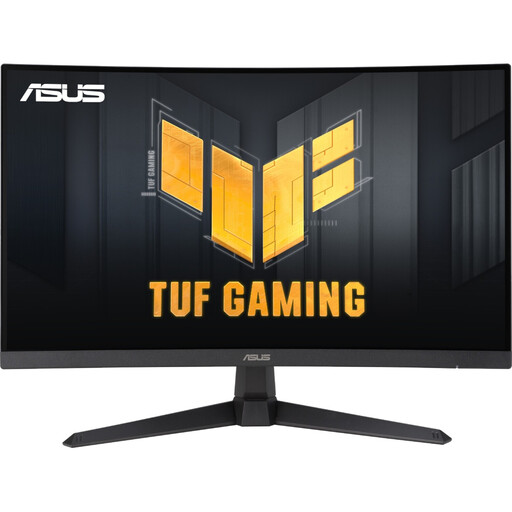
Why it's a good fit: A versatile monitor for users who need both smooth gaming and a sharp display for office applications and content creation. The WQHD resolution on a 27-inch screen is the ideal sweet spot.
This model uses a reliable 1 ms GtG response time instead of the potentially misleading MPRT value. The 180 Hz is a sensible value that can be achieved by most modern gaming PCs.
The combination of WQHD resolution (2560x1440), 180 Hz, and a high-contrast Fast VA panel (5000:1) offers a well-rounded package for immersive games and productive work.
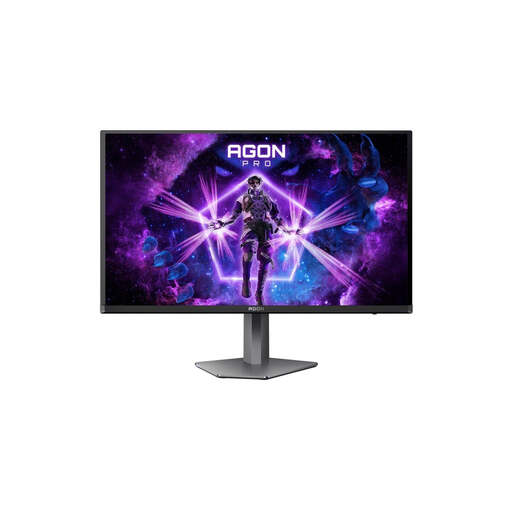
Why it's a good fit: For demanding gamers who don't want to compromise on response time and image contrast. OLED technology delivers a visual quality that LCD panels can't match.
This model avoids the "weak HDR" trap. Thanks to its QD-OLED panel and VESA DisplayHDR True Black 400 certification, it delivers true HDR with perfect black levels and pixel-perfect lighting, rather than just boosting brightness.
An extremely low GtG response time of 0.03 ms and a dynamic contrast that is only possible with OLED. The combination of 240 Hz and QHD resolution is ideal for high-end gaming.
We've compiled a complete, up-to-date list of products that fully meet these strict selection criteria and our quality standards.
For high refresh rates (144 Hz and above) at WQHD or 4K resolution, DisplayPort 1.4 is generally the more reliable choice for PC. HDMI 2.1 is also very capable and is the standard for modern consoles like the PlayStation 5 or Xbox Series X to enable 4K at 120 Hz. Check your graphics card's ports and the monitor's specifications to ensure full performance.
The GtG (Gray-to-Gray) response time measures how quickly a pixel can change its color. This is a direct indicator of motion clarity and avoiding "ghosting." The MPRT (Motion Picture Response Time) measures perceived blur and is often artificially improved by rapidly turning the backlight on and off. However, this can lead to flicker or a loss of brightness. For an objective evaluation, the GtG value is more meaningful.
The curvature, specified in "R" (e.g., 1500R), is primarily a matter of personal preference. On larger screens (27 inches and up), and especially on an Ultrawide monitor, a curve can enhance immersion by bringing the edges of the screen closer to your peripheral vision. A value like 1500R means the radius of the curve is 1500 mm—the lower the number, the more pronounced the curve.