Selecting a gaming monitor in 2026 comes down to an analysis of technical parameters that directly impact the visual experience and in-game performance. Crucial factors include resolution, refresh rate, panel technology, and response time. Understanding these specifications is fundamental to finding a display that matches your hardware's capabilities and your preferred gaming genres. This guide breaks down the relevant criteria and presents a selection of models with different technical focuses.
Buyer's Guide: What to Look for in a Gaming Monitor
Choosing a PC monitor for gaming depends on balancing various technical specifications.
Resolution: The Density of Detail
Resolution defines the number of pixels a screen can display. A higher resolution results in a sharper, more detailed image but also places greater demands on the graphics card.
- WQHD (2560 x 1440 pixels): Offers a significant sharpness improvement over Full HD and represents a great compromise between image quality and achievable frame rates for many current graphics cards.
- 4K Ultra HD (3840 x 2160 pixels): A 4K gaming monitor delivers four times the pixel count of Full HD, enabling extremely high detail density. This is especially beneficial for visually stunning single-player titles and 4K media playback.
- UWQHD (3440 x 1440 pixels): This ultrawide 21:9 aspect ratio resolution expands the peripheral field of view, which can enhance immersion in games and boost productivity in applications.
Refresh Rate (Hz): The Fluidity of Motion
The refresh rate, measured in Hertz (Hz), indicates how many frames per second the monitor can display. A higher rate results in a smoother, more responsive perception of motion.
- 144 Hz / 165 Hz: The established standard for smooth gaming. The difference from 60 Hz is clearly noticeable and provides an advantage in fast-paced games.
- 240 Hz and higher: A 240Hz WQHD monitor is primarily aimed at competitive esports titles. The extremely high frame rate minimises motion blur and allows for very fast reactions.
Panel Technology: The Foundation of Image Quality
The type of panel used has a decisive influence on color reproduction, contrast, and response speed.
- OLED / QD-OLED: An OLED monitor offers per-pixel illumination, resulting in perfect black levels and a theoretically infinite contrast ratio. QD-OLED panels combine this with Quantum Dots for even wider and more precise color gamut coverage.
- IPS (In-Plane Switching): These panels are known for their high color accuracy and wide viewing angles. Modern "Fast IPS" variants have significantly improved response times and are well-suited for a wide range of games.
- VA (Vertical Alignment): VA panels are characterized by high static contrast ratios, which are significantly higher than those of IPS panels. This leads to deeper black levels. They are often found in curved gaming monitor models.
Other Features
- Response Time: Measured in milliseconds (ms), it describes the time a pixel takes to change color. Values of 1 ms (GTG - Grey-to-Grey) or lower are desirable for gaming to minimize ghosting.
- HDR (High Dynamic Range): An HDR monitor can display a wider range of brightness and color. Certifications like VESA DisplayHDR 400 provide an indication of its performance capabilities.
- Adaptive Sync: Technologies like AMD FreeSync or NVIDIA G-Sync synchronize the monitor's refresh rate with the graphics card's frame output to prevent screen tearing.
Our Top Picks for 2026
The following models have been selected based on their specific technical configurations and intended use cases.
MSI MAG 321UPDE QD-OLED 4K Monitor
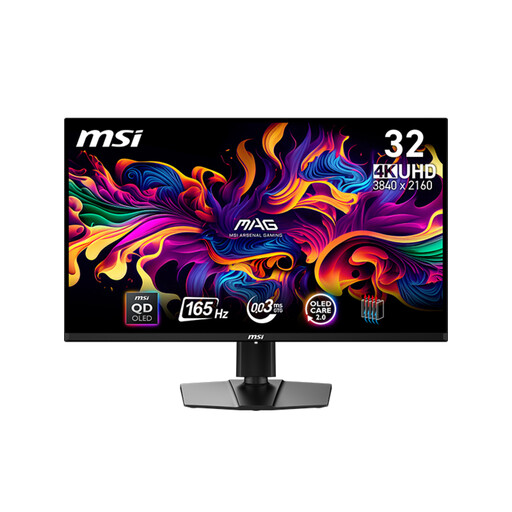
[10€ off with Code: M10] MSI MAG 321UPDE QD-OLED Computer Monitor 80 cm (31.5 inch) 3840 x 2160 Pixels 4K Ultra HD Black
- Why We Recommend It: This model combines the high detail density of a 4K resolution with the advantages of QD-OLED technology. The result is an image quality with perfect black levels, a 1,500,000:1 contrast ratio, and very wide color coverage. The 0.03 ms response time is suitable for any type of game.
- Pros:
- 31.5-inch QD-OLED panel with 4K UHD resolution
- Extremely fast 0.03 ms response time
- 165 Hz refresh rate via HDMI 2.1 and DisplayPort 1.4a
- VESA DisplayHDR True Black 400 certification
- Extensive connectivity options including USB-C with 15W Power Delivery
- Best For: Users who prioritize maximum image quality, whether for graphically demanding single-player games on PC and console (PS5, Xbox Series X) or for color-critical content creation tasks.
TITAN ARMY P2710S 240Hz WQHD Monitor
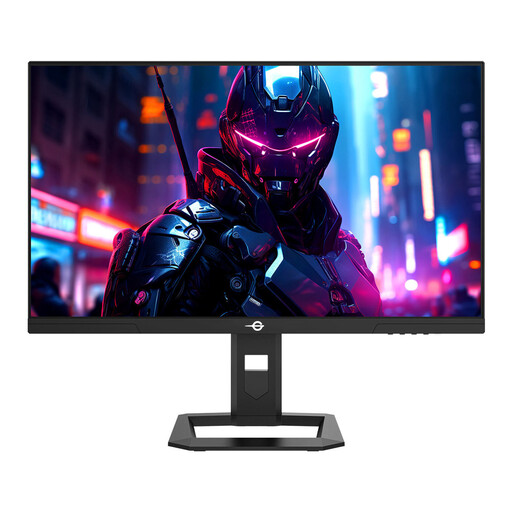
TITAN ARMY P2710S Gaming Monitor, 27-inch 2560*1440 16:9 Fast IPS LCD Screen, 240Hz Refresh Rate, 1ms GTG, HDR 400, EU Version
- Why We Recommend It: This monitor is designed for maximum speed at a popular competitive resolution. The combination of a 240 Hz refresh rate, 1 ms GTG response time, and a Fast IPS panel creates the technical foundation for responsive gameplay in esports titles.
- Pros:
- 27-inch Fast IPS panel with WQHD (2560x1440) resolution
- Very high 240 Hz refresh rate
- Fast 1 ms (GTG) response time
- Support for Adaptive Sync and HDR 400
- Fully ergonomic stand (height, tilt, swivel, pivot)
- Best For: Competitive gamers and esports enthusiasts who primarily play fast-paced titles like FPS or MOBAs and prioritize the smoothest, lowest-latency display at WQHD resolution.
KOORUI 34E6UC Ultrawide Curved Monitor
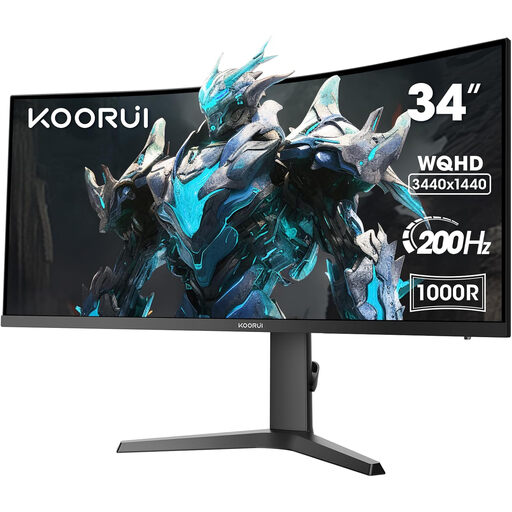
KOORUI 34E6UC 34 Inch Ultrawide Curved Gaming Monitor, PC Screen 200Hz, 1MS HDR 400, 1000R, UWQHD 3440x1440, Adaptive Sync, DCI-P3 90% Height Adjustable
- Why We Recommend It: The 21:9 aspect ratio combined with the aggressive 1000R curvature creates an immersive viewing experience that envelops the user's peripheral vision. With a 200 Hz refresh rate and 1 ms (MPRT) response time, the display remains fluid even in fast-paced scenes.
- Pros:
- 34-inch VA panel in a 21:9 aspect ratio with UWQHD resolution
- Aggressive 1000R curvature for high immersion
- High 200 Hz refresh rate
- 90% DCI-P3 color gamut coverage and HDR 400
- Height-adjustable stand
- Best For: Gamers of immersive genres like RPGs, racing sims, or strategy games. Also for power users who want to leverage the extra horizontal space for multitasking and productivity applications.
Other Options and Alternatives
The models presented here cover specific requirement profiles. If you are looking for other sizes, resolutions, or panel technologies, you can find a wider selection in our main category for Computer Monitor Screens.
Frequently Asked Questions (FAQ)
1. What is more important for a gaming monitor: resolution or refresh rate? The priority depends on the use case. For fast-paced, competitive games (e.g., shooters), a high refresh rate (144 Hz and above) is often more beneficial than a very high resolution, as it allows for smoother visuals and faster reactions. For graphically rich single-player titles where visual quality is paramount, a higher resolution (4K) can enhance the experience more significantly.
2. Is an OLED gaming monitor worth it? An OLED monitor offers objective advantages in image quality, especially in contrast (perfect black levels) and response times. Colors often appear more vibrant. For users seeking the highest visual quality and willing to pay the corresponding price, OLED technology is an excellent option.
3. What ports does a modern gaming monitor need? For high resolutions and refresh rates, DisplayPort 1.4 or HDMI 2.1 are required. HDMI 2.1 is particularly relevant for current game consoles (PlayStation 5, Xbox Series X) to enable 4K gaming at 120 Hz. A USB-C port with Power Delivery can also be convenient for connecting and charging laptops with a single cable.
Written by: Joybuy Product Recommendation Officer

