
Lieferung heute & morgen

Qualitätsgarantie

Willkommens-Angebote freischalten: KOSTENLOSE Lieferung | Bis zu 80 % RABATT | Kostenlose 30-Tage-JoyPlus-Testphase
App herunterladen
The search for a new gaming monitor can quickly become overwhelming. Manufacturers advertise with a flood of technical jargon and impressive numbers, but not every specification delivers on its promise. Many buyers invest in features they either don't need or that don't deliver the advertised performance in practice. This guide will help you understand the crucial criteria and avoid marketing traps, so you can find a PC monitor that truly fits your needs.
Before we dive into the important parameters, let's shed light on the most common marketing pitfalls that often lead to disappointment.
Many manufacturers prominently advertise a response time of "1ms MPRT" (Moving Picture Response Time). However, this value is achieved through techniques like black frame insertion, which can reduce motion blur but often leads to lower brightness and noticeable flicker. The more relevant and honest metric is the GtG (Gray-to-Gray) response time, which measures the actual pixel transition. A monitor with 1ms GtG is generally more responsive than a model with 1ms MPRT and 4ms GtG.
The term HDR (High Dynamic Range) promises more brilliant colours and higher contrasts. Yet, many monitors marketed simply as "HDR Ready" or "HDR10 compatible" lack the necessary peak brightness or local dimming technology for a true HDR experience. Look for an official VESA DisplayHDR certification (e.g., DisplayHDR 400, DisplayHDR 600, or DisplayHDR 1000). These standards guarantee a minimum level of performance for brightness and contrast.
A 4K monitor offers impressive image sharpness but also requires an extremely powerful and expensive graphics card to display modern games smoothly at high frame rates. For many gamers, a WQHD monitor (2560 x 1440 pixels) represents the ideal compromise between image sharpness and achievable performance, especially for screen sizes around 27 inches.
Focus on the following three technical features in your selection process to make an informed decision.
Pixel density, the ratio of resolution to screen size, determines image sharpness.
The refresh rate indicates how many frames per second the monitor can display. A higher frequency results in a smoother and more responsive perception of motion.
A monitor for PS5 or Xbox Series X should support at least 120Hz and have an HDMI 2.1 port to leverage the full potential of the consoles.
The panel is the heart of the monitor and is a key determinant of image quality.
Here are some models tailored to specific user profiles that take the aforementioned criteria into account.
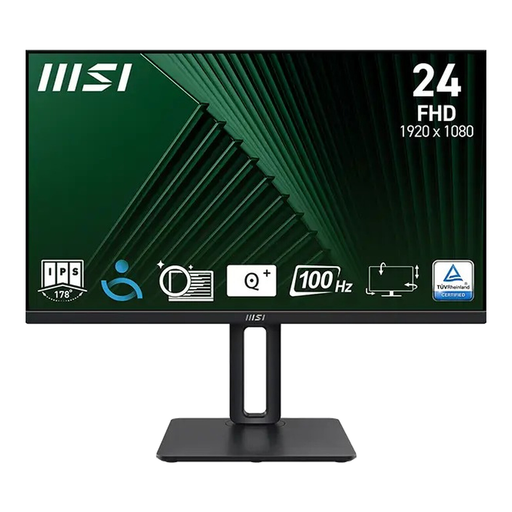
Why this model fits: It provides a solid foundation for casual gaming and home office use. The 100Hz refresh rate is a noticeable upgrade from 60Hz, and the IPS panel ensures good colours and viewing angle stability without breaking the bank.
This model doesn't make exaggerated claims. It delivers honest performance with 100Hz and a solid IPS panel, rather than advertising with misleading HDR or response time specs.
The fully ergonomic stand (height-adjustable, tilt, swivel, and pivot) is a clear bonus for comfort and healthy posture in this price range.
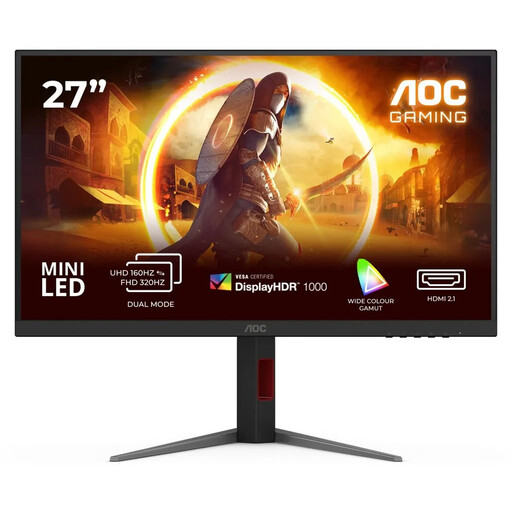
Why this model fits: For this user, speed and responsiveness are what count. The extremely high 320Hz refresh rate and fast 1ms GtG response time minimise motion blur and input lag, providing a tangible advantage in competitive matches.
This model avoids the "fake HDR" trap by offering a VESA DisplayHDR 1000 certification with 1,152 local dimming zones. It delivers verifiably high performance instead of just advertising with empty buzzwords.
The combination of 4K resolution, a 320Hz refresh rate, and Mini-LED technology in one device is exceptional, offering both extreme speed and visual brilliance.
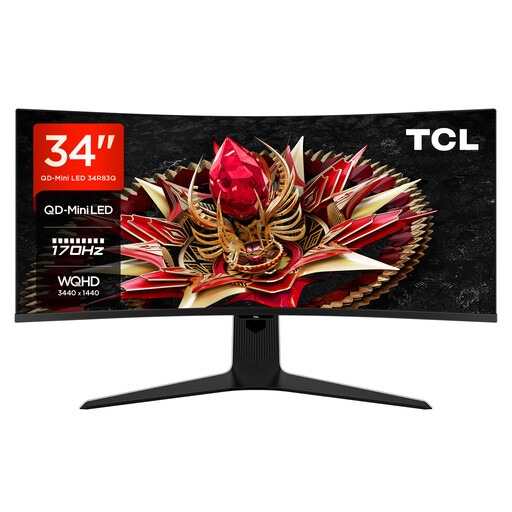
Why this model fits: This user is looking for a cinematic, immersive experience. The 21:9 ultrawide format of the curved monitor, the high-contrast Mini-LED technology, and the VESA DisplayHDR 1400 certification create impressive visual depth for story-driven games and movies.
With DisplayHDR 1400 and 1,152 dimming zones, this model delivers verifiable top-tier performance that goes far beyond vague HDR promises. The USB-C monitor with 90W Power Delivery also offers practical added value.
Outstanding HDR performance with a peak brightness of up to 1600 nits and an immersive 21:9 curved format for a captivating viewing experience.
We have compiled a complete, up-to-date list of products that fully meet these strict selection criteria.
Do I need a curved monitor for gaming? A curved monitor is a matter of personal preference. It can enhance immersion, especially with ultrawide (21:9) models, as the peripheral field of view is better filled. However, for competitive esports titles, many players prefer flat screens as they ensure a geometrically undistorted image.
What's the difference between G-Sync and FreeSync? Both are adaptive sync technologies that prevent "screen tearing" by synchronising the monitor's refresh rate with the graphics card's frame rate. G-Sync is NVIDIA's proprietary technology, while FreeSync is an open standard from AMD. Many modern monitors are "G-Sync Compatible," meaning they are based on the FreeSync standard but also work smoothly with NVIDIA graphics cards.
How many Hertz does the PS5 support? The PlayStation 5 supports video output up to 120Hz at 1080p and 4K resolution. To use this feature, you need a monitor with a refresh rate of at least 120Hz. To display 4K at 120Hz, a monitor with an HDMI 2.1 port is absolutely necessary.